

Jonathan Warrecker
New Participant
July 18, 2025
Solved

Icon color not changing on override

  • July 18, 2025
  • 9 replies
  • 948 views

If I change the icon in a button and then change the state of a button from default to hover, the icon color does NOT change. (works fine if you don’t change the icon)
I’m using stroke icons, and the scope settings in the color variable is set up to handle stroke. 

Please let me know what I need to do to so the swapped icon will change color on override.
Video:
https://monosnap.com/file/RUUxOXXXdznZoemEG4Aow5wO4As8Vx
Best answer by Jonathan Warrecker

Thank you Natalia!
Got an email from Figma support and they suggested making the “structure of the icon exactly the same” -including the name. And it worked on the first one I tried….I’ll update if it stops working

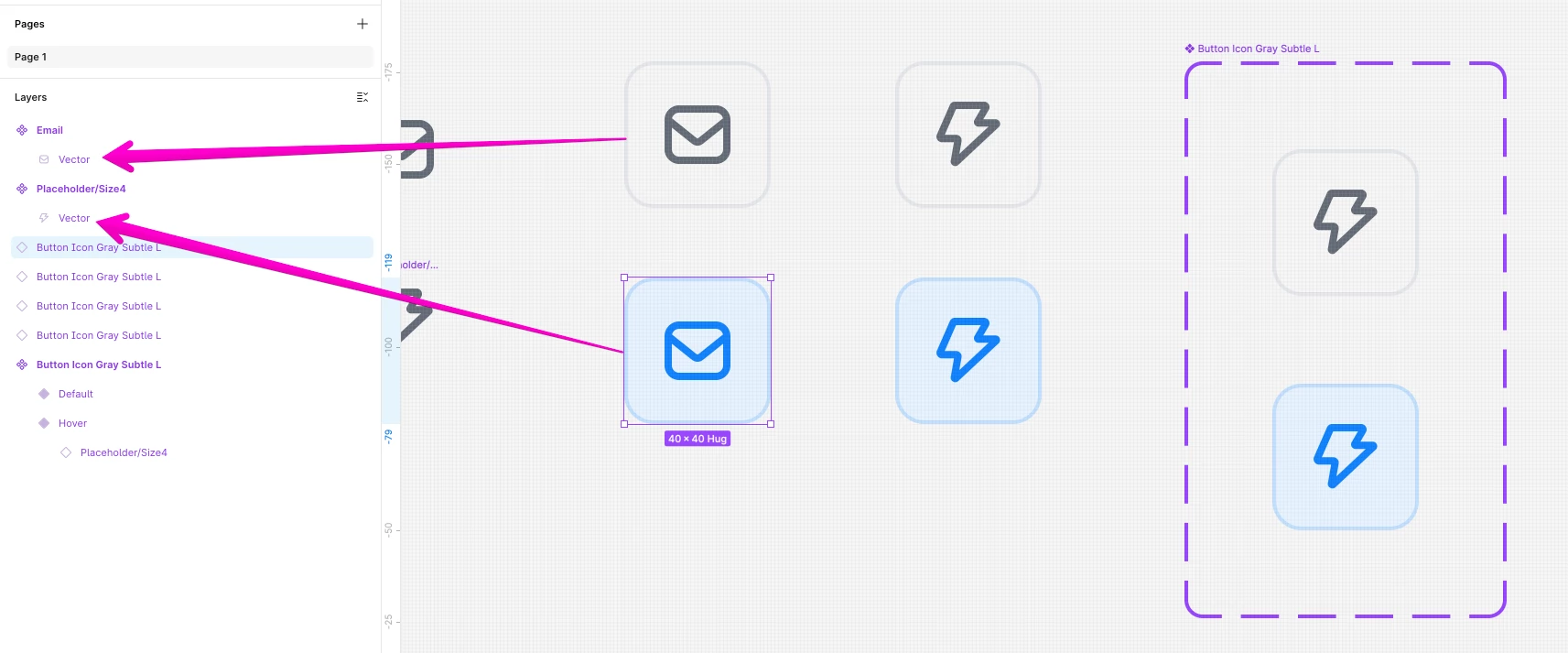
Here is an example of the icons same name, same structure, that worked. 


9 replies

Jonathan Warrecker
New Participant
July 22, 2025


NataliaCoelho
New Member
July 22, 2025

Hey! I’m having a similar problem!


I have 4 sizes of icon buttons using 4 different sizes of icons. I’ve created 4 component variables with text strings to reference the size for each button and icon (Example: MD icon button = MD), so it retains the icon symbol when I change the size of the button. 


  • So when I pick an instance of the MD primary button with an arrow icon > swap the icon with a different symbol = color is retained 👍


  • When I pick an instance of the MD primary button with an arrow icon > swap the icon with a different symbol > change the button to secondary = color is overriden 👍


BUT

  • When I pick an instance of the MD primary button that with an arrow icon > swap the icon with a different symbol > change the button size to LG = icon size changes and the icon remains 🙌 (because of the variables) but the color resets to the same color of the icon library

Why?

Jonathan Warrecker
Jonathan WarreckerAuthorAnswer
New Participant
July 22, 2025

Thank you Natalia!
Got an email from Figma support and they suggested making the “structure of the icon exactly the same” -including the name. And it worked on the first one I tried….I’ll update if it stops working

Here is an example of the icons same name, same structure, that worked. 


Jonathan Warrecker
New Participant
July 22, 2025

thank you!

Nancy
Product Support Specialist
Figma

NataliaCoelho
New Member
July 23, 2025

Hey Jonathan! Thanks for your reply.


Unfortunately my icons are already with the correct structure and naming you suggested.


My problem is a little bit different from yours because I have different icon sizes applied to different icon button sizes and although I found a way to retain the icon, the colors override. 

Darlan Machado
New Member
November 7, 2025

Verify if the layer is unlocked, sometimes this is what causing the problem. If the layer is locked, you cant override the color. 

AlicePackard
Power Member
May 3, 2026

When I pick an instance of the MD primary button that with an arrow icon > swap the icon with a different symbol > change the button size to LG = icon size changes and the icon remains 🙌 (because of the variables) but the color resets to the same color of the icon library

Why?

@NataliaCoelho, are you changing button sizes using variant properties? Or is “MD primary button” a different component than “LG primary button”?

Also, what are height and width of the icon instances inside of a MD button and a LG button? I’d like to try and re-create this issue to see if I can help understand why your icon colors are resetting when you change button sizes

I write about building excellent Figma components on my blog: https://alicepackarddesign.com/blog
MiguelSv04
New Member
June 10, 2026

What worked for me was to use an icon with more vector layers than the instanced icon i used after

  • if main component has 2 vectors and the swap has 5 then only 2 vectors will inherit the colours properly
  • so for the main component i used a random icon with many vectors so any other icon i swap will inherit the colours as long as they dont have more vectors than the main component

Such annoying thing - and from what i have seen it has been like this for years