

Thomas_Cramer
New Participant
August 24, 2026
Question

I want some elements to scale in

  • August 24, 2026
  • 4 replies
  • 60 views

I have a component that has some lines in it. The lines are spaced out with a specific ratio. The idea is that I can use these lines and scale the component while keeping the ratio between the lines the same when I scale the component up or down. I can’t seem to get my head around this. For context it is to be used in a graph.



I have tried farming the lines, I have used the scale property, the Left+Right property and even the Center property and none of the above worked.

I have tried to use boxes as spacers between the lines. I can get the boxes to scale correctly, however the lines will not follow the boxes:
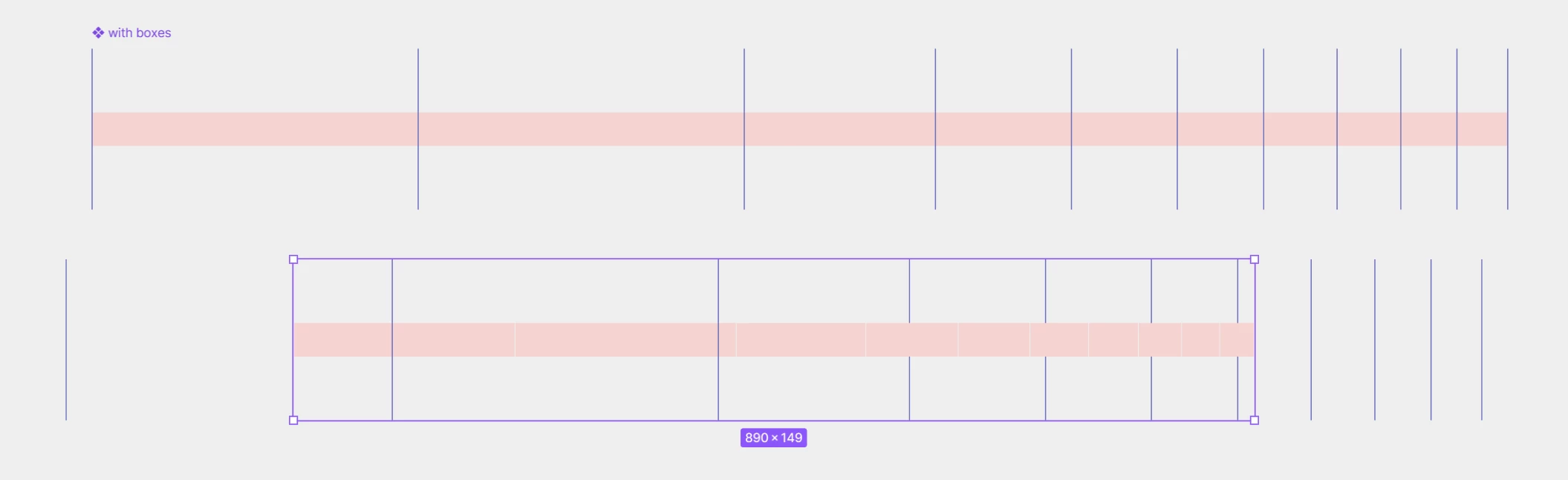


Thanks for any input - it will be valued very much!

4 replies

Thomas_Cramer
New Participant
August 24, 2026

UPDATE:
I might just user borders on the right side of the spacers to achieve the desired outcome.

Jaycee Lewis
Figmate
Figmate
August 24, 2026

Hey ​@Thomas_Cramer 🤩 If you have time, will you share how you got it to work? Or if you still end up stuck, happy to take a look  👀 — Jaycee

Thomas_Cramer
New Participant
August 25, 2026

Hi ​@Jaycee Lewis - sure.

I have created a file you can look at with the different options. Preferably I would use the one created by a vertical frame as this is how we would create all our graphs. When the distance is even it is easy to just use an autolayout. However it got more tricky when trying to create a logarithmic scale.

When preparing the file for you, it looks as if the desired solution suddenly worked in the copied component?! I have kept the original component in there as well that failed, and as far as I can see all properties are the same?

Not working - lines not scaling as expected


Working as expected


Thanks

Jaycee Lewis
Figmate
Figmate
September 3, 2026

Thanks ​@Thomas_Cramer 🙌 — Jaycee