Hi all! Thanks for your posts, and totally understandable that you might be confused as to where to find the absolute positioning option.
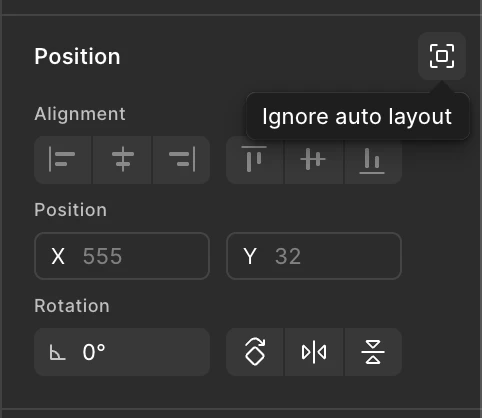
In addition to what @Junko3 said, you’ll also want to look for the icon top top right of the Position section of the properties panel. This is the Ignore auto layout option, which is what enables absolute positioning for a layer nested within another that uses auto-layout. You can see it in this screenshot:
A screenshot showing the Ignore auto layout option.
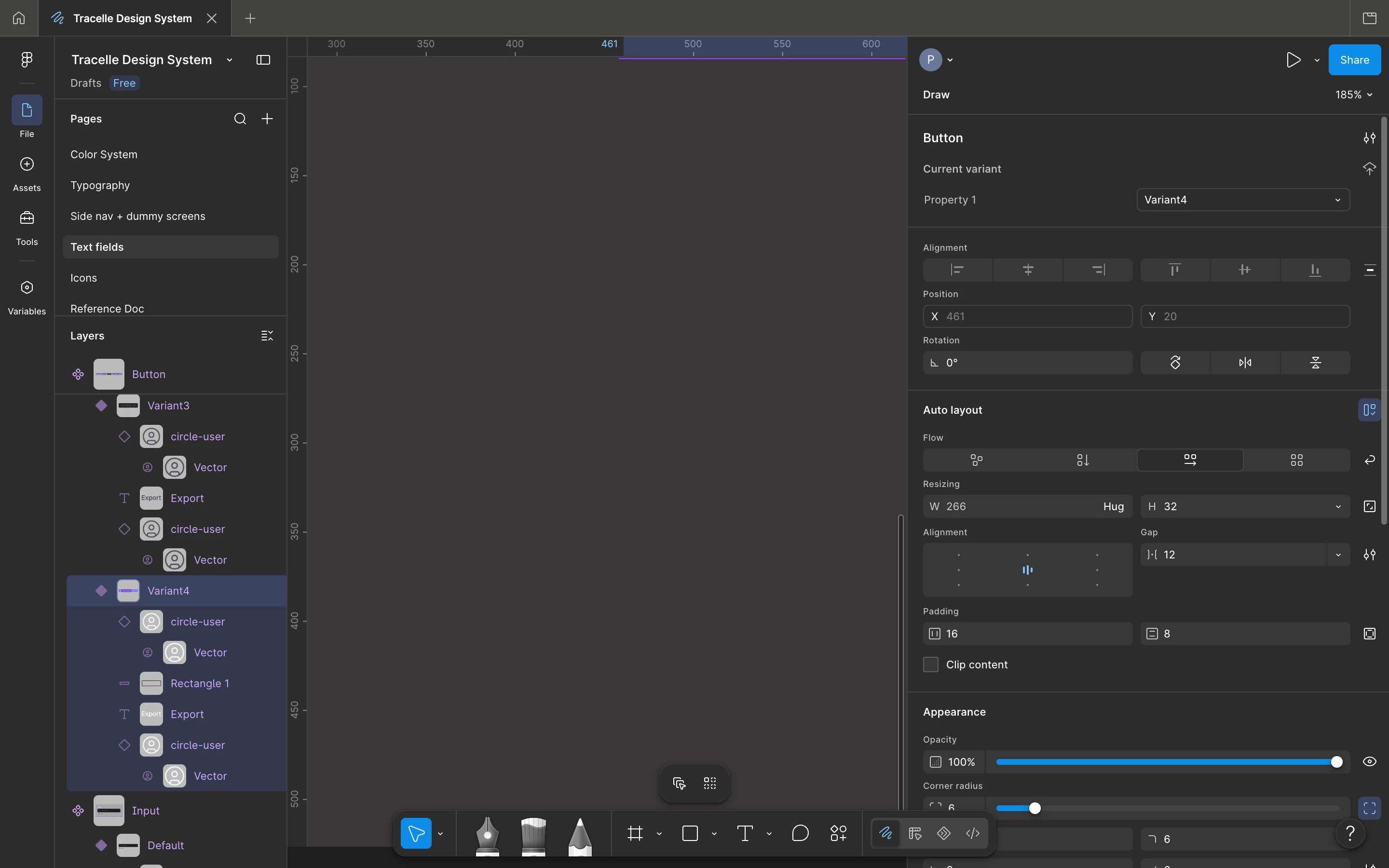
It looks like you are in the Figma Draw. Some Figma Design features are not available while in Figma Draw. Could you try switching to Design? That should bring up the “Position” section in the right sidebar, where you'll find the “Ignore auto layout” button.
@erwin.q, pease check your toolbar and switch the toggle to Design to access all Figma Design features. You might want to check this comment as well.
Hi all! Thanks for your posts, and totally understandable that you might be confused as to where to find the absolute positioning option.
In addition to what @Junko3 said, you’ll also want to look for the icon top top right of the Position section of the properties panel. This is the Ignore auto layout option, which is what enables absolute positioning for a layer nested within another that uses auto-layout. You can see it in this screenshot:
A screenshot showing the Ignore auto layout option.