Solved

I can't see my workspace.

  • July 29, 2026
  • 1 reply
  • 10 views

yunhye0n

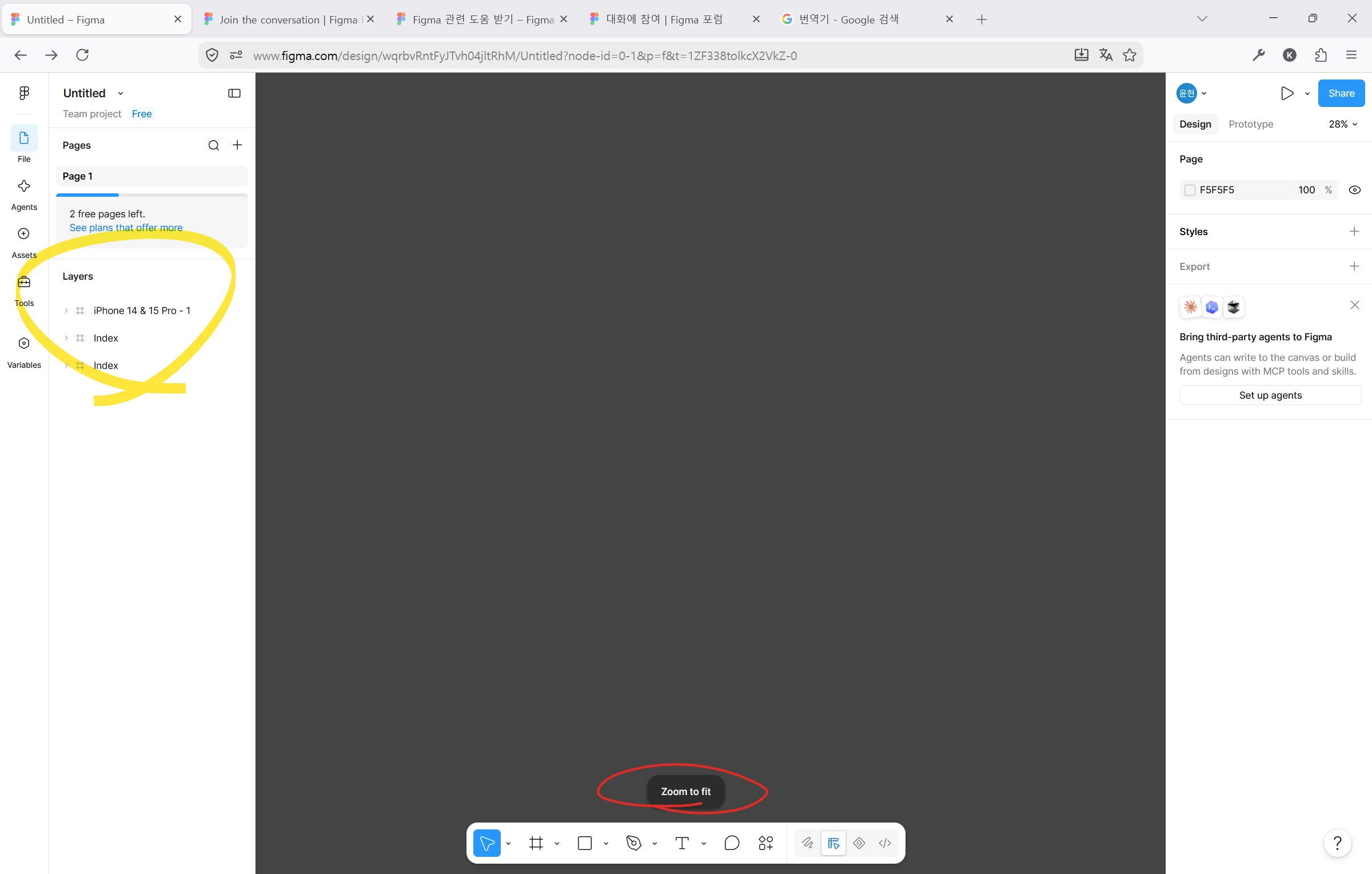
My workspace turned completely gray while I was working, and I can't see my frameworks.


Best answer by Celine_

Hey there! Celine from the Community Support team at Figma here. From your screenshot, it looks like your layers are still present in the left sidebar, but the canvas isn't displaying them. Could you try the following?

  • Double-click one of the frames in the Layers panel (for example, iPhone 14 & 15 Pro - 1) to center the viewport on it.
  • Force-quit and refresh the file.
  • If you're using the desktop app, could you also check whether the same behavior occurs in a browser (or vice versa)?

If the issue persists after trying these steps, please submit a bug report. To do that, to to the Support Hub / Type “Report a bug” / Click Start a chat and select Enter and follow the prompts.
 In the form, please include:

  • the URL of the file and grant "Can View" access with support-share@figma.com This allows us to reproduce the issue and investigate, thanks!
  • a screen recording of the behavior,
  • whether you're using the browser or desktop app (including the version), and
  • whether the issue occurs in other files as well.

This will help our support team investigate the issue further. Thanks!

1 reply

Celine_
Figmate
  • Community Support
  • Answer
  • July 29, 2026

Hey there! Celine from the Community Support team at Figma here. From your screenshot, it looks like your layers are still present in the left sidebar, but the canvas isn't displaying them. Could you try the following?

  • Double-click one of the frames in the Layers panel (for example, iPhone 14 & 15 Pro - 1) to center the viewport on it.
  • Force-quit and refresh the file.
  • If you're using the desktop app, could you also check whether the same behavior occurs in a browser (or vice versa)?

If the issue persists after trying these steps, please submit a bug report. To do that, to to the Support Hub / Type “Report a bug” / Click Start a chat and select Enter and follow the prompts.
 In the form, please include:

  • the URL of the file and grant "Can View" access with support-share@figma.com This allows us to reproduce the issue and investigate, thanks!
  • a screen recording of the behavior,
  • whether you're using the browser or desktop app (including the version), and
  • whether the issue occurs in other files as well.

This will help our support team investigate the issue further. Thanks!