Answer

How to View Truncation Rules and Max Width for Inputs in Figma Dev Mode?

  • June 11, 2024
  • 1 reply
  • 257 views

Yagmur_Esen

As a designer, I can set a maximum width for an input and apply a rule to truncate the text inside if it exceeds this width. However, I’m not sure where to view this in developer mode. Does Figma have this capability?

Best answer by y_toku

Hi there,

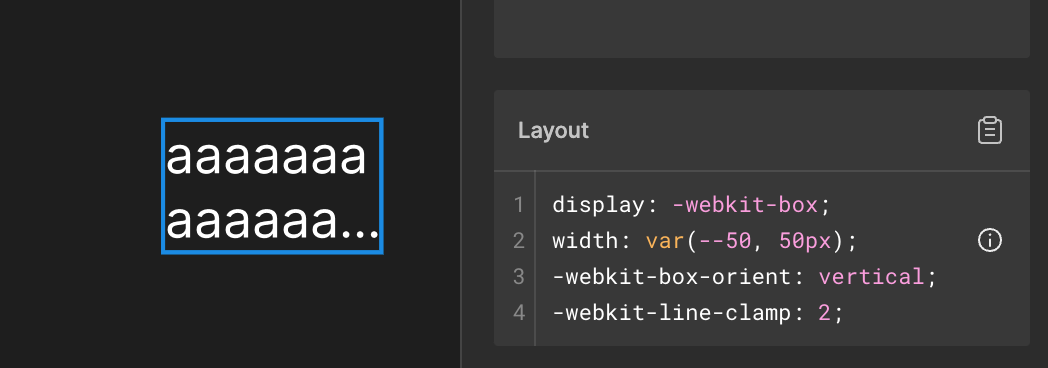
Thanks for reaching out. You can check the line-clamp attribute in Dev Mode as shown below:

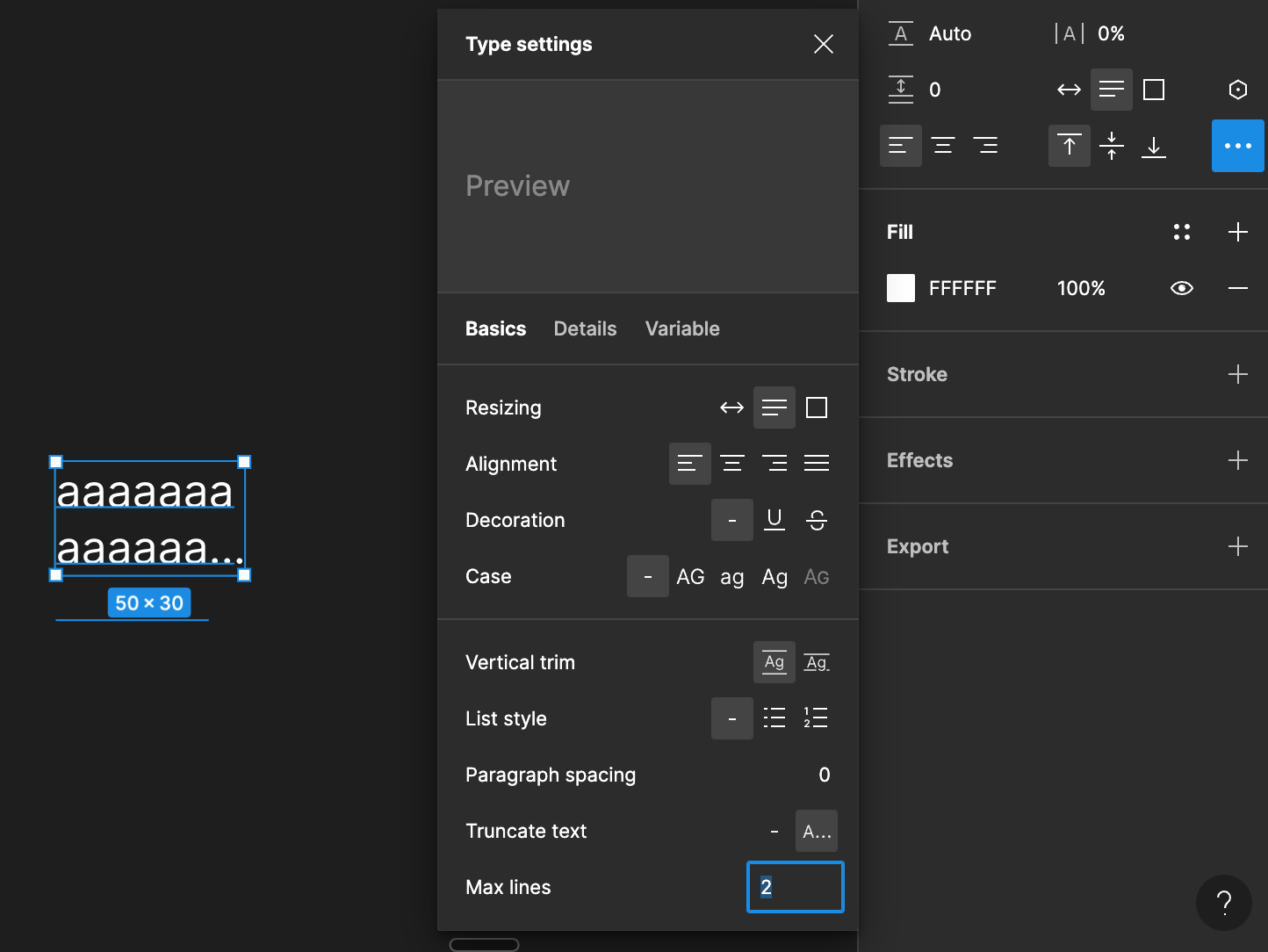
Here’s the type setting property in Edit mode:

I hope it clarifies it!

Thanks,
Toku

This topic has been closed for replies.

1 reply

y_toku
Figmate
  • Community Support
  • Answer
  • June 13, 2024

Hi there,

Thanks for reaching out. You can check the line-clamp attribute in Dev Mode as shown below:

Here’s the type setting property in Edit mode:

I hope it clarifies it!

Thanks,
Toku