

How to replicate Apple’s/ Material UI Kit organization (custom dividers) in the Assets panel?
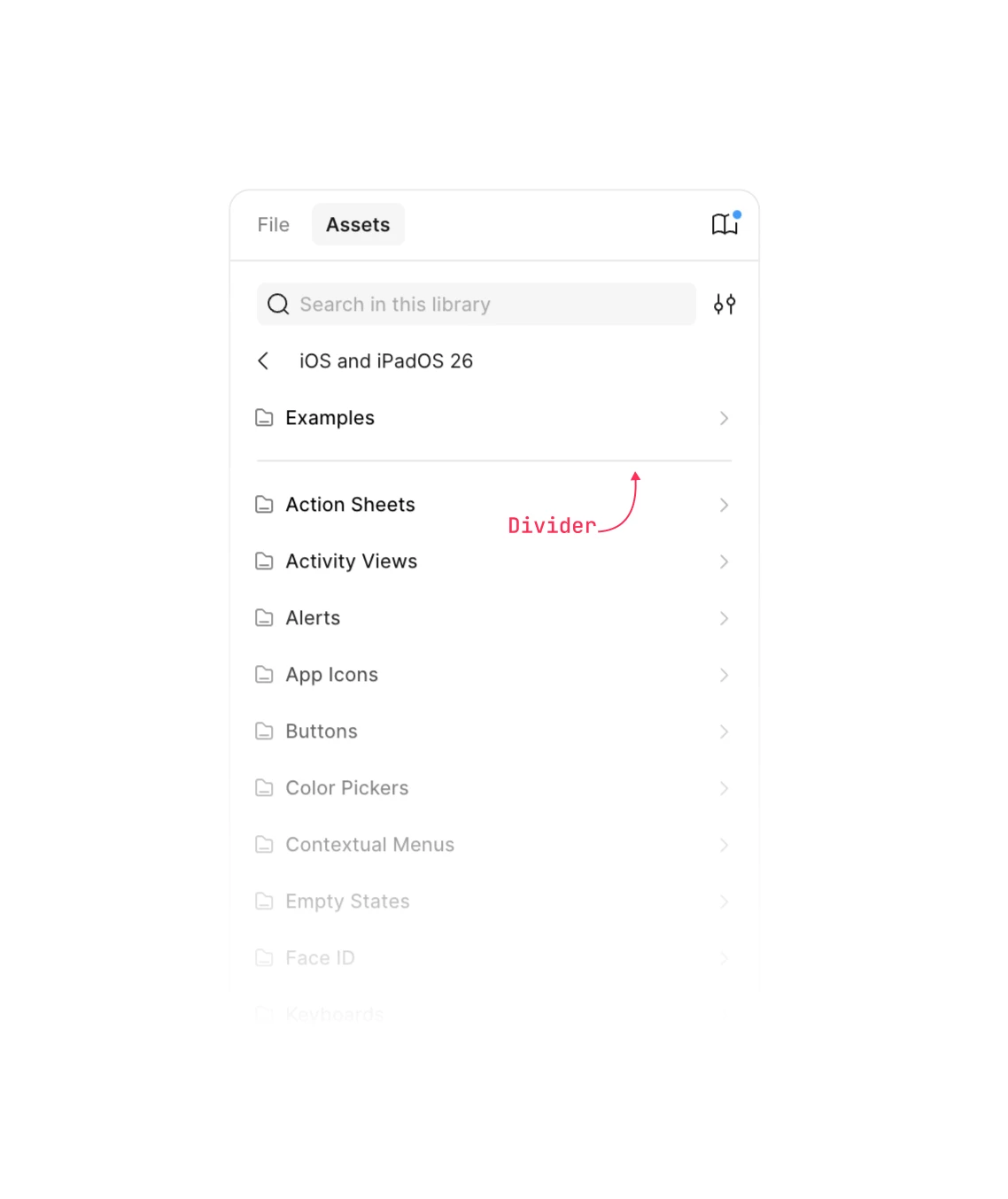
I specialize in Design Systems and noticed that Apple’s and Material’s official UI kit has a very specific structure in the Figma Assets panel. They have dedicated 'Example' headers with horizontal dividers that don't seem to follow a standard Figma feature
Whenever I try to organize my own DS, Figma just defaults to alphabetical order and I can’t figure out how to insert that clean line dividers between sections. Does anyone know the specific naming convention or structural trick to force a custom sort order and add these visual breaks?