Question
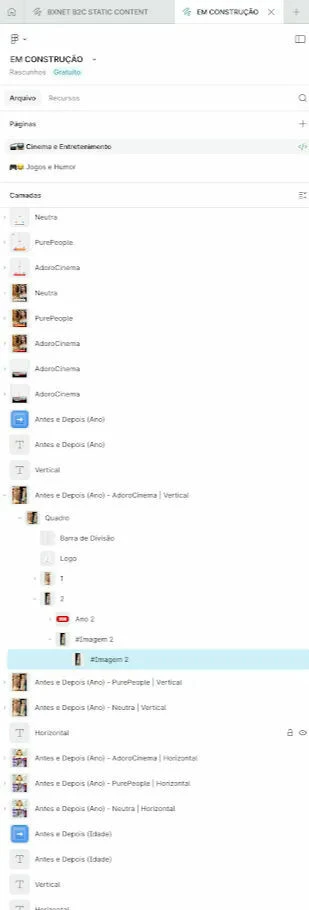
How to enable layer thumbnails for images/frames (like in this screenshot)?
Hi everyone,
I’m facing a confusing issue. A colleague and I are working on the same Figma file, but our Layers Panels look different.
As you can see in the attached screenshot, my colleague can see actual image thumbnails (visual previews) next to the layer names in the panel. On my side, I only see the standard generic icons (like the hashtag for frames or the square for rectangles).
We are both using the same file, but I cannot find a way to enable this visual preview.
-
Is there a way to turn this on?
-
Could it be related to the Figma version (Desktop app vs. Browser)?
-
Does it require a specific plugin that I might be missing?
It would be very helpful to have this visual guide for organization. Any ideas on why this is happening?
Thank you!