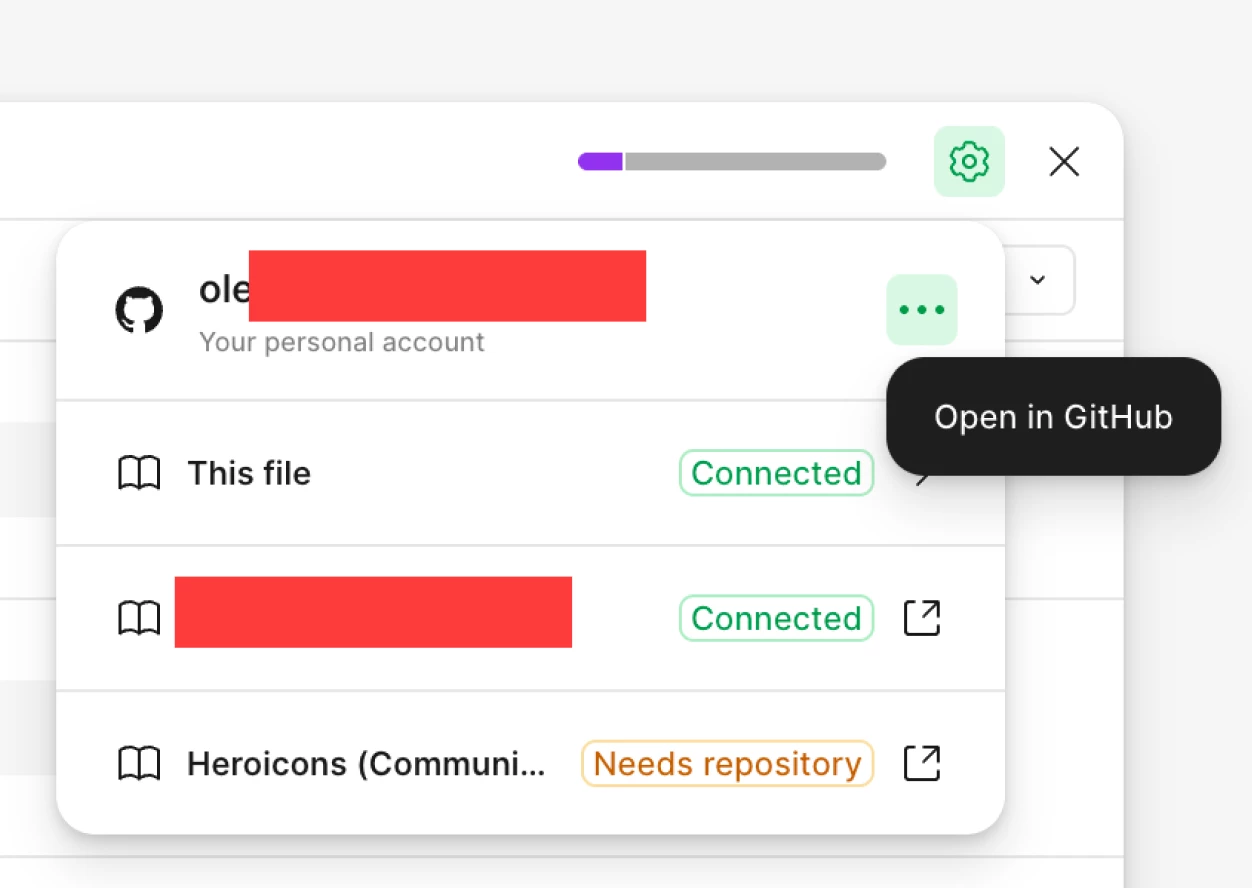
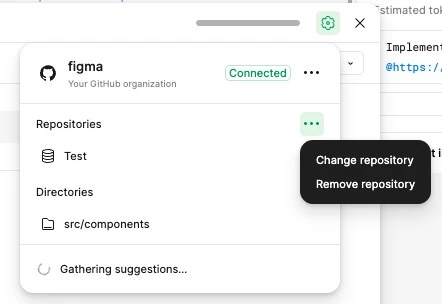
Hey Elax, Celine from Figma here, thanks for reaching out to us! In the Code Connect modal, you should be able to click the cogwheelI (connect to GitHub), and remove the repository through the 3-dot menu (see below)
Still, if you can't do that, another alternative would be to remove GitHub through settings and reconnect it again, then choose a different repository.
To do it from the Figma side: 1. Navigate to Admin Settings 2. Under Resources section, click on Figma GitHub app 3. Click Remove from Figma
Hey Elax, Celine from Figma here, thanks for reaching out to us! In the Code Connect modal, you should be able to click the cogwheelI (connect to GitHub), and remove the repository through the 3-dot menu (see below)
Still, if you can't do that, another alternative would be to remove GitHub through settings and reconnect it again, then choose a different repository.
To do it from the Figma side: 1. Navigate to Admin Settings 2. Under Resources section, click on Figma GitHub app 3. Click Remove from Figma
Hi, @Pietro Dipalma, thanks for your post - stepping in for @Celine_.
What do you see under the Resources section in Admin > Settings? Even with the Figma Github app removed, you should still see that section where you can click on the Figma Github app option. If the app has been removed, the popup you see when you click on the option will just confirm that it’s not connected. Do you see something different?
That’s correct, @Pietro Dipalma! If you’re seeing it’s no longer connected, then you’re good to go. For reference, this is also covered in our help article on managing the Figma Github app. I mention it because you may also want to go to Github and revoke authorization there, too - it’s optional, but if you want to be extra thorough you could do that, too.