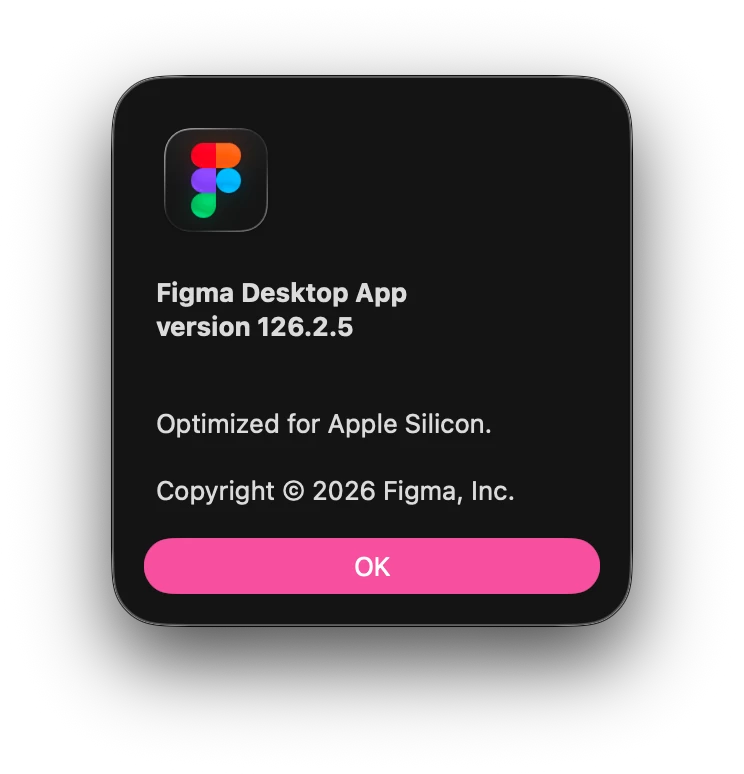
How to confirm if Figma is up-to-date?
I might be the idiot here, but I always forget how Figma handles updates. I’ll briefly see the prompt letting me know an update is available, which makes me think it requires some action from me (as most of the programs I use do.) If I miss the prompt, I struggle to either manually update or confirm whether the update happened in the background.
I am using the desktop app for Mac. I think what I’ve gathered, and correct me if I’m wrong:
- If I don’t see any prompt about updating, Figma is up to date. Always assume by default that I am up to date, it happens automatically. The prompt disappears when the update is complete.
I had something to do today when I saw the prompt, so I didn’t read the entire message. Maybe it literally says I don’t have to do anything, I just missed it cause I was busy. 😅 In which case, my bad!
Another question I have is:
- Is there any way to compare my version number with the release notes? I was trying to confirm if the update was successful this way, but I can’t cross-reference them since there’s no release date in the About window and no version number in the release notes (that I can find.)
Again maybe it’s a classic case of PEBKAC! 😅 At least the next time I inevitably google this issue again I’ll land on this post and remind myself to stop worrying about it. Life is fleeting, updates happen when they happen, let go and log off Kelly!