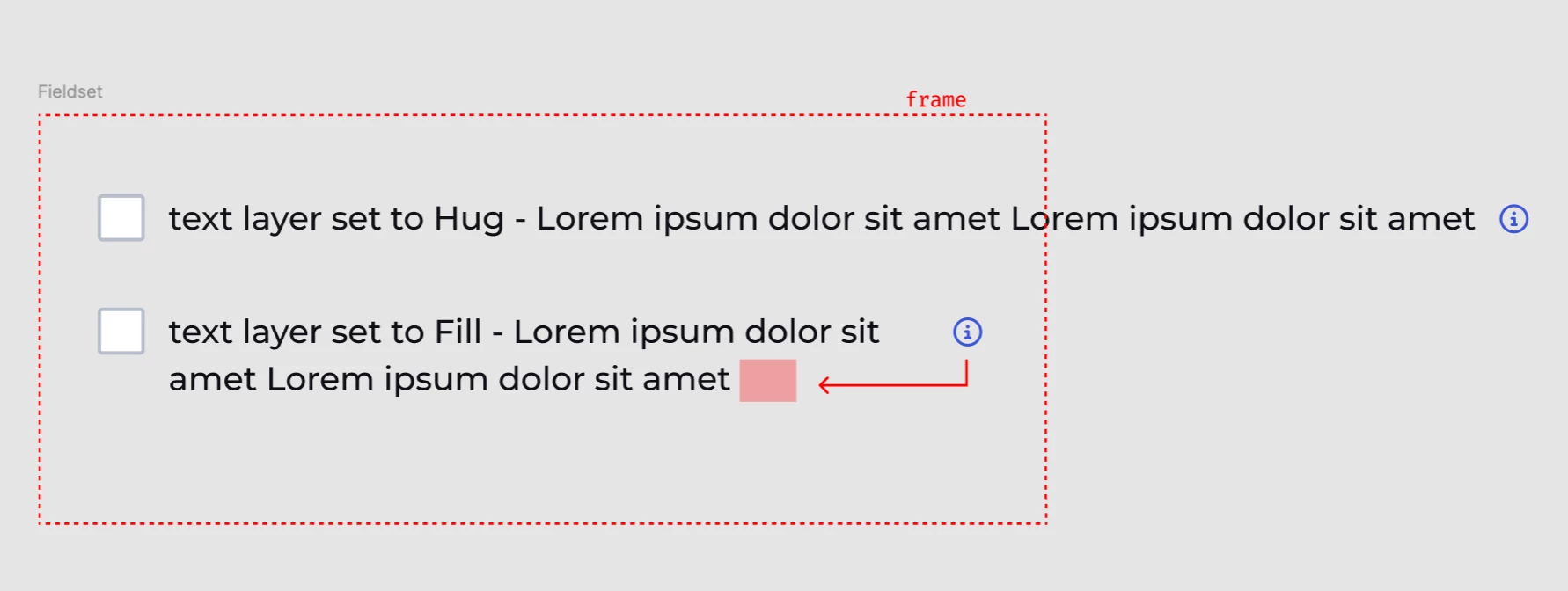
How to accomplish inline-block text behaviour??
I have a component for form options that on some occasions needs a tooltip. The problem is that if you set the text layer to Hug, the text will not wrap for narrow content areas. And if set to Fill, it pushes the icon component. I really just want it to function like html <p> My text label <span>[icon]<span></p>
Because of this issue, designers need to detach the core component just to add a tooltip (and the they use the incorrect icon size and style). Or they are just slapping the icon and moving it over the component just so it ‘looks’ like its at the end of the paragraph.
This is frustrating me to no end. Figma is supposed to be a tool to create web interfaces, yet the most basic of web features, inline-block text isn’t possible to accomplish. Is there a hack?