

Question
How do you prevent Figma Site from creating these open space gaps?
I am designing a website in Figma Site as I am learning how to use Figma Site and I figured it would work the same as autolayout but its not working? I dont know if this is a bug or if I am doing something wrong. All my auto-layout is correct, when I play around with it (stretch the width and stuff), it works the exact way it should both in Figma design and Figma Site, but as soon as I enter the present mode to test it there, it creates these weird gaps when it's not on the exact breakpoint, and it ignores all autolayout fill rules and cuts off some of the containers and text.
An example of what it looks like:
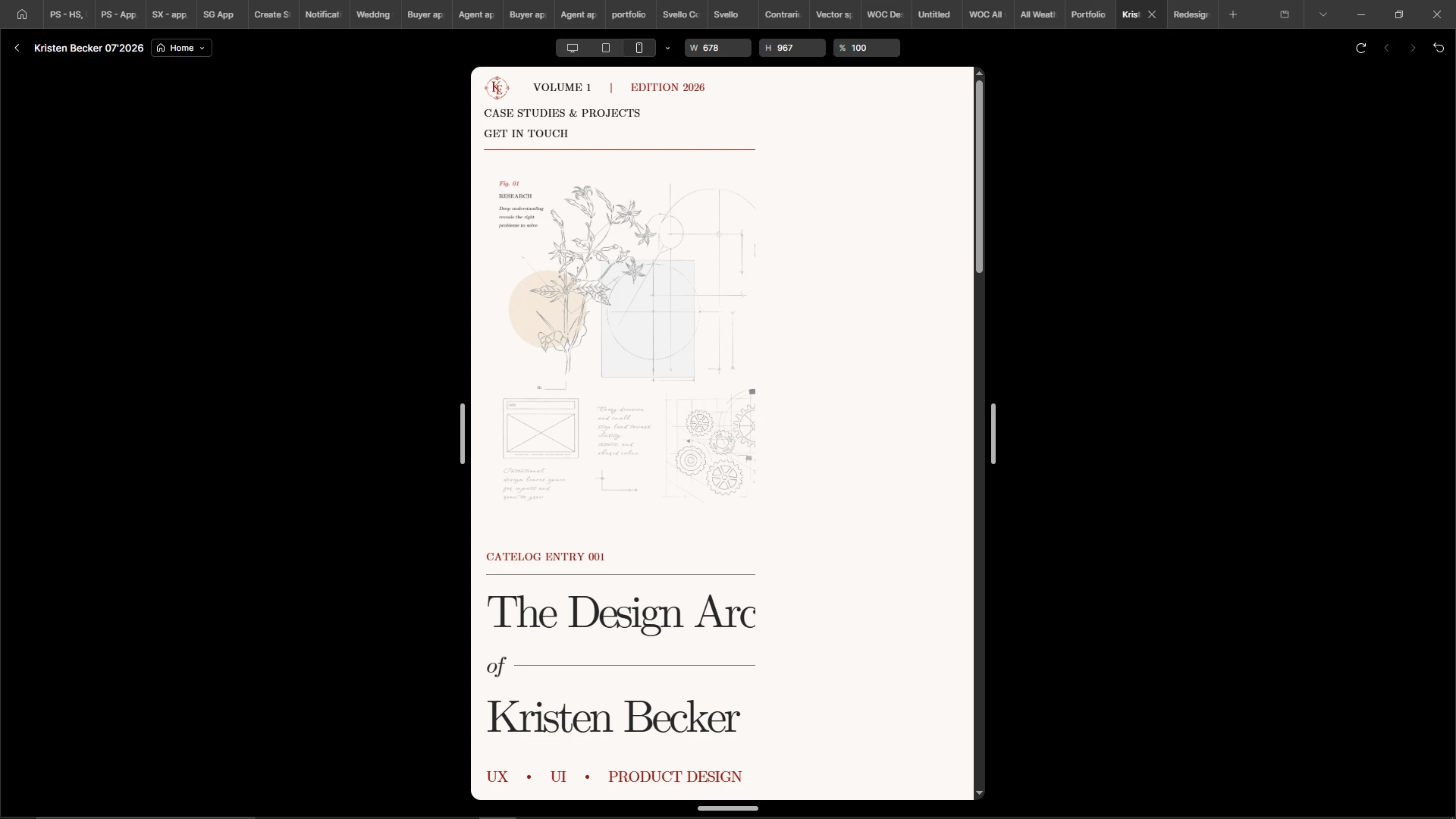
How can it have such a weird gap but at the very same time cut the image and text off? What can I do to fix it?