

Ajarnshilin
New Member
Nov 26, 2026 5:06 AM UTC
Question

How do I make the stroke go behind the object in the same layout?

How do I make the stroke go behind the object in the same layout that ignore auto layout?

I somehow created the right one (stroke under 21 Nov tag).
But I don’t know how to make the left one (stroke over 21 Nov tag) to the right one (stroke under 21 Nov tag).
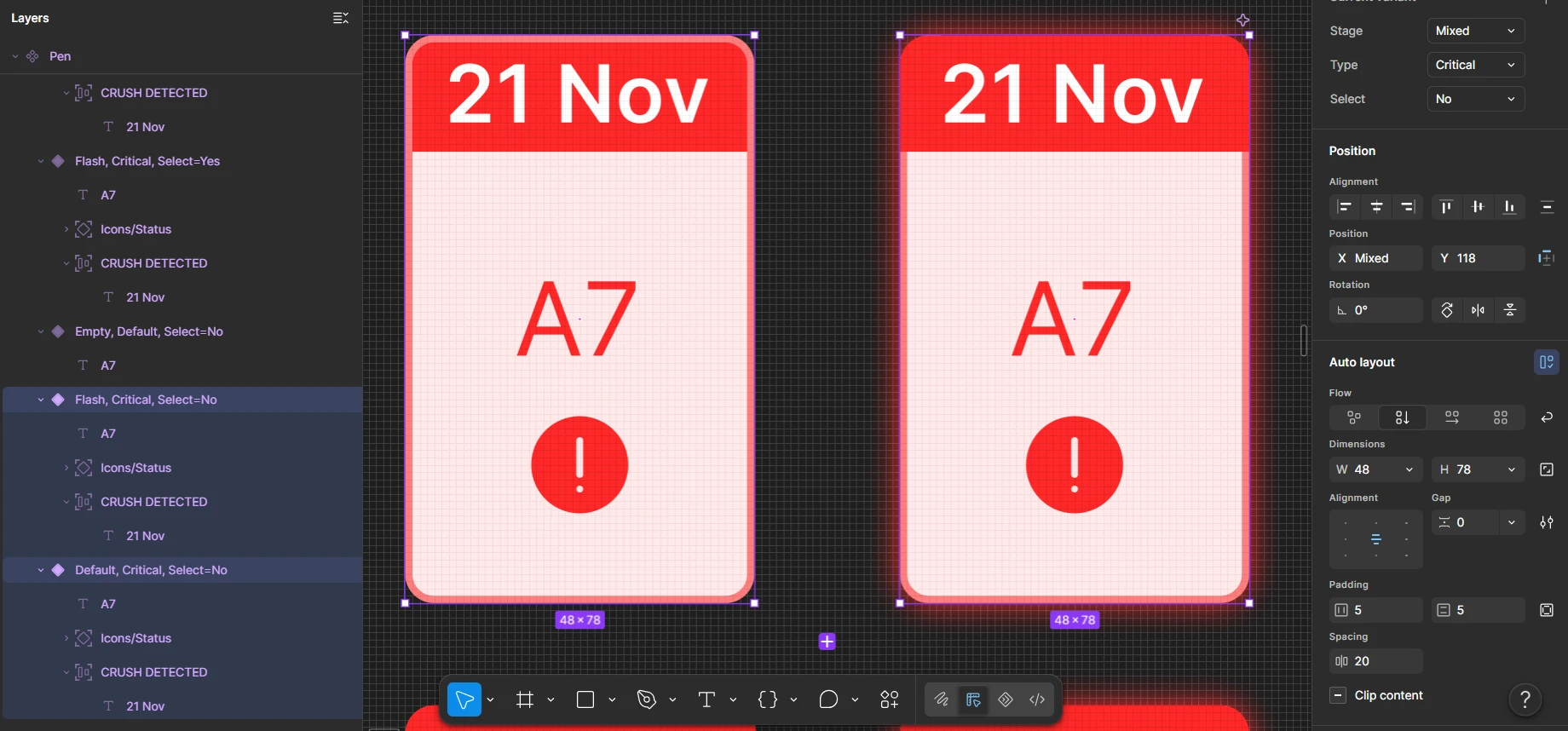
As this photo, I don’t see any difference between these two.

3 replies

Ondrej_Pavlicek
Figma Ambassador
Figma Ambassador
Nov 26, 2026 7:04 AM UTC

Hey there! 👋

Thank you for sharing your screenshot.

It looks like the difference is caused by the "Clip content" setting being toggled differently on each variant. As you can see in my screenshot below, leaving "Clip content" unchecked (left) allows the top tag to cover the frame's stroke, while checking it (right) keeps the stroke visible over the tag:

Clip content comparison

I suggest checking the "Clip content" option in the right-hand properties panel on both variants so their settings match.

Hope this helps you get it sorted out! 😊

Product designer @ NETWORG | Designing Model-driven Power Apps in Figma | Power Apps DesignKit (Model-driven) | Disclosure: I’m part of Figma’s Forum Ambassador program.
Ajarnshilin
New Member
Nov 26, 2026 9:23 AM UTC

That works! Thank you.

Ondrej_Pavlicek
Figma Ambassador
Figma Ambassador
Nov 26, 2026 10:26 AM UTC

Awesome, glad that did the trick! 🙌 Happy designing! 🎨

Product designer @ NETWORG | Designing Model-driven Power Apps in Figma | Power Apps DesignKit (Model-driven) | Disclosure: I’m part of Figma’s Forum Ambassador program.