Solved
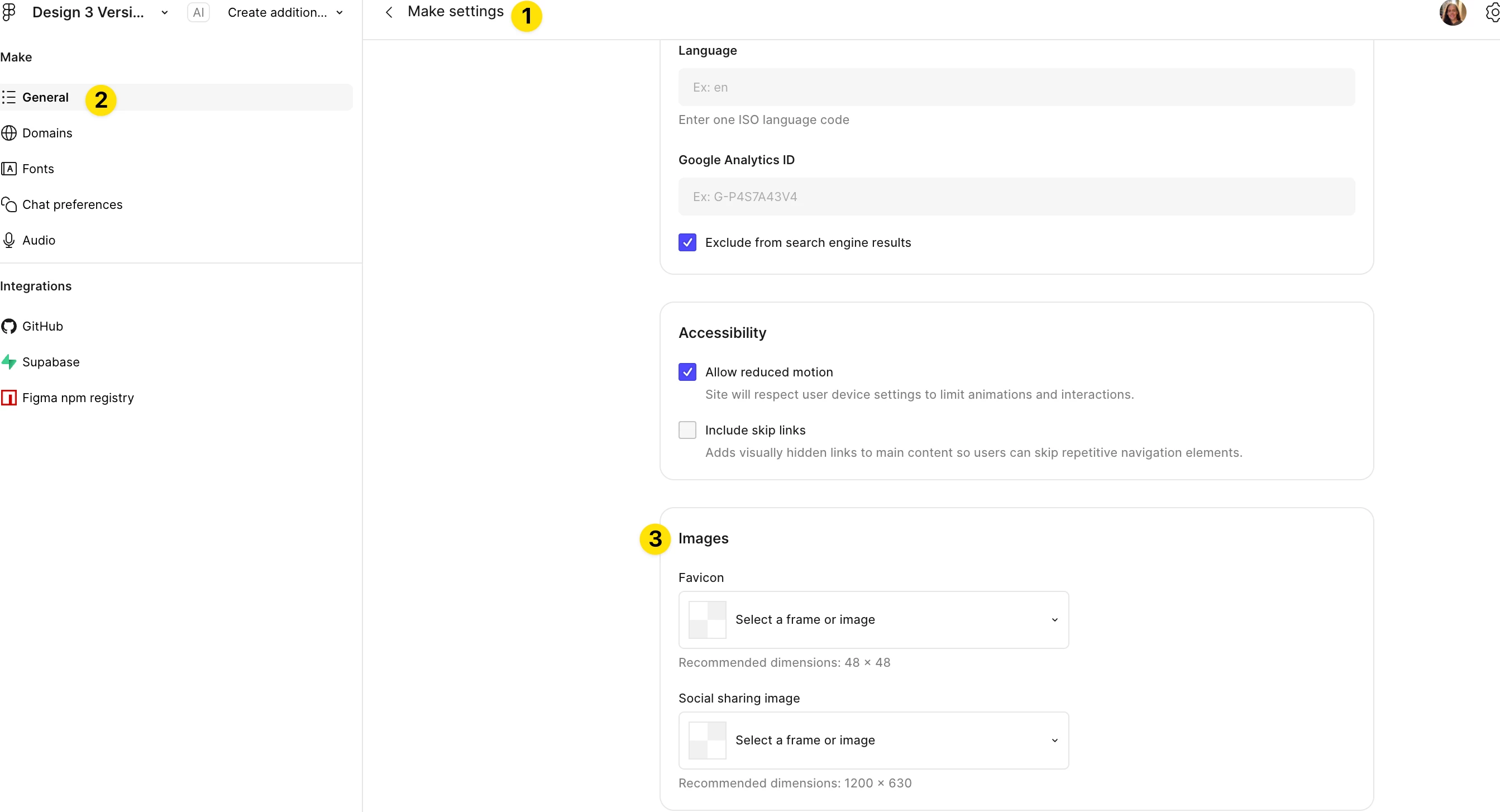
How do I add a custom favicon (PNG) to a Figma Make project website?
I'm building a web app in Figma Make and trying to set a custom favicon. I've tried two approaches so far:
- Adding
<link rel="icon">tags directly toindex.html— but a favicon diagnostic tool confirms these tags aren't appearing in the served HTML, suggesting Figma Make generates its own HTML wrapper that overridesindex.html. - Placing favicon files in the
/publicfolder — the diagnostic tool confirms/publicfiles ARE served (it foundfavicon.icoat the root), but I can only create text-based files through the Figma Make code editor, not upload binary.pngor.icofiles.
Is there a supported way to upload a custom binary favicon (PNG or ICO) to a Figma Make project? Or is there a way to make custom <link> tags in index.html pass through to the served HTML?
Any workarounds welcome. Thanks!