Hi @kavenyu, Celyn from Figma Community Support here. Thanks for reaching out.
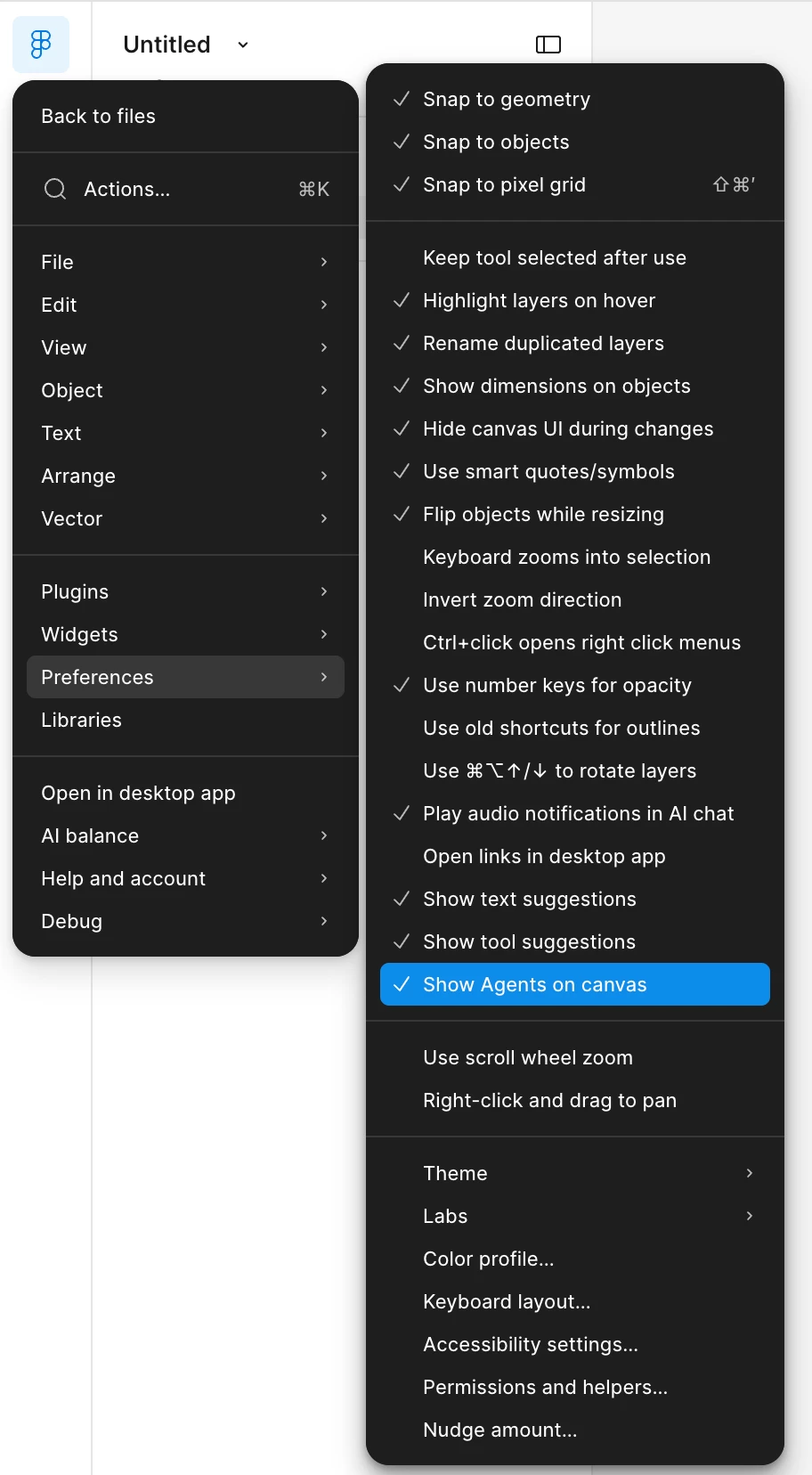
If you'd prefer not to see the Agent sparkle on your canvas, you can turn it off by going to Menu → Preferences → Show Agents on canvas and unchecking that option.
That should remove the sparkle from selections and give you a cleaner canvas experience.
Hope that helps, and let me know if that works for you.
Hi @kavenyu, Celyn from Figma Community Support here. Thanks for reaching out.
If you'd prefer not to see the Agent sparkle on your canvas, you can turn it off by going to Menu → Preferences → Show Agents on canvas and unchecking that option.
That should remove the sparkle from selections and give you a cleaner canvas experience.
Hope that helps, and let me know if that works for you.