Question

How can I edit Figma MAKE manually?

  • February 6, 2026
  • 1 reply
  • 7 views

JayKay

I’ve created a website (for my thesis’s experiment), and it’s almost perfect. But I want to adjust something that would be done very easily manually. I’ve tried turning the Figma Make to Figma Design, but all the buttons are gone, and it became a static page with no interaction. 

How can I edit within Figma Make? I want to change the picture and some wording, and I don’t need AI for this. 
1 reply

Naish
  • New Member
  • February 7, 2026

Changing some wordings is pretty simple → 

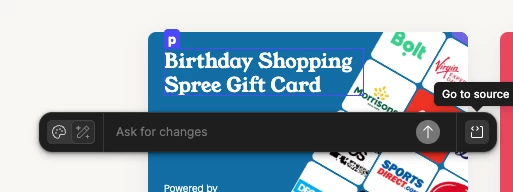
  • Select point and edit tool (the pointer-with-halo icon found in the bottom left edit box)
  • then select the text you want to change , it should open a Ask for changes box (as shown in the image)
  • Click on Go to source icon (see right of the above image)

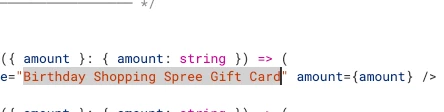
  • Select the the text you want to edit

  • Edit the text


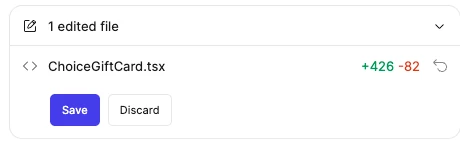
  • You should see a save/discard button on the left chat bar. 

  • Save and done


I’m not sure about you can change the image similar way. I think you have to ask AI to replace it. But may be wrong.