Question
Horizontal Auto-Layout Ignoring Fill Widths
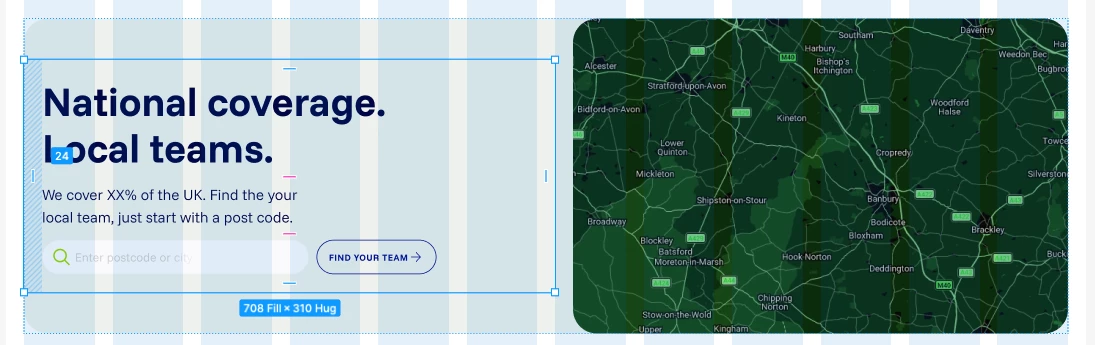
I’ve got two frames set to fill the width of their parent container. One of them (with text inside) has 24px padding set on the L+R. This seems to mean that the fill widths are unequal, and I don’t understand WHY.
Equal pixel widths would make each side 684px wide. Instead I get 708px and 660px.
I think this is expected behaviour, as using legacy auto-layout fixes it, but I don’t know how to account for it in my workflow.
I need the image to be half the frame width, and the text frame to be half the container width, with the padding INSIDE the box. And a set variable value for padding on the parent container.