

Have the sidebar menu switch components in the main page area
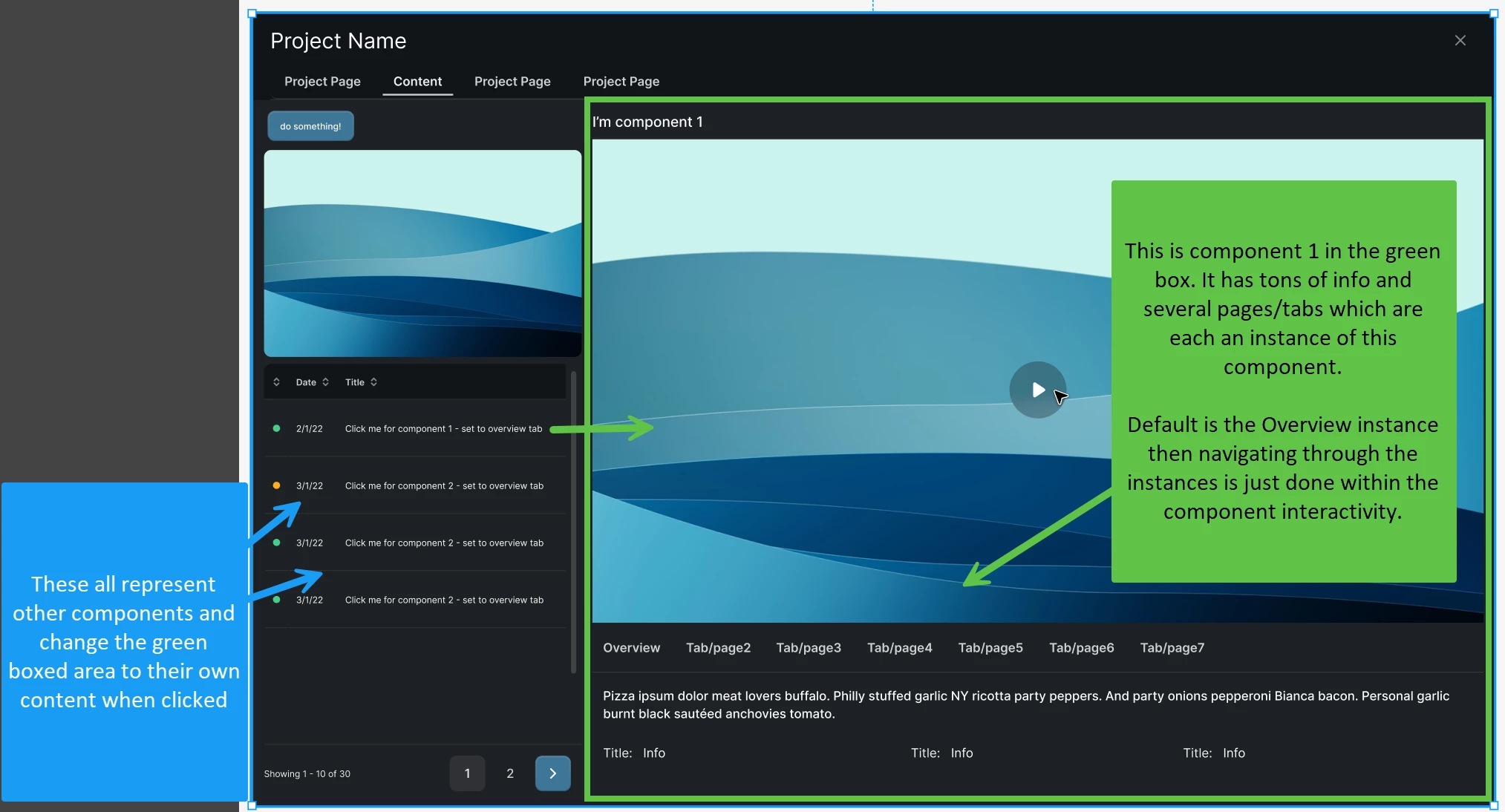
I have about 6 components, all with roughly 7 instances each. In the image, the left column shows you the component/content items. The right gives you access to its image/video and all of it’s info.. pages and pages of info. I simply want to use the left menu to have the user click the component they’d like to view, and the area with the green box would display the default instances of that component. What am I missing? I’ve tried setting variable modes, setting variable..
I’m trying to clean up a very old file that used a massive set of instances and pages to create this prototype. The prototype functionality seriously looks like spaghetti thrown on a wall. I’ve tried variables and variants - a zillion experiments that have failed. If they were all instances of one component, easy-peazy but this has me stumped for some reason. Thankfully it’s Friday!
How would you fine people go about achieving this?