jason senger
New Member
September 24, 2026
Solved

Glass effect losing opacity when copy and paste

  • September 24, 2026
  • 5 replies
  • 19 views

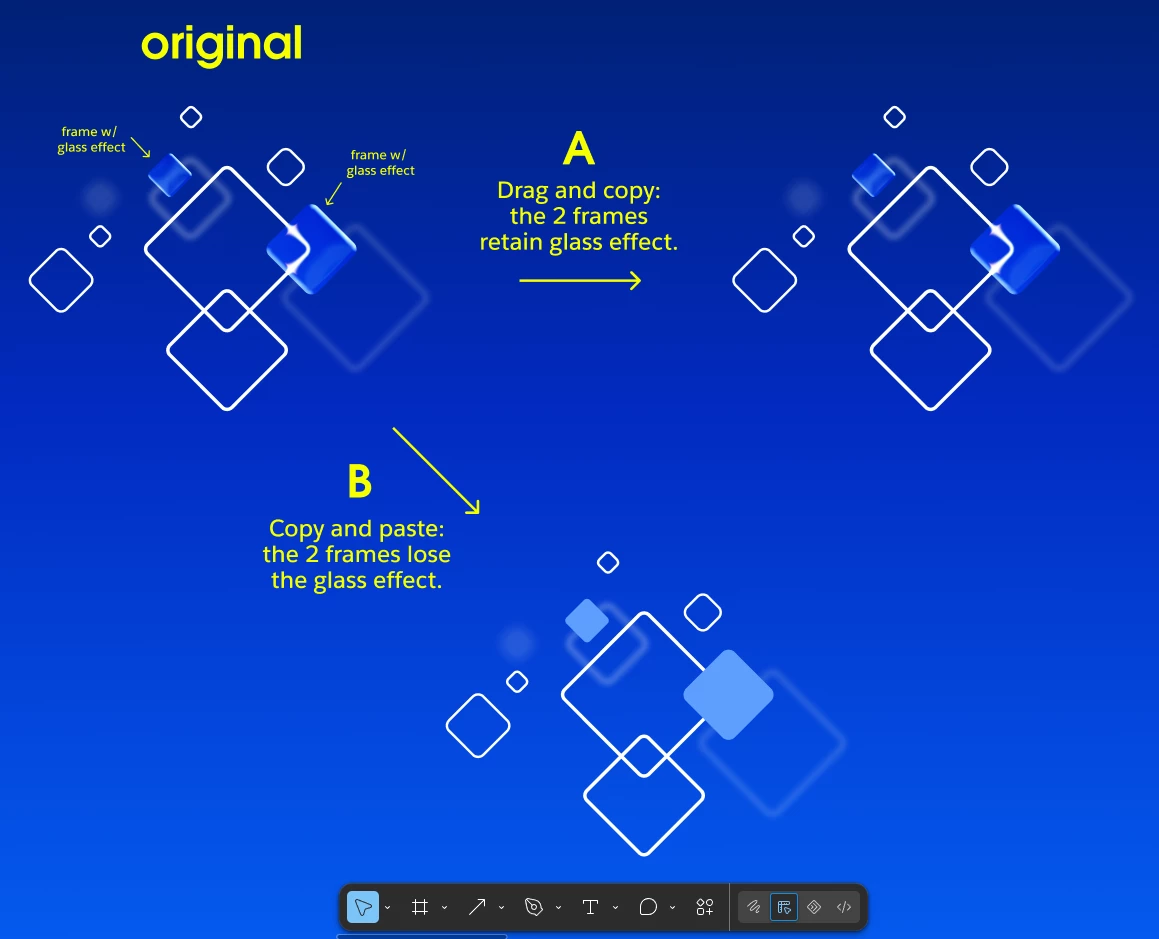
We have a graphic with 2 frames that are using the glass effect.  (see screenshot: original). 


~ when it is selected and dragged / copied, it duplicates fine (see A)

~ when it is copy / pasted within the figma design or between two separate figma designs, the glass effect opacity is lost. (see B)


hoping there is an easy solution that i can’t find…..thanks in advance!

 

Best answer by adamsmasher

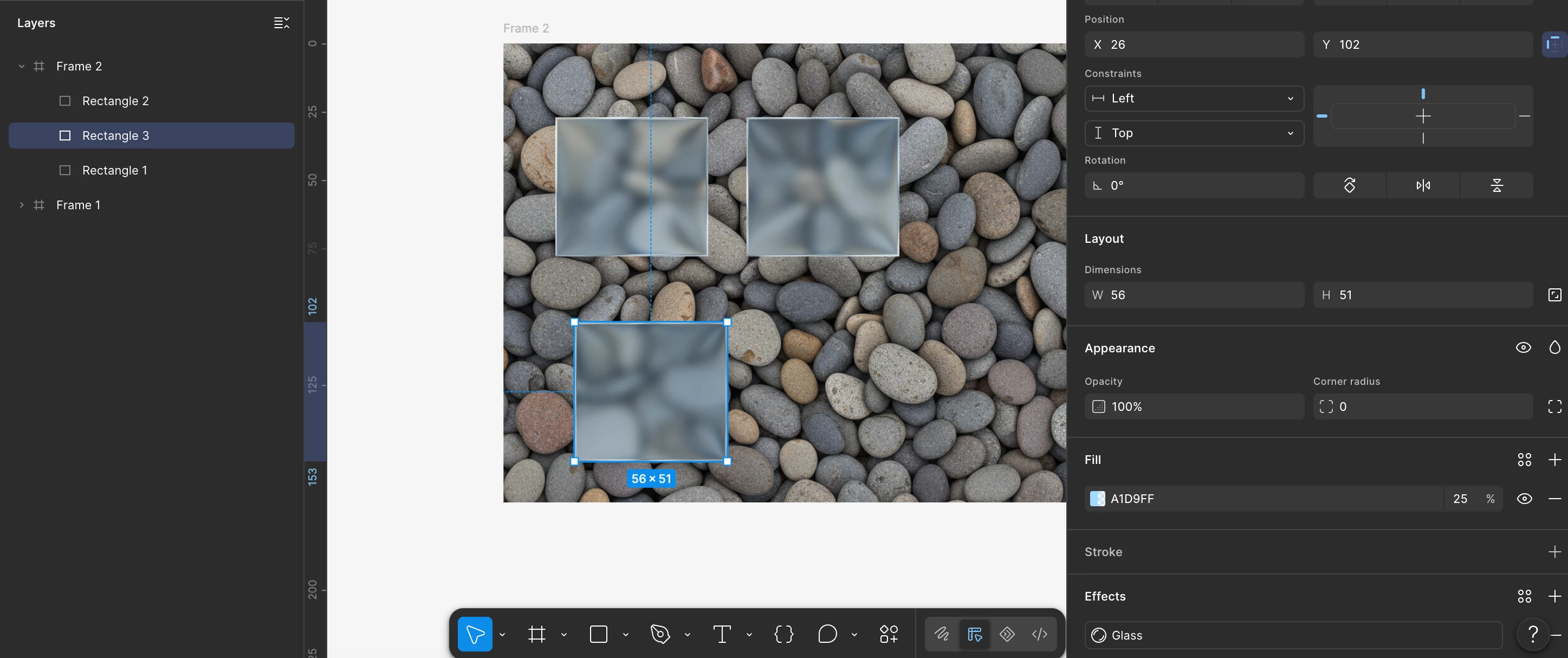
Ok, thanks for confirming! I tested this in the desktop app for mac OS, and the effect was retained when I did both optIon + drag (like you saw) and copy/paste. Are you using the Desktop app or a browser, and what operating system are you using?


For my test, I had a frame using a background image fill, then on top of it was a basic rectangle with a 25% fill and a glass effect with default settings. 

A screenshot showing the results of click/dragging and copy/pasting a layer with glass effect applied.


The bottom, selected layer was created by copying and pasting. Hmm… are you copy/pasting a component, or just a selection of layers?

5 replies

adamsmasher
Figmate
Figmate
September 24, 2026

Hey, ​@jason senger! Thanks for your post and the screenshot - it’s helpful for understanding what you are seeing with copy/pasting versus dragging. 


Could you check whether the pasted frame still shows Glass under Effects, and whether its fill opacity matches the original? A fill at 100% can hide the Glass effect (this is mentioned in the Apply Effects to Layers help article). Also, just to be super clear, this is Figma’s Glass effect and not a custom shader, right? I can take this issue to the team once I have a bit more clarity. Thanks!

jason senger
New Member
September 24, 2026

​@adamsmasher - correct on both.  the fill of the pasted frame changes to 100% opacity.  the original frame fill has 20% opacity.  and yes, using the native Figma Glass effect not a plug-in.

thank you.

adamsmasher
Figmate
Figmate
September 24, 2026

Ok, thanks for confirming! I tested this in the desktop app for mac OS, and the effect was retained when I did both optIon + drag (like you saw) and copy/paste. Are you using the Desktop app or a browser, and what operating system are you using?


For my test, I had a frame using a background image fill, then on top of it was a basic rectangle with a 25% fill and a glass effect with default settings. 

A screenshot showing the results of click/dragging and copy/pasting a layer with glass effect applied.


The bottom, selected layer was created by copying and pasting. Hmm… are you copy/pasting a component, or just a selection of layers?

jason senger
New Member
September 24, 2026

​@adamsmasher - it was a group that i was copy/paste when the glass effect was losing it’s opacity.   

i just changed to a component and now when i copy/paste it works correctly….glass effect isn’t lost! 

I didnt know about component until your post - new to Figma, coming from Adobe Suite background.

thank you so much for your assistance - really appreciate it!!

adamsmasher
Figmate
Figmate
September 24, 2026

Not a problem, ​@jason senger, and welcome to using Figma! Glad to hear that using a component resolved the issue for you. Since you are new, you might want to check out Figma Learn for help articles and videos on using Figma - there’s a lot there that can help someone new to Figma as well as experienced users.


Cheers!