
New Member
Feb 20, 2025 3:37 AM UTC
Question

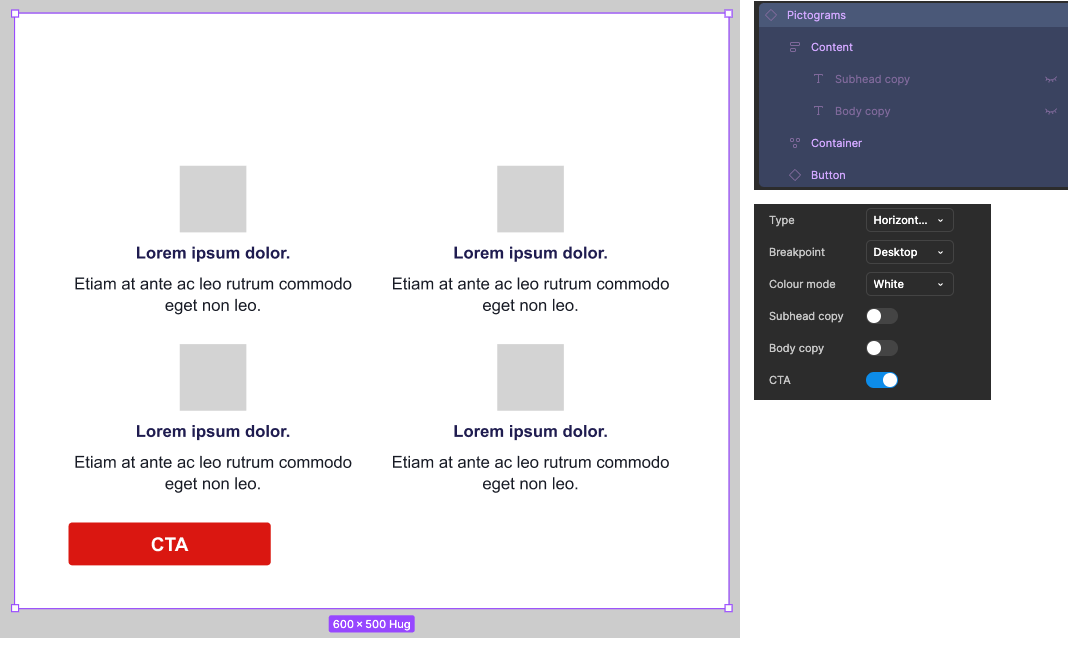
Frame height isn’t reducing to zero when all items are hidden with a boolean property

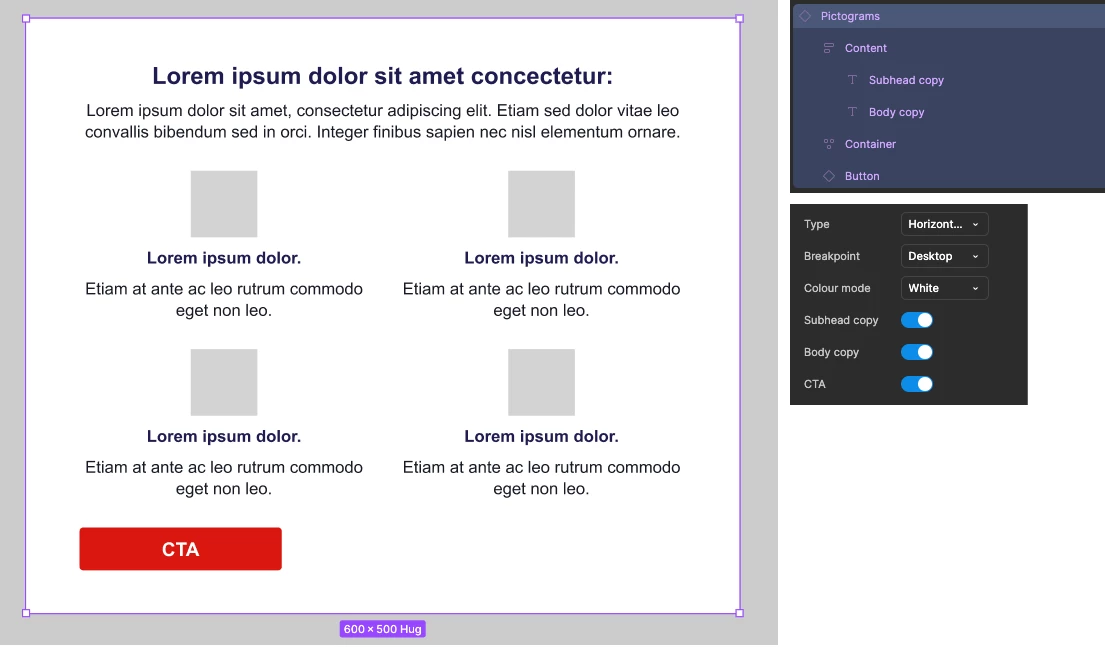
I’ve created a component with elements that can be toggled on/off using boolean properties. They each work individually however when the subhead and body components are both toggled off the frame that they’re housed in doesn’t reduce it’s height and subsequently the white space from the frame remains at the top of the component.

I’ve double checked and the frames within this component are set to hug contents for height. Open to workarounds but the one’s suggested in this feature thread (such as a 0px line being added) don’t remove the padding between the frame and the rest of the component.


    This topic has been closed for replies.

    2 replies

    iago
    New Participant
    Feb 20, 2025 9:13 PM UTC

    Hey! I think the problem is your toggles are direct connected to the object layers, but they are wrapped into a frame (content), are you sure this one is set to hug?

    Kyllan Tower
    New Member
    Jun 5, 2025 11:49 PM UTC

    I have a very similar situation. I ended up doing an additional Boolean toggle to turn off the Frame that houses the 2 parts (using the example here: Subhead copy and Body copy) that I wanted turned off. It’s definitely not the solution I want because it’s not as clean or intuitive. Hoping someone here has a better solution.