

Julija4
New Participant
April 24, 2025
Question

Font Installer/ Figma Agent Issue

  • April 24, 2025
  • 37 replies
  • 7359 views

Hi everyone,

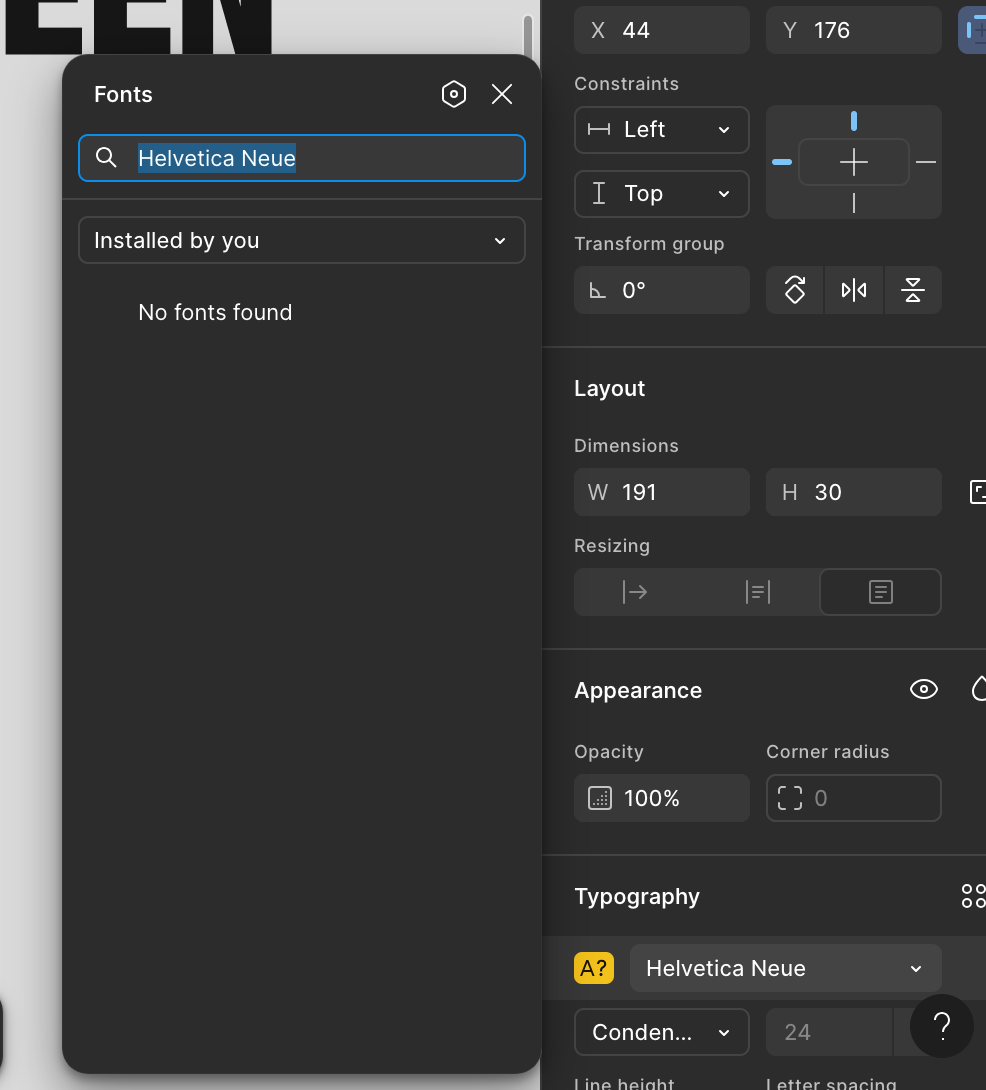
I use Figma on the web, my macOS version is Sequoia 15.4.1. I have installed the Figma Agent and it said I can use local fonts on the web, but this is not working. I tried everything from clearing cache, restarting computer, refreshing page but Figma still doesn’t show the fonts under “Installed by You”. I also have the latest google chrome version. I can’t see the fonts in an existing Figma project and also not if I create a new file. Other programs on my mac like Adobe Illustrator show all fonts without an issue.

Any solutions? Thank You!


This topic has been closed for replies.

37 replies

Luiz Eduardo Arruda Barbosa
New Member
May 21, 2025

For me problem is fixed. thanks

djv
Figmate
Community Support
May 21, 2025

So glad to hear that, ​@Luiz Eduardo Arruda Barbosa

Please do let us know if you run into any issues in the future. 

Dannytphan
New Member
May 22, 2025

Hi team, I ran into this bug a few hrs ago & found this thread. I re-installed the latest Font installers for MacOS & refresh my figma page (as ​@djv suggested above) and it worked. However, after a few hrs, the bug re-appeared again while I was currently working on my file.

I tried to re-install the Font installers & refreshed page again and the bug was gone. I thought this was an interesting behaviour so just wanting to report this to you guys

(Please note that my local fonts were never uninstalled during this process)

djv
Figmate
Community Support
May 22, 2025

Hey ​@Dannytphan, thanks for letting us know about this! 

Glad to hear that a fresh re-install fixed the issue, but if this behavior continues, please let us know. Our team can try to do a deeper dive into what may be causing it. 

Dar10
New Member
May 23, 2025

Same issue here, but reinstalling everything two times didn’t solve the problem 😭

djv
Figmate
Community Support
May 23, 2025

Hey ​@Dar10, thanks for letting us know! 

What OS and browser are you using? 

Dar10
New Member
May 24, 2025

@djv nevermind I accidentally solved with a forced shutdown of my laptop. After restarting it the issue was gone lol