

Julija4
New Participant
April 24, 2025
Question

Font Installer/ Figma Agent Issue

  • April 24, 2025
  • 37 replies
  • 7358 views

Hi everyone,

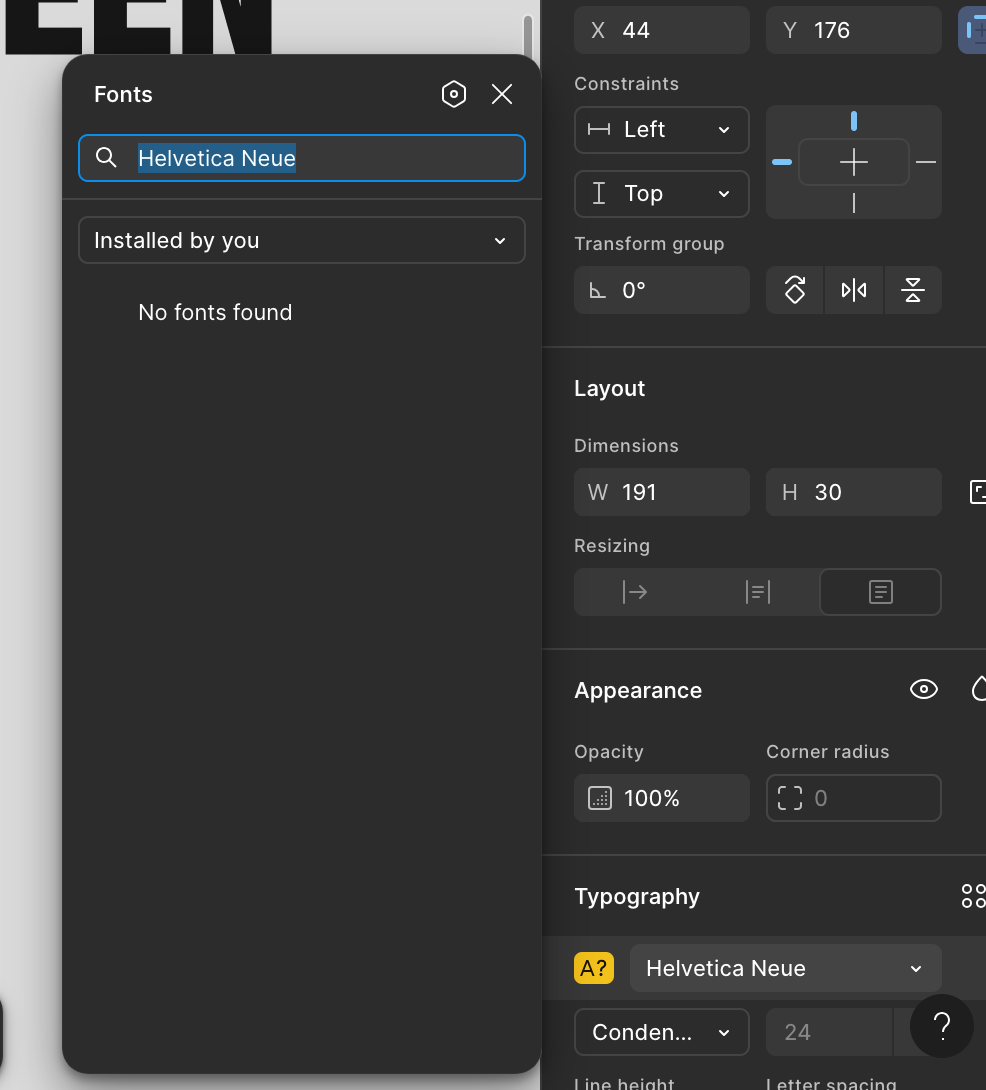
I use Figma on the web, my macOS version is Sequoia 15.4.1. I have installed the Figma Agent and it said I can use local fonts on the web, but this is not working. I tried everything from clearing cache, restarting computer, refreshing page but Figma still doesn’t show the fonts under “Installed by You”. I also have the latest google chrome version. I can’t see the fonts in an existing Figma project and also not if I create a new file. Other programs on my mac like Adobe Illustrator show all fonts without an issue.

Any solutions? Thank You!


This topic has been closed for replies.

37 replies

Julija4
Julija4Author
New Participant
April 30, 2025

[…] but Figma still doesn’t show the fonts under “Installed by You”.

Are installed fonts listed under "All fonts" in the Figma font picker?

Unfortunately not.

julijacreates.com
djv
Figmate
Community Support
April 30, 2025

Hey All, sorry for the delayed reply! 

Can you confirm that the fonts you’ve installed are also validated?

If you’re unsure, this Apple article may help: Install and validate fonts in Font Book on Mac - Apple Support

Julija4
Julija4Author
New Participant
April 30, 2025

Hey All, sorry for the delayed reply! 

Can you confirm that the fonts you’ve installed are also validated?

If you’re unsure, this Apple article may help: Install and validate fonts in Font Book on Mac - Apple Support

 Validated ✅ I also restarted the mac. The issue remains.

julijacreates.com
djv
Figmate
Community Support
April 30, 2025

Thanks for confirming, ​@Julija4

We’ve created ticket #1342061 on your behalf to have our support team take a deeper dive into this issue. Someone will review and be in touch soon. 

Julija4
Julija4Author
New Participant
April 30, 2025

Thanks for confirming, ​@Julija4

We’ve created ticket #1342061 on your behalf to have our support team take a deeper dive into this issue. Someone will review and be in touch soon. 

Thank You! Just letting you know, that I just installed the Figma desktop version and the fonts are showing. So they are only not showing in the web version.

julijacreates.com
djv
Figmate
Community Support
April 30, 2025

Noted - thanks, ​@Julija4

This bug definitely seems to be only occurring for users when using the browser; I’ll note the same on your ticket. 

Glad to hear you can see your fonts on the desktop app though. Feel free to use the desktop app to access you fonts as expected, while we have support take a closer look. 

JennSev
New Member
May 2, 2025

I am having this same issue. Following this thread in hopes of an update.

Julija4
Julija4Author
New Participant
May 2, 2025

As for today, all of my fonts are finally showing on the Figma web version. It was probably a bug on Figmas side and got fixed by the support team after I answered their email. But I don’t know how they fixed it. Maybe someone from support can elaborate on what the issue was and how other users can fix it too.

julijacreates.com
maxime23
New Member
May 3, 2025

I have also this issue in Figma web app since yesterday. All my local fonts can’t be read.

Manuel Escrig
New Member
May 4, 2025

Same issue still happening here using Figma web app. All my local fonts can’t be read. Using Mac with Sequoia 15.4.1.