

Adeeba Afreen
New Member
February 12, 2025
Solved

Fixed Bottom Nav Bar bounces on clicking after Fixed positioning is set.

  • February 12, 2025
  • 5 replies
  • 281 views

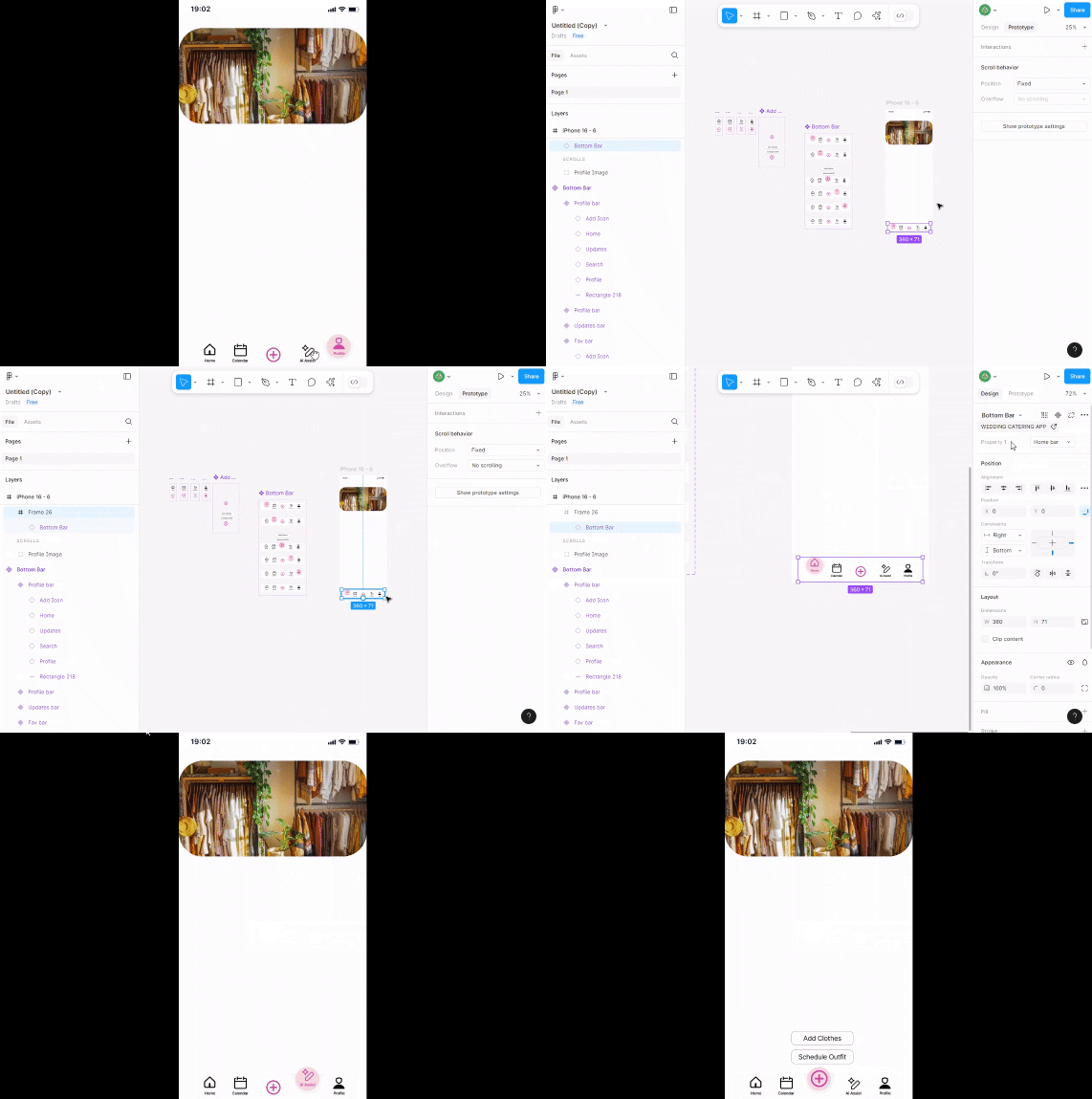
Ive created a Bottom Navigation bar and after setting it normal none scrollable frame there isnt an issue but when i apply it to a long frame where i have to scroll vertically, just after i apply fixed (Stay in place) when i play in prototyope the bar bounces to middle of the frame and back after clicking on the icons.

Can someone please help me with this as it keeps occuring for me everytime or is there any hack to avoid this?

This topic has been closed for replies.
Best answer by Nellya

You need to do like a ​@tank666 wrote. It should help.


5 replies

Nellya
Power Member
February 12, 2025

Can you share a video or a link to your file?

tank666
February 12, 2025

@Adeeba Afreen, see answer here:


UX/UI designer. Figma expert. Creator and developer of plugins and widgets for Figma and FigJam. Check out my resources in Figma Community: figma.com/@tank
Adeeba Afreen
New Member
February 12, 2025

Thank you for the replies!

Link to the figma page

This is the link to the frame, you can see it bounces upwards. Ive also tried to frame the instances but it doesnt seem to help. Im unable to see where im making mistake. 

Looking forward to the help and solution :)

Nellya
NellyaAnswer
Power Member
February 12, 2025

You need to do like a ​@tank666 wrote. It should help.


Adeeba Afreen
New Member
February 12, 2025

@Nellya Thank You sooooo much! i cannot describe how grateful i am of you to help me out with this!! Thanks a lotttt!!!😭😭 ​@tank666 Also thank you for the answer! 😁