
Question
Figma prototype window/frame
Hi all,
I have had this question for a while and never had a chance to ask.
I love everything Figma does but at some point, there was an update after which every time I use prototyping, a prototyping frame opens right next to the frame I am working on, and in 99% cases I need to move it out of the way and it is ANNOYING!
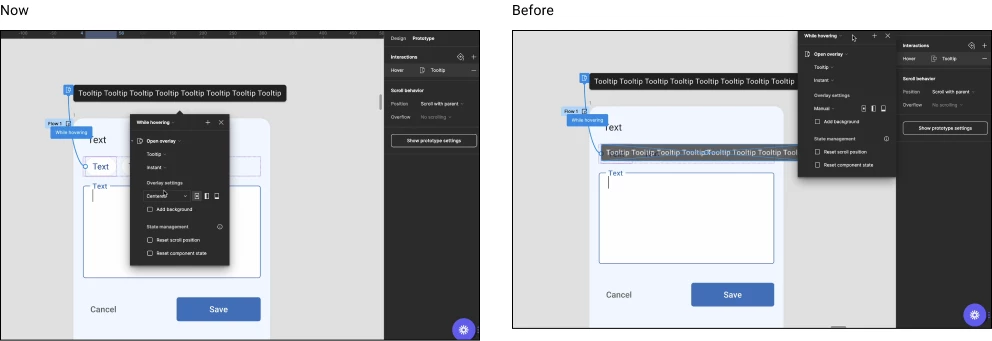
It used to be fixed on top right next to the right sidebar in Prototype|Interactions section
Is there a way to have it fixed there like it used to be? I think I checked everywhere but couldn’t find a solution =(
Thanks in advance!