

Question

Figma Motion - Hover states

  • June 25, 2026
  • 3 replies
  • 174 views

Gareth

Just been playing around with the new Motion feature and it looks pretty good for a beta - however I can’t quite understand how to use Motion for animating states on a component ie. hovers etc.

I want an arrow on a button to move when I hover over the button. This currently doesn’t seem possible without using the old school prototype function instead. I would like to use Motion rather so that my developers can export out the relevant motion properties. 


If I put the animation on the default component variant then the animation plays regardless.. If I put it on the hover variant then it’s all jumpy due to the prototype tool trying to animate it as well ¯\_(ツ)_/¯ 


Help?
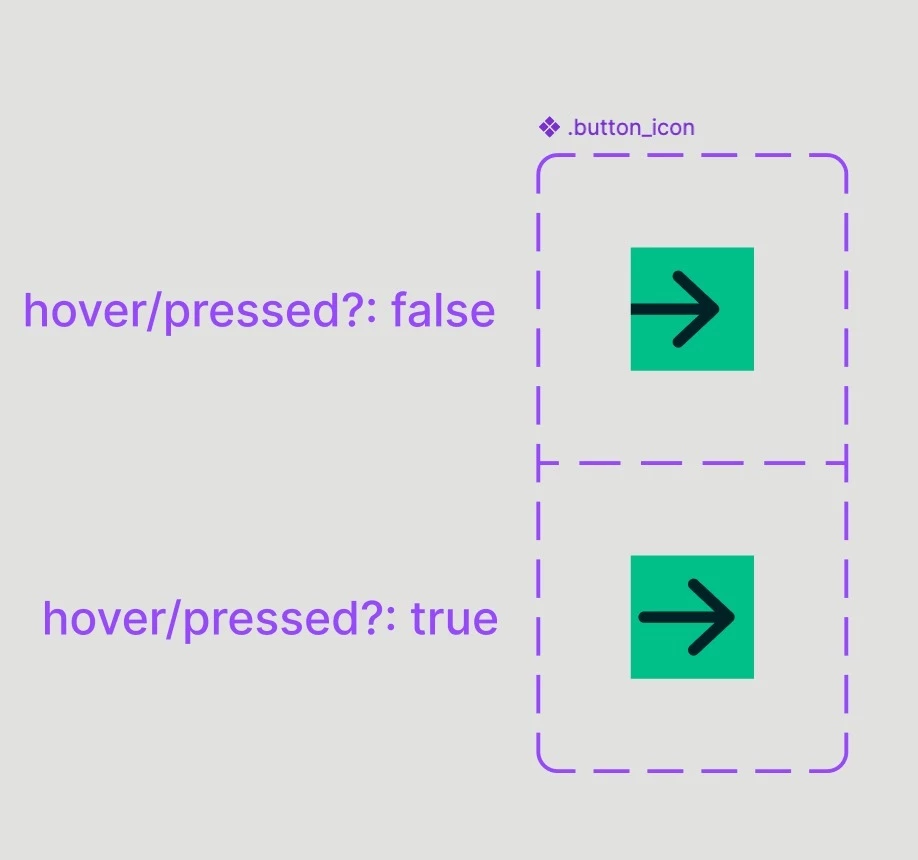


3 replies

Ties
  • Active Member
  • June 30, 2026

I set it up for the example like this:

  1. Create the default and hover state, without motion
  2. Select the layers I want to animate in the hover state
  3. Open Motion mode
  4. Add the Position animation and set it up (using keyframes for the position also works)
  5. I added another dimension by keyframing the Opacity as well
  6. Go back to Design mode 
  7. Add the While hovering interaction on Instant
  8. Voila!


The working prototype:


Gareth
  • Author
  • Active Member
  • June 30, 2026

Cheers Ties,

I think your prototype highlights the issue perfectly - The animation triggers on the initial hover however if you mouse off and then mouse on again it no longer animates (There is also no way to control going back to the default state). Hopefully an upgrade to the prototype settings comes soon so we can utilise Motion for UI animation. 


Ties
  • Active Member
  • July 1, 2026

hey Gareth,

It doesn’t work perfectly, it somehow doesn’t respect the animation duration that is set here, nor does it go back to the first frame when hovering again.

But the While hovering should definitely make the animation play again, but it will complete the animation before replaying it from the start (which bugs me too).

That’s something for the Figma Motion team to fix, those 2 things.