
Hi Forum
,
I'm experiencing an issue with Figma Make Live Preview that started today (a few hours ago). The problem occurs consistently across all Make files, including newly created ones.
Issue Summary
Whenever I use Figma Make, the Live Preview briefly appears for 1–2 seconds and then immediately switches to:
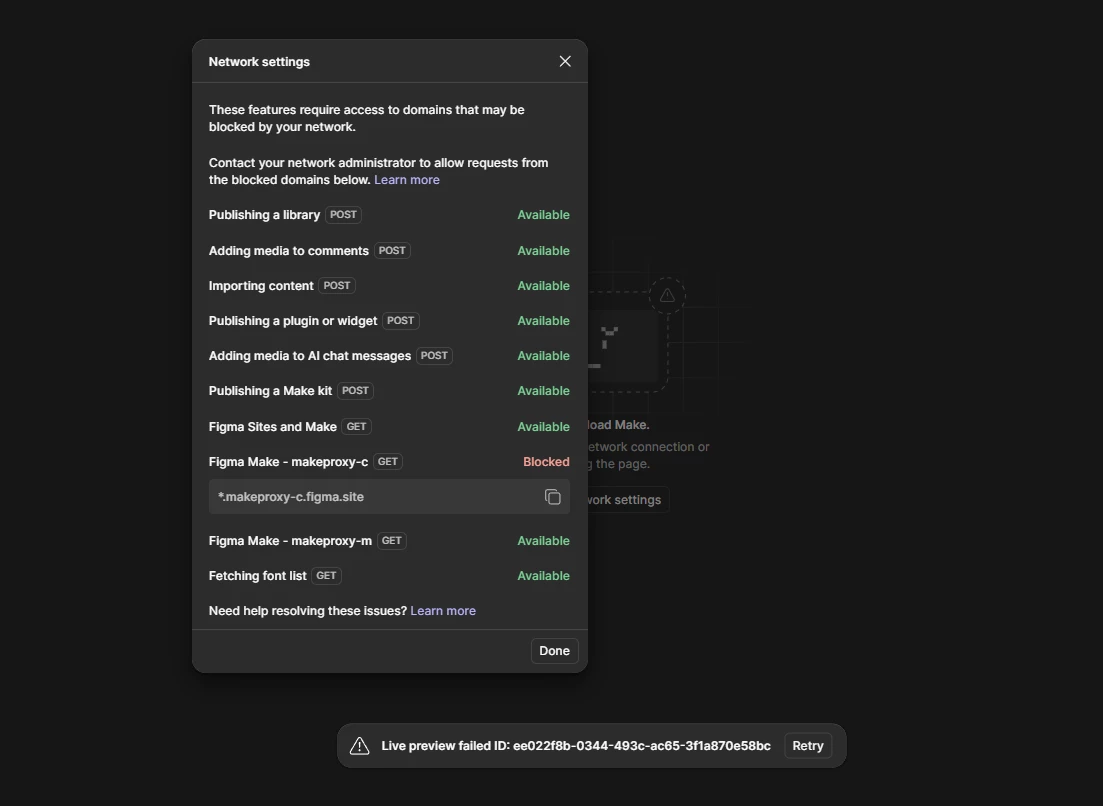
Live preview failed
Error ID:b89de822-011a-49f7-9ce8-51e438fd036d
Interestingly, if I publish the Make project, the published prototype works perfectly without any issues. The problem only affects the embedded Live Preview inside Figma Make.
Troubleshooting Performed
I have already verified the following:
-
Tested in Figma Desktop App and Chrome – Same issue
-
Created brand-new Make files – Same issue
-
Tested with existing Make files – Same issue
-
Tested using a different Figma account – Same issue
-
Tested on Jio AirFiber and mobile hotspot – Same issue
-
Updated to the latest Figma Desktop version
-
Using Personal Drafts on the Free Plan
-
No VPN, proxy, firewall, or antivirus web filtering enabled
-
Network compatibility check succeeds for Figma services
Developer Tools Findings
During debugging, I observed:
-
Multiple 403 (Forbidden) responses from Make-related API requests
-
sandbox/web.cortex.errorrequests failing -
Live Preview loads momentarily before the session is terminated
-
Published prototype runs normally without any runtime issues
Expected Behavior
The Live Preview should remain active and allow interaction, just like the published version.
Actual Behavior
-
Preview loads briefly (1–2 seconds)
-
Immediately changes to "Live Preview Failed"
-
Published site continues to work correctly
Since the issue reproduces across:
-
Multiple browsers
-
Desktop application
-
Multiple internet connections
-
Different Figma accounts
-
Brand-new files
it appears to be related to the Figma Make Live Preview service rather than my local environment.
Could you please investigate this issue? I can provide additional logs, HAR files, or any other diagnostic information if needed.
Thank you for your help.
Best regards,
Najim Shaikh