

Solved

Figma Make Desing Difference Between Preview an Published URL

  • December 29, 2025
  • 2 replies
  • 27 views

Selman Kahraman

Hi. I made a project on Figma Make. It works well, but there is an issue with design. There is design difference between Make Preview and Published URL.
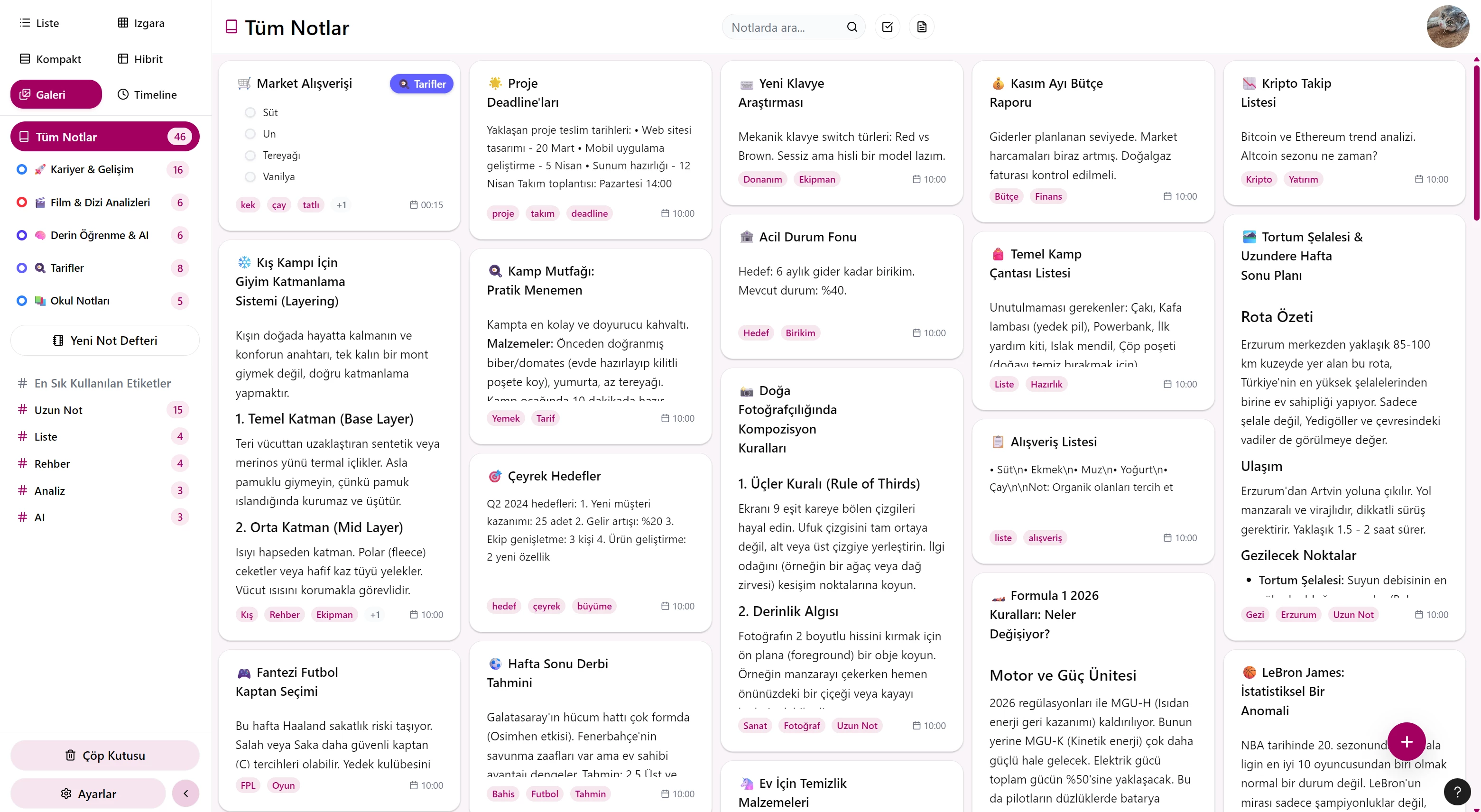
This how project looks like on Preview and this is how it should be.
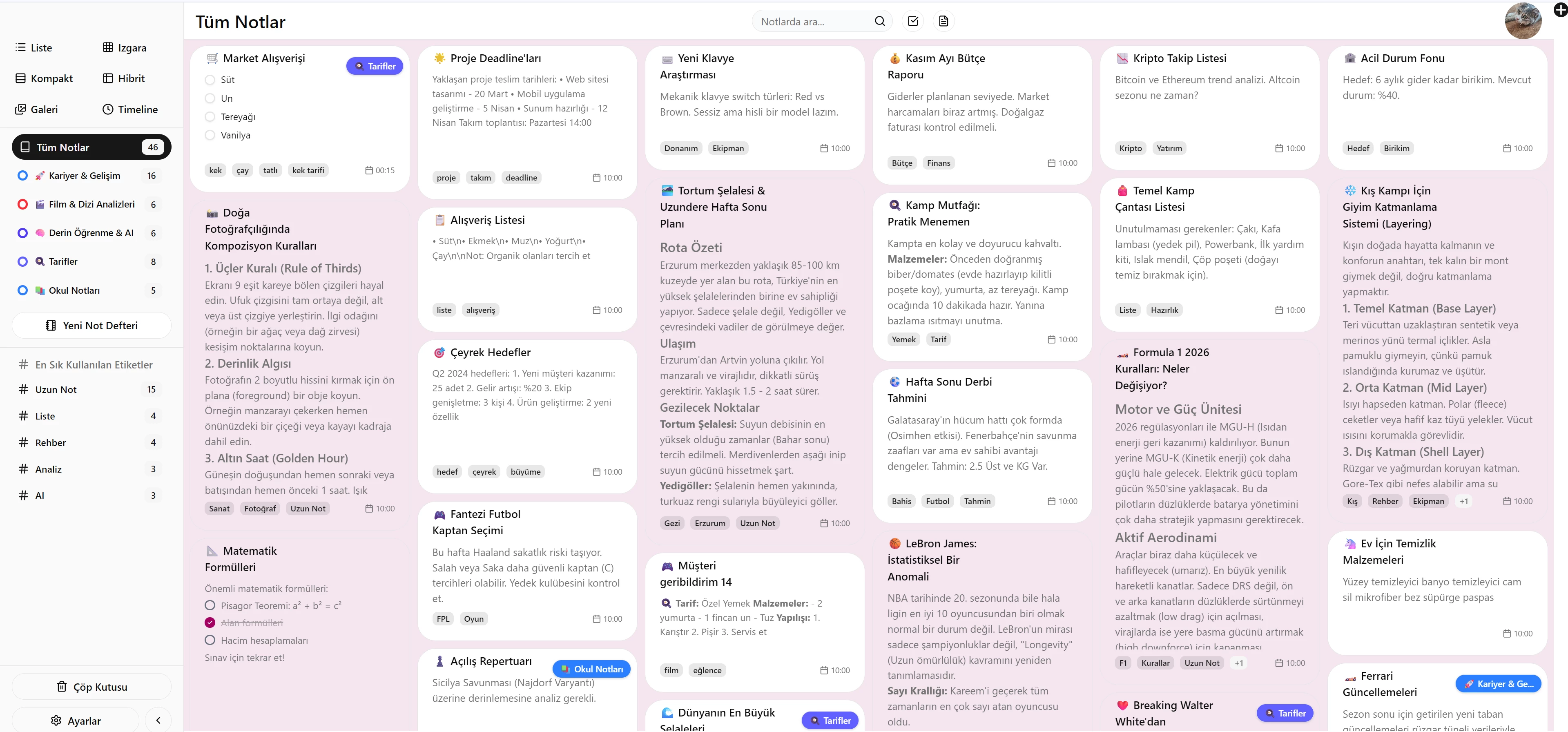
 

And this is how it looks like on Published URL. There is a big desing difference. Like it reads a different css file. 

How can I solve this big problem. Published URL is: https://note.roxet.com/

Best answer by ksn

Hi ​@Selman Kahraman - thank you for reporting. Off the bat, I’m not sure what is causing the discrepancy in the preview vs. your published file.

Are you able to share edit access to the copy of the originating Make file so our support team can review and investigate? This would be super helpful.

If that’s possible, please do the following:

  • Share edit access to all the relevant file[s] with support-share@figma.com. This is our official Figma support account, and only select support and engineering members will be able to access them to try and replicate any problems. You will also not be charged for this.

Once you’ve done that, please PM me. Thank you!

This topic has been closed for replies.

2 replies

ksn
Figmate
  • Community Support
  • Answer
  • December 29, 2025

Hi ​@Selman Kahraman - thank you for reporting. Off the bat, I’m not sure what is causing the discrepancy in the preview vs. your published file.

Are you able to share edit access to the copy of the originating Make file so our support team can review and investigate? This would be super helpful.

If that’s possible, please do the following:

  • Share edit access to all the relevant file[s] with support-share@figma.com. This is our official Figma support account, and only select support and engineering members will be able to access them to try and replicate any problems. You will also not be charged for this.

Once you’ve done that, please PM me. Thank you!


ksn
Figmate
  • Community Support
  • December 30, 2025

Hey! Just wanted to also drop a note here -- I just sent you a follow-up PM, so please check your inbox.

I’ll close out this topic for now, but if you have any other questions, feel free to open up a new one!