

Question

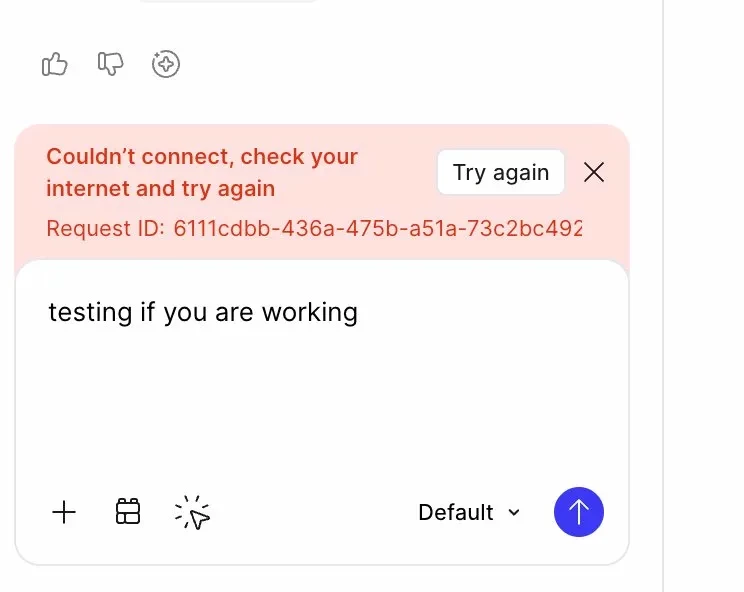
Figma Make AI - couldnt connect, check your internet and try again (argh!)

  • March 27, 2026
  • 1 reply
  • 8 views

Romanalism

I have been using Figma make for a project and its actually been great, but for the last week (started Monday, currently Friday) I have been getting the same error message! I have plenty of credits. 


I have installed the app, restarted my router, called my internet people, logged a help desk reqeust and still no luck. I see a few other people have had the same problem, but there was no solution posted, it just started magically ‘working again’… so I’m hoping this post is the bit of magic I need to get cracking on with my project. 👯
 

1 reply

Gayani_S
Figmate
  • Community Support
  • March 27, 2026

Hey ​@Romanalism, thanks for flagging this! 

 
To help me take a closer look, can you please let me know:

  1. Are you connecting through any VPN/Proxy or other network security tools (e.g. Zscaler)? Does connecting to a different network or disabling any VPN/Proxy connections help resolve the issue?
  2. Can you please try opening these two links and let us know if the pages load showing "OK" on the screen or if they load blank?
    1. https://check-network-compatibility.figma.site/
    2. https://check-network-compatibility.makeproxy-c.figma.site/ 
       

      If either of these links load blank, can your IT team please ensure that Figma's domains (listed below) are explicitly allow-listed as described in Adjust your network settings?

      • *.figma.com
      • *.figma.site
      • *.makeproxy-c.figma.site
      • *.makeproxy-m.figma.site
      • *awswaf.com
      • esm.sh
      • jsdelivr.net
         
  3. Are you seeing this error in the browser, the desktop app or both?
  4. Is this happening in this one specific Make file or all your make files?
  5. If you create a new Make file, does the connection issue happen there?


Thank you for your help!