August 25, 2023
Solved

Figma import file not working

  • August 25, 2023
  • 14 replies
  • 5588 views

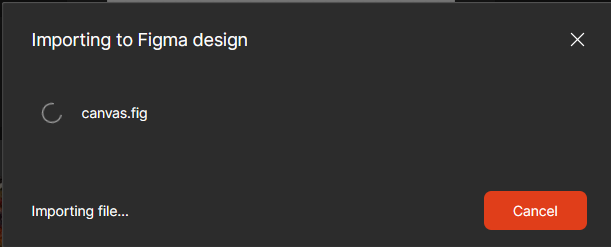
Importing a file using file import keeps loading forever and file does not get imported. any solution?
Screenshot 2023-08-25 183039

This topic has been closed for replies.
Best answer by Ryan_52

Hi @Seif_ElBerkawy is this happening the in desktop app or browser? You may want to try and clear out your cache in the browser and Desktop app and check if this helps?

You can clear the desktop app cache on a Mac in the Help menu under Troubleshooting. If you’d prefer to manually clear your cache you can:

  1. Quit the Figma desktop app
  2. Open Terminal.app and enter the following command: rm -rf “$HOME/Library/Application Support/Figma”
  3. Try opening the desktop app again

You can clear the desktop app cache on Windows under the toggle-arrow at the right of the top toolbar under Help > Troubleshooting. If you’d prefer to manually clear your cache you can:

  1. Close the Figma desktop app
  2. Open the Start menu, and paste in this, followed by enter: %APPDATA%\Figma
  3. In the window that opens, delete the Desktop and DesktopProfile folders if they exist
  4. Launch the desktop app again

Also see if trying from another network such as a mobile hotspot might help as well.

If you are still seeing an issue, can you please reach out to the support team directly via this form for help: https://help.figma.com/hc/en-us/requests/new

Include the .fig file you are trying to import and they can investigate further.
14 replies

djv
Figmate
Community Support
May 22, 2024

I’m not sure. Paul may be able to elaborate, but here’s what he told support:
“The problem seems to be resolved as I am able to import more reliably. It seems that selecting an object on the canvas before using import influences this.”

May 23, 2024

Why does my webcam intermittently fail to work across both desktop and browser versions, despite running the latest Mac Sonoma 14.xx and Chrome 128.xx with all updates? Despite attempts such as restarting the computer, app, and clearing cache, the issue persists with the webcam. What could be causing this erratic behavior, and how can it be resolved?

Kathy1
August 5, 2024

Were you able to resolve this? I’m running into the problem too…

Veerle_Vanderplasschen
August 5, 2024

No, in the end we made a connection with Figma through the Conversis plugin and memoQ. You will need a memoQ CMS API licence for that though.
I did hear from our client that functionality improved on the downloaded Figma app, so if you’re working in your browser only, you might want to try this process again through the desktop app.