Figma Design - Breakpoint bug, incorrect size applied
Hello Community,
Today I encountered this bug in two completely different libraries that are not linked in any way and share nothing with each other; each has its own variables and components. I also asked two coworkers to test the scenario to see if they encountered the same bug in both libraries, and the result was the same, even though they were using different computers and operating systems. So it seems the bug is real, and I'm only noticing it today; it wasn't happening a few days ago.
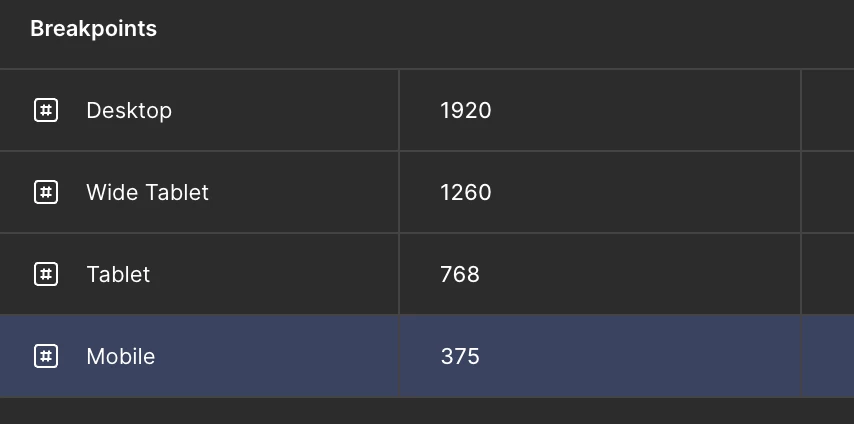
The bug is this: I have four breakpoints as variables in my UI Kit:
Desktop: 1920px
Wide Tablet: 1260px
Tablet: 768px
Mobile: 375px
Here's where it happens:
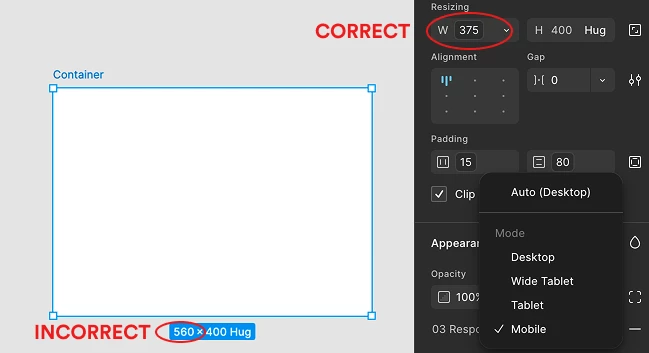
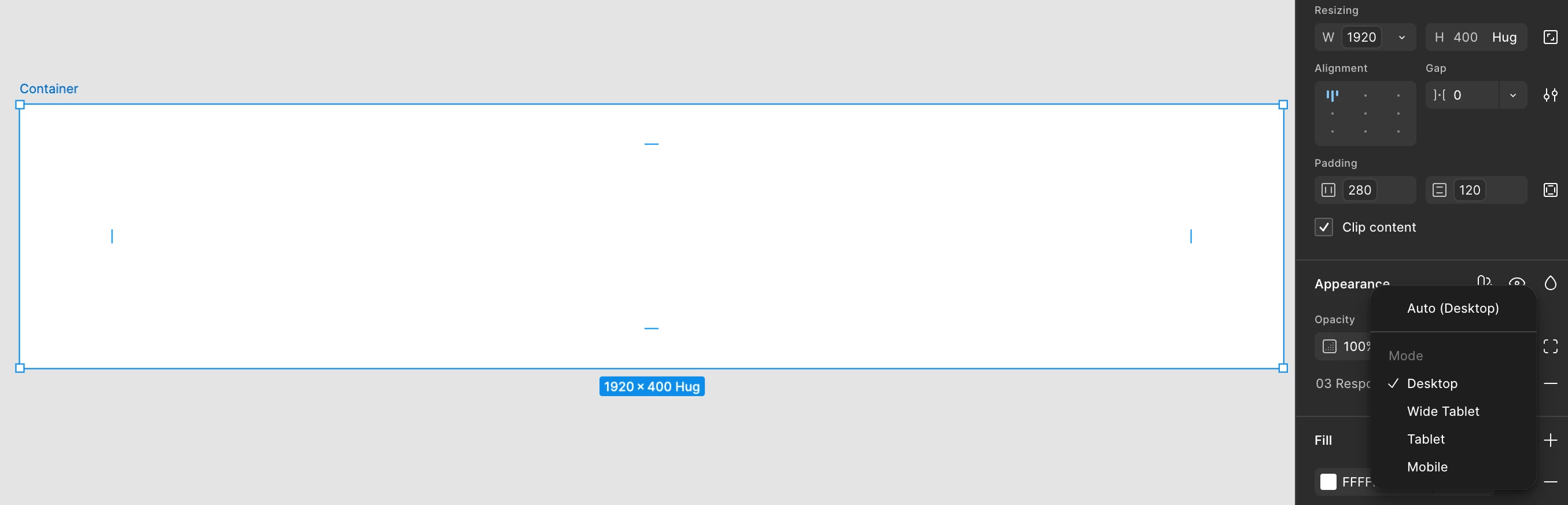
I create a simple auto-frame, with no layers or anything inside. I apply the breakpoints variable for desktop (1920px) and two padding variables that work perfectly (280px and 120px). Then I go to the Appearance menu on the right side and select the breakpoints values. Here's where it gets interesting: I select Desktop, which is fine, but if I then select Mobile directly, it doesn't apply the 375px value; it applies 560px instead. That value (560px) isn't in any of my variables, nor is it declared anywhere in the file. Remember, it's just an empty frame, with nothing in it. Now, this bug doesn't occur if I select Desktop, then Wide Tablet, then Tablet, and then Mobile; in that case, the correct measurement is applied. The bug only occurs when switching from Desktop to Mobile; it doesn't appear when switching from Wide Tablet to Mobile, or from Tablet to Mobile. The bug is exclusive when I select from Desktop-to-Mobile option.
And this happens in two completely separate libraries that are not connected in any way.
Anyone else is dealing with this bug? thanks
Pd: and yes, I reseted Figma and uninstall it just in case that was my computer, but it doesn’t work either.
UI Kit
Variables
Bug