
Samir_PRODATA
New Participant
June 14, 2024
Solved

FigJam thumbnails doesn't fit the frame

  • June 14, 2024
  • 14 replies
  • 1402 views

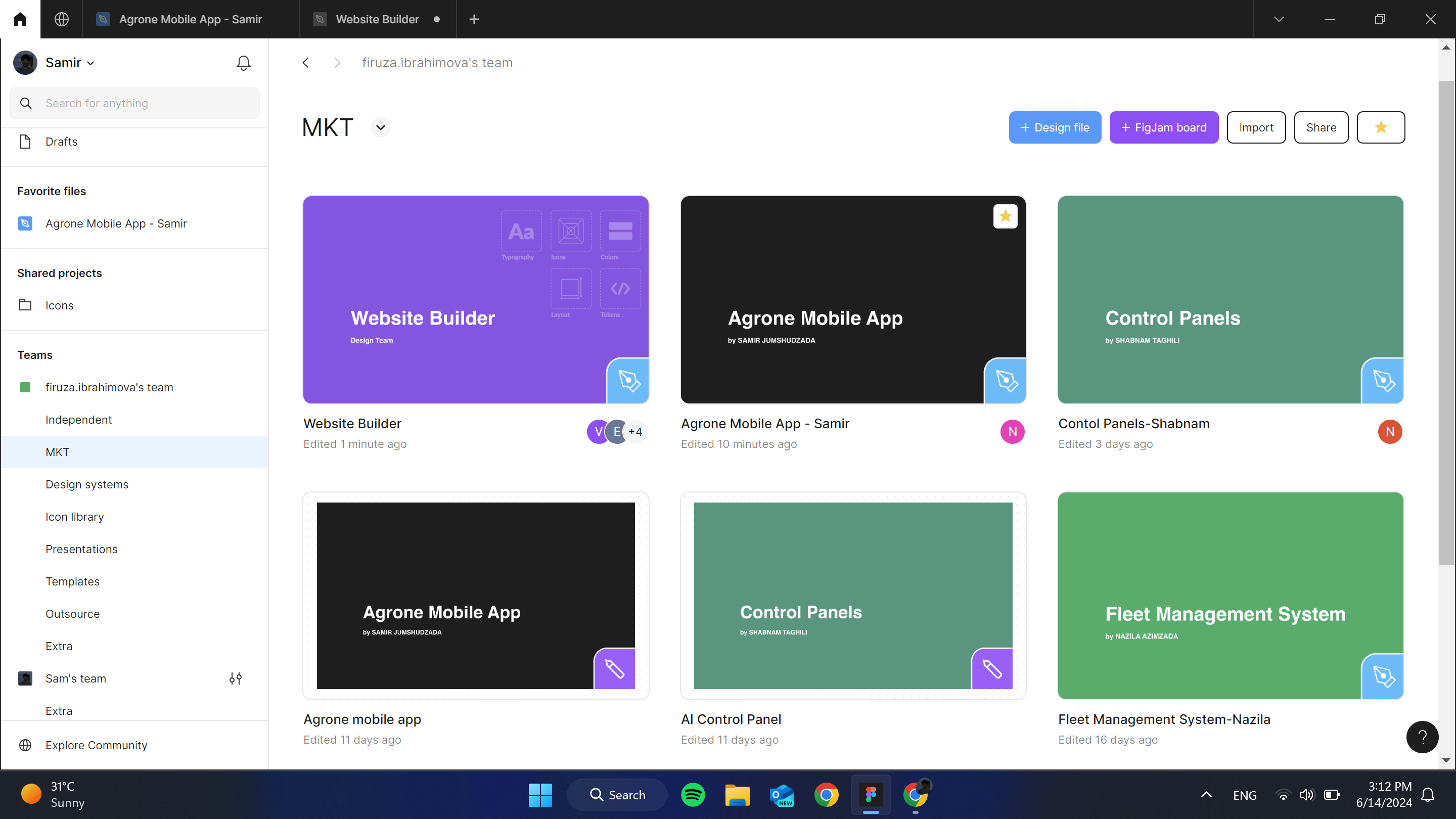
After the new update my thumbnails became smaller for FigJam files. Do you have any idea about this bug or smth?

This topic has been closed for replies.
Best answer by djv

Hey @Samir_PRODATA, thanks again for flagging!

Our team pushed a fix for this. Please refresh and let us know if you run into any further issues.

14 replies

djv
Figmate
Community Support
October 17, 2024

Thanks for confirming, @lauren.macurak!

Are you able to provide a screenshot of how the thumbnail appears in your file browser as well as a URL link to your FigJam file, so our team can take a closer look?

If so, please include a link to the file in this topic thread, and share edit access with support-share@figma.com.

Carina Oswald
New Member
March 13, 2025

Hey ​@dvaliao,
came here because of the same issue.
In my screenshot you can see that there are still pixels not covered, even with a 16:9 ratio:


tony-coccaro
New Member
April 23, 2025

Guys, this issue is far from being solved. As you can see from my attachment, the image has been properly set as thumbnail (16:9 ratio, 1600*960px) in Figjam, but it does not fit the cover. Am I doing som’ wrong or you need more investigating this matter? Thx


Tony Coccaro Interaction Design
djv
Figmate
Community Support
May 12, 2025

Hey All, thanks for following up! 

I just tested setting a 1920 x 1080 (16:9) thumbnail in FigJam file, and it is working as expected on my end. Be sure to check that you’re using the correct dimensions and that your thumbnail is wrapped in a Section or a Frame, if you’re copy/pasting the thumbnail from Figma. 


By default, Figma uses an overview of the entire FigJam board to create a file's cover.

You can use a section as the thumbnail image for the file or a custom template.

  1. Select the section you wish to use as the thumbnail.
  2. Click Set as thumbnail.

You can also create custom thumbnails in Figma Design files to use them for FigJam file covers.

  1. Create a frame to use as a custom thumbnail.
  2. Copy/paste the frame to your FigJam file.
  3. Right-click on the frame in the FigJam board.
  4. Select Set as thumbnail from the options.
