Question

Deleting a text style from a Figma Slides template

  • June 11, 2026
  • 1 reply
  • 10 views

elliot

Hey there! 

Thanks for stopping by. I’m late to be learning Figma Slides. Currently stuck with something that surely shouldn’t be hard to do.

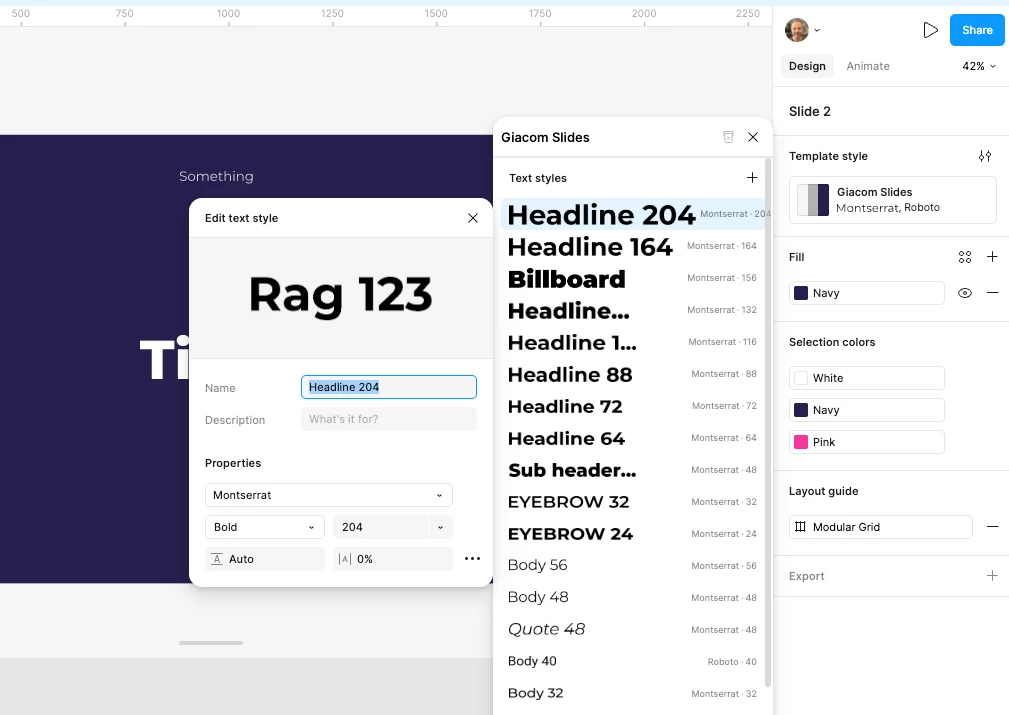
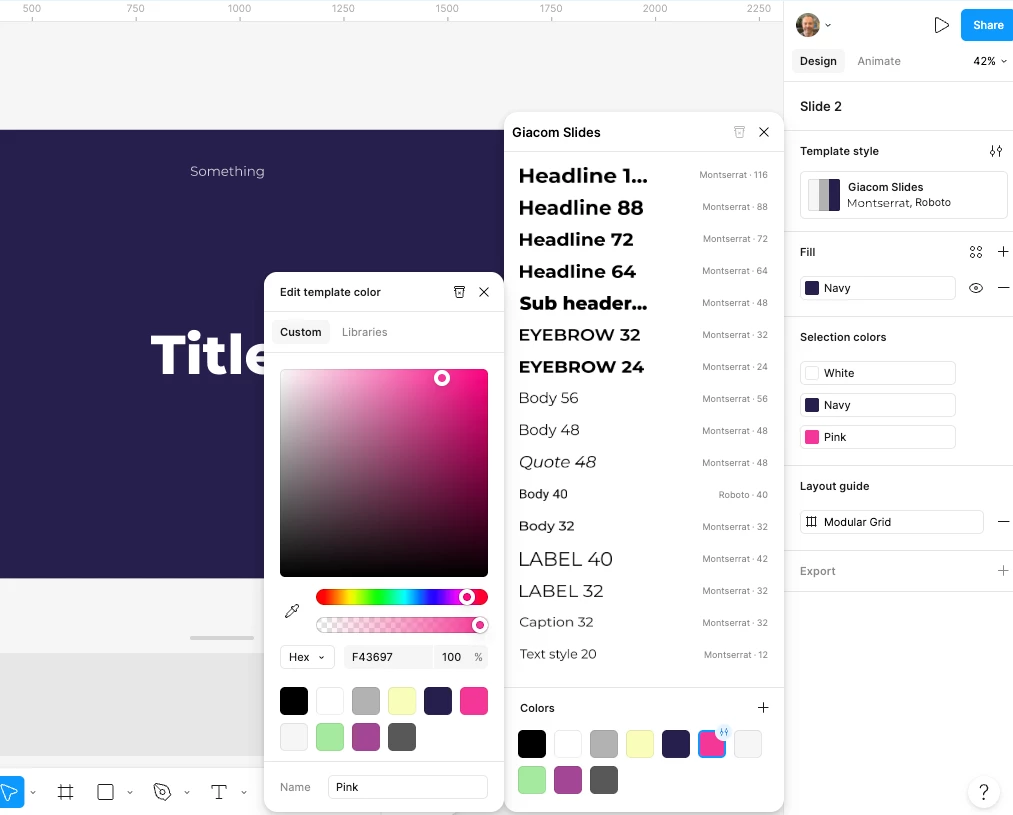
I’m want to delete some text styles from a Figma Slides template but the delete button is greyed out in the main menu and there isn’t one when i select a text style to open the context menu.

Strange? As do the same process to delete a colour there is a delete button in the context window.

Am I missing something? 


1 reply

djv
Figmate
  • Community Support
  • June 12, 2026

Hey ​@elliot,  thanks for reaching out!

You're not missing anything obvious here. This is actually a known behavior. Deleting text styles in Slides behaves differently to deleting color styles, which I know can be confusing. Here's a temporary solution that's helped others:

Try making sure the text style isn't applied to any slide in your deck. If a template style is completely unused, refreshing the file should automatically remove it. It's a roundabout way to do it, but it does work in most cases. A couple of quick questions to help us understand your situation a bit better:

  • Are you working in the browser, the desktop app, or both?
  • Are these text styles ones you created yourself, or did they come from an existing template or a copied slide?

The more context we have, the better we can point you in the right direction. Let us know!