

Dsync
New Member
October 19, 2026
Question

Customizing Properties

Hello:

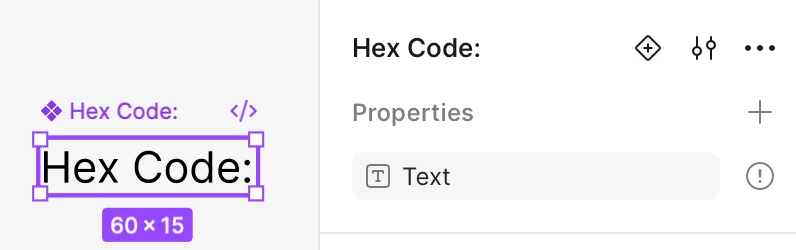
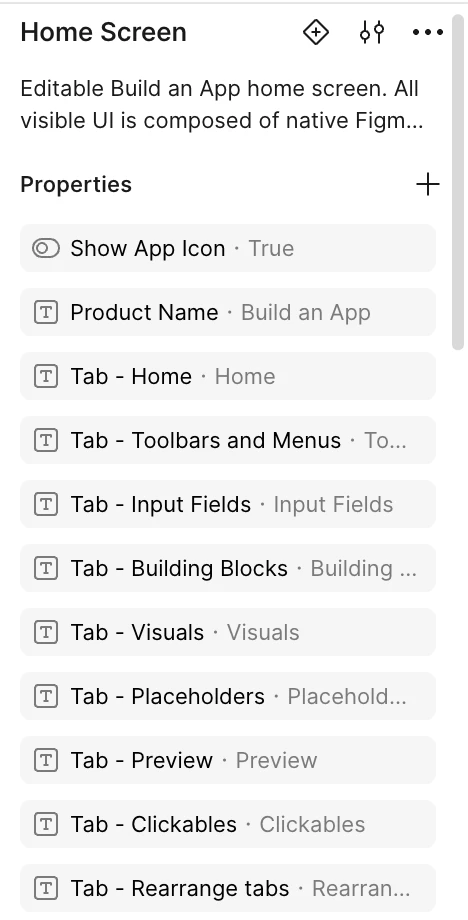
I am new to Figma. I asked my AI to build a basic Home Screen for a project. When it created it, it made a bunch of categories in properties where I can type and change the headings or fields (see screenshot 2). When I tried to do it myself it did not work that way (see screenshot 1) . How do I do this. I’m not sure what to search for in terms of tutorials. Thanks


    1 reply

    Ondrej_Pavlicek
    Power Member
    October 19, 2026

    Hi!

    The property needs to be linked to a text layer. When you select the whole component (e.g. “Frame 1”), you’ll see a “Text · Hex Code:” row in Properties with an exclamation mark, which means the property isn’t attached to anything yet.

    Double-click to go inside and select the text layer itself (“Hex Code:”). In the right panel, next to the Content field, there’s a small Apply variable/property icon (highlighted in green below). Click it and choose the Text property. That attaches the property to the layer, and the exclamation mark will disappear.

    You can then edit the text in the Properties panel of a component instance, not on the main component.

    Hope it helps! 😊

    Product designer @ NETWORG | Designing Model-driven Power Apps in Figma | Power Apps DesignKit (Model-driven)