Components from Assets panel don't inherit "Fill" sizing - but dragging from canvas does. Any workaround?
Hi everyone - hoping someone can help or confirm whether this is expected behaviour.
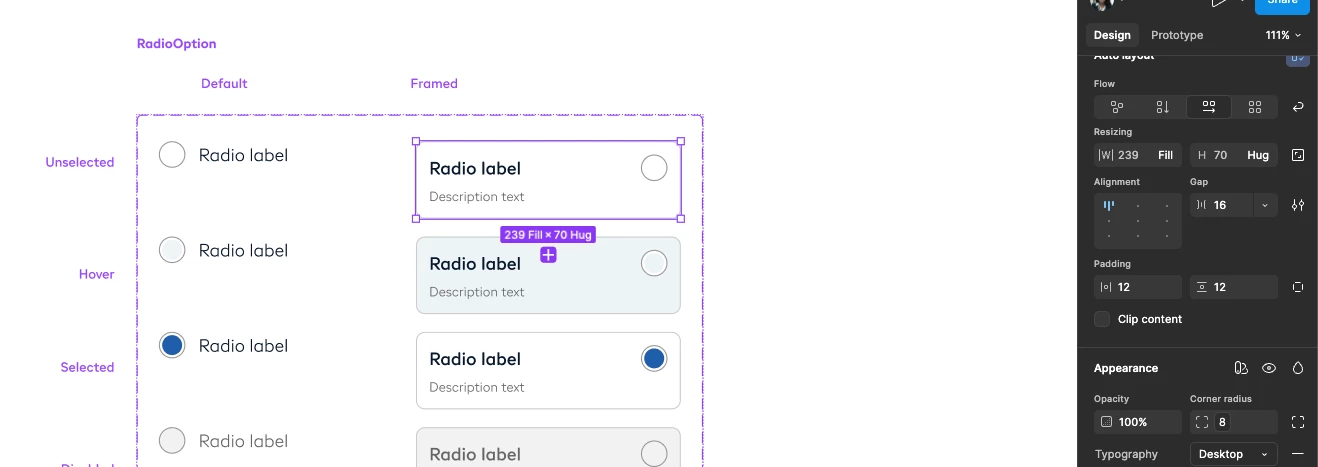
I have a parent component with children (radio option, list item) all set to Fill for horizontal resizing. The parent frame uses auto-layout.
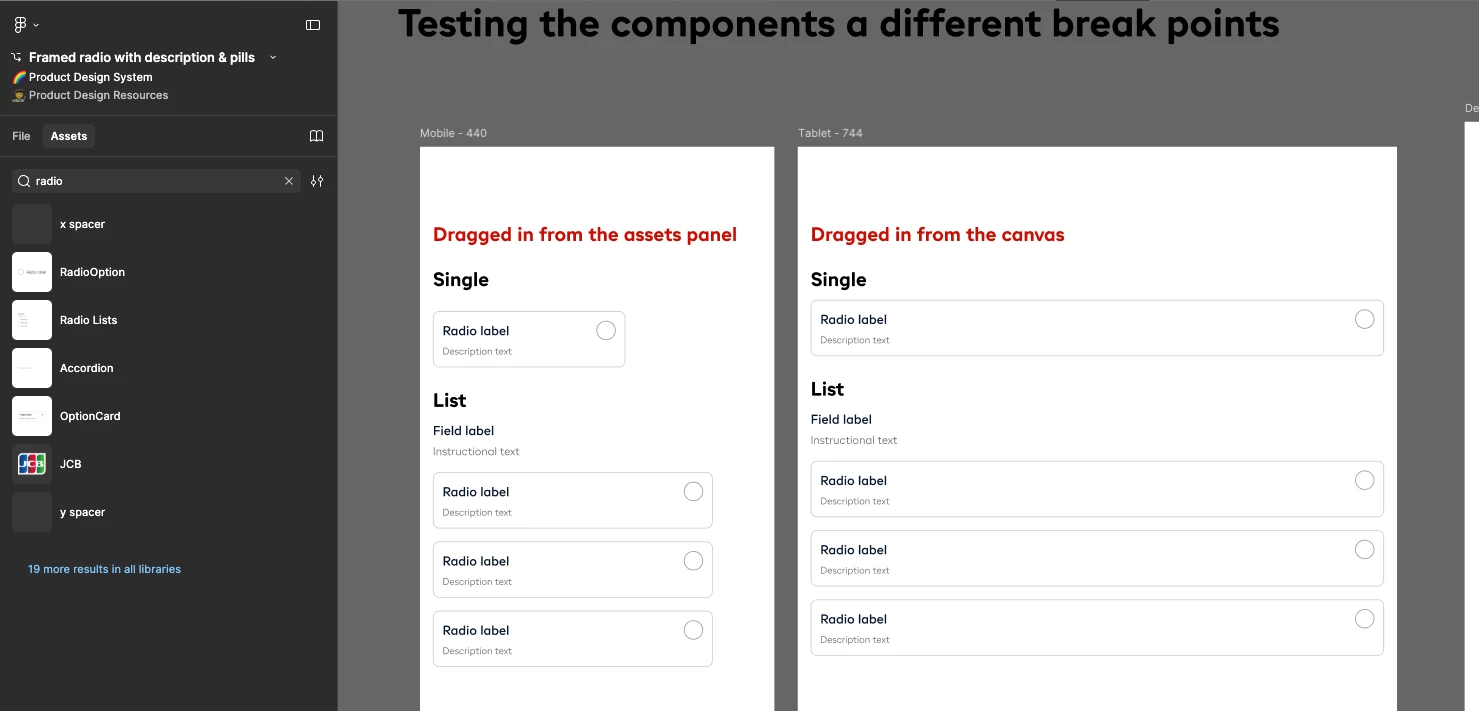
What I expect: When I insert an instance from the Assets panel into a frame set to auto-layout, the instance should fill the container — matching the resizing properties I set in the parent component.
What actually happens: Instances inserted from the Assets panel come in at a fixed width. I have to manually set each one to "Fill container" every time.
The confusing part: If I drag the same component directly from the canvas into the frame, it does fill correctly. So the behaviour exists — it just doesn't carry over when inserting from Assets.
My questions:
1. Is this expected behaviour, or a bug?
2. Has anyone found a workaround to make instances from the Assets panel default to Fill when placed inside an auto-layout frame?
3. Is there a way to "bake in" the fill behaviour so I don't have to manually override every time?
Thanks!