

Adam_Gordon
New Participant
January 23, 2026
Question

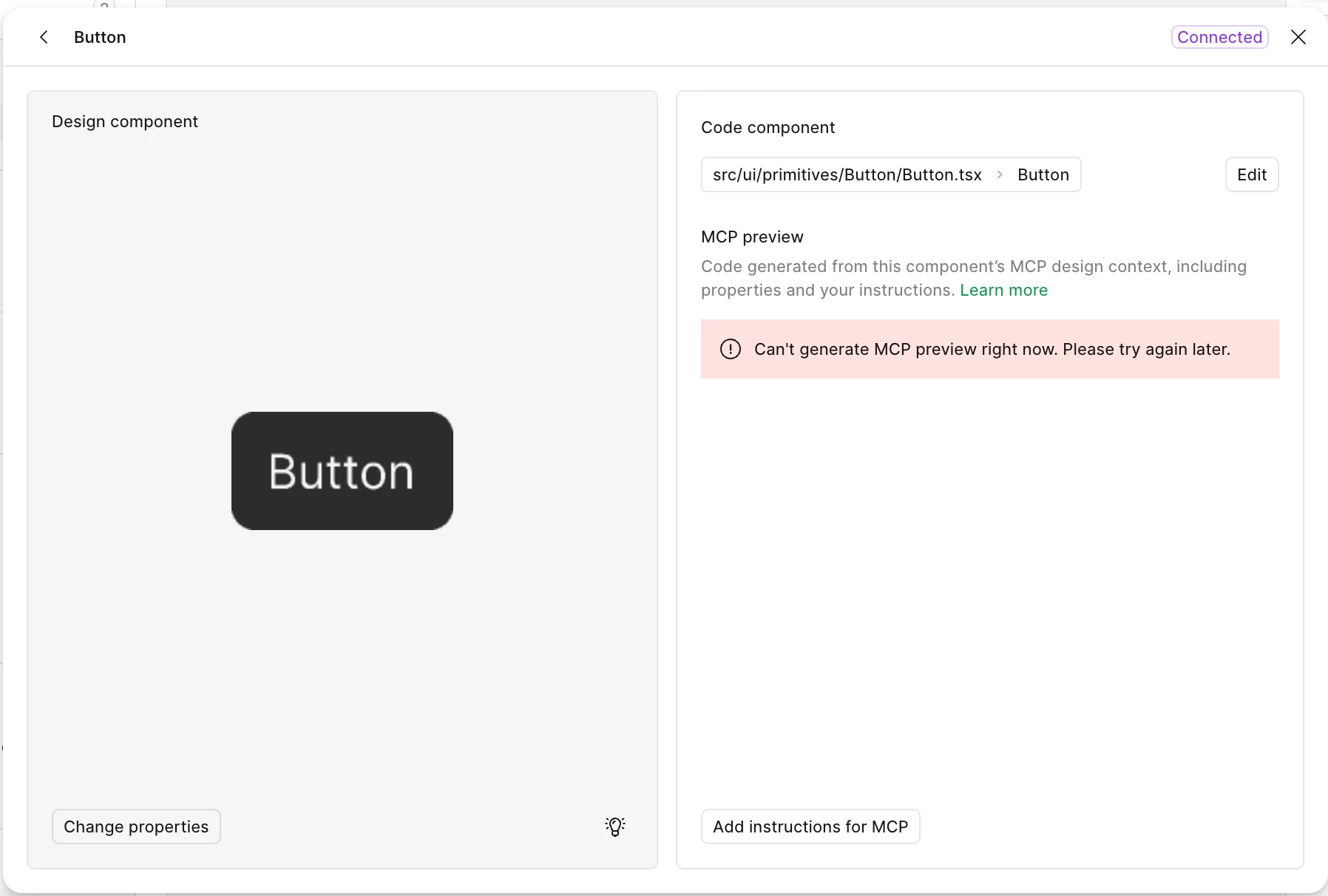
Code Connect not showing preview?

  • January 23, 2026
  • 15 replies
  • 784 views

Hey all, I am finally getting round to trialing out Code Connect, Figma MCP and the like to see how it all works and if there are any noticeable benefits to these features for my wider team.

I had some issues initially setting up, but have finally gotten to the point where I can connect them to GitHub, for testing  purposes I am using the Figma Design System and corresponding coded components. However when connected, I get this error, and I am unsure how to fix it. Has anyone come across this before, and any advice on how to resolve? Thanks!


This topic has been closed for replies.

15 replies

Lindsey_Drennan
New Participant
February 19, 2026

Mine still do not work. The only ones that show the code are ones I had previously connected via the manual way using Code Connect CLI

Adam_Gordon
New Participant
February 19, 2026

Mine still do not work. The only ones that show the code are ones I had previously connected via the manual way using Code Connect CLI

I should probably mention, I’ve not connected any custom components, but mainly run through the ‘demo’ setup. So I’ve probably not encountered the issues you’re running into! 

djv
Figmate
Community Support
February 19, 2026

Hi ​@Lindsey_Drennan, sorry to hear it still isn’t working for you! 

It looks like Caroline replied to you yesterday, and our Technical Quality team will be in touch as soon as they can to continue troubleshooting. 

​@Adam_Gordon - Glad to hear you got it working! Please feel free to let us know if you run into any further issues.

Bloo
New Member
March 22, 2026

Do we have to be connect to Github to see the “generated MCP preview code”? I’m trying to follow the code connect docs to manually insert the path. I’m not seeing the MCP preview code.

“You can connect directly to a GitHub repository, or manually provide component paths and names if you use another version control system.”


Thanks!

djv
Figmate
Community Support
March 26, 2026

Hi ​@Bloo, thanks for chiming in here! 
 

No, users do not have to connect GitHub to create a Code Connect mapping. You can manually enter a file path and component name, and that mapping will still be used by the MCP server.
 

Since you’re not seeing the MCP preview code, there are a few things to check:

1. Source access (most common)

  • The preview code in Code Connect UI is generated based on connected source files. If you’ve only entered a manual path (without connecting a repo like GitHub), Figma may not be able to access the actual code — which can result in missing or limited previews.

2. Path or component name mismatch

  • Make sure:
    • The file path is correct
    • The component name matches the exported code component
      If these don’t align, the preview may not generate as expected.

3. Inspecting the correct component

  • Ensure the component you’re viewing in Dev Mode is the same one that’s been connected. Instances or variants that aren’t mapped won’t show connected code.

4. Library + publishing

  • Code Connect UI works from published library components. If the component isn’t published, the connection may not fully apply.

5. Plan + seat requirements

  • Code Connect requires:
    • Organization or Enterprise plan
    • Dev or Full seat

6. UI vs CLI expectations

  • The UI setup provides basic generated snippets. If you’re expecting richer, prop-aware code, that typically requires Code Connect CLI.

Hope this helps you narrow down the issue, but please let me know if you have any further questions.