
Solved
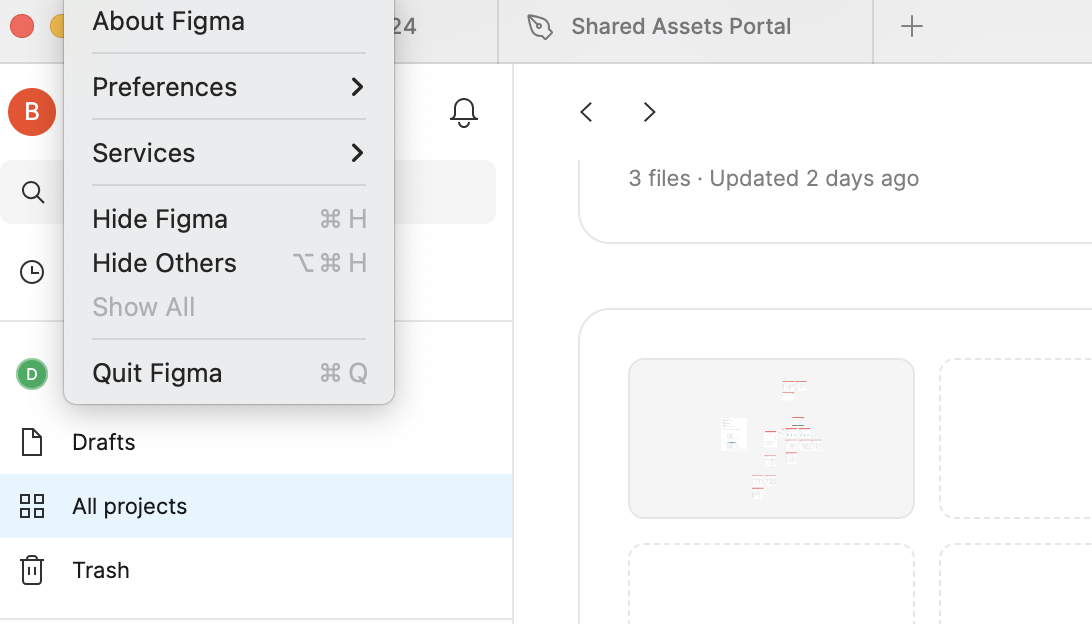
Check for updates does not appear in the menu
Hi everyone,
Recently the option to check for updates disappeared from my Figma menu.
Does anyone know where I can enable it?
Thanks a lot!

Hi everyone,
Recently the option to check for updates disappeared from my Figma menu.
Does anyone know where I can enable it?
Thanks a lot!
Enter your E-mail address. We'll send you an e-mail with instructions to reset your password.
