

Question
Changing to another variant of a component used in my component, make the text not in sync anymore
Hi all
I’m running into the problem of my text not changing if I change my component. Let me run you through the steps I’ve taken:
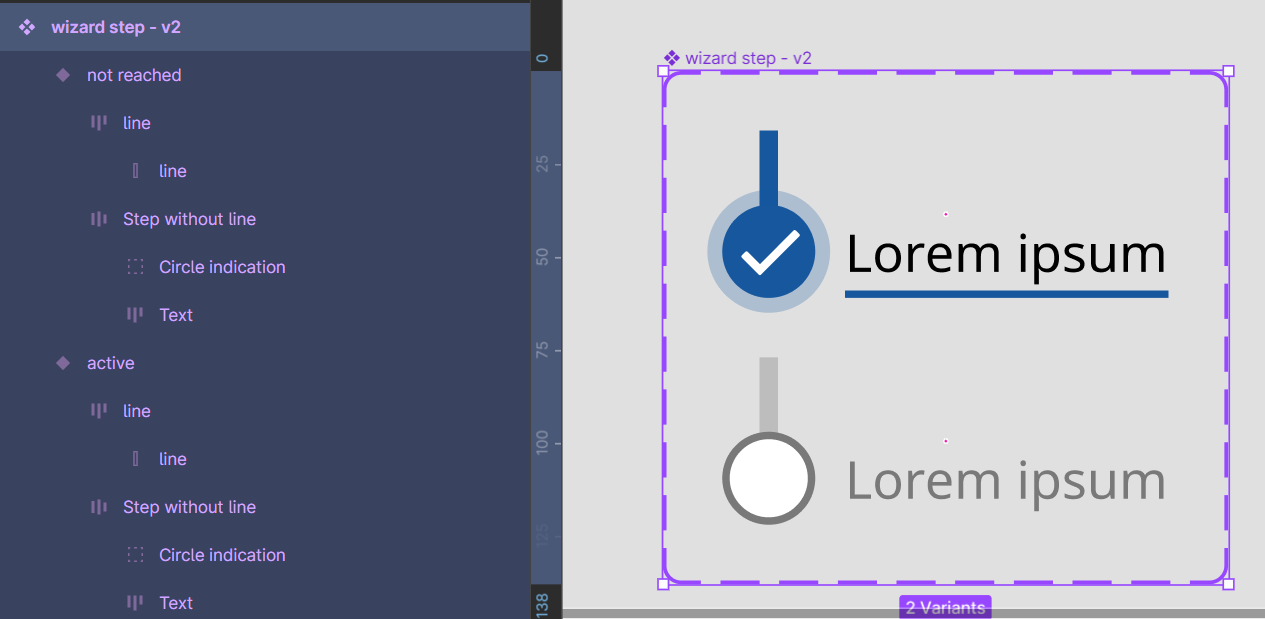
- I have a component ‘Wizard step’ with 2 variants for a step indication. Tested this, if I change my text and then change the variant, it remembers the text. Awesome so far.
- Now I make a component ‘Wizard flow’ with 4 of these steps, because I will use the steps on different frames and I want the texts and prototype noodles to be the same from all these frames.
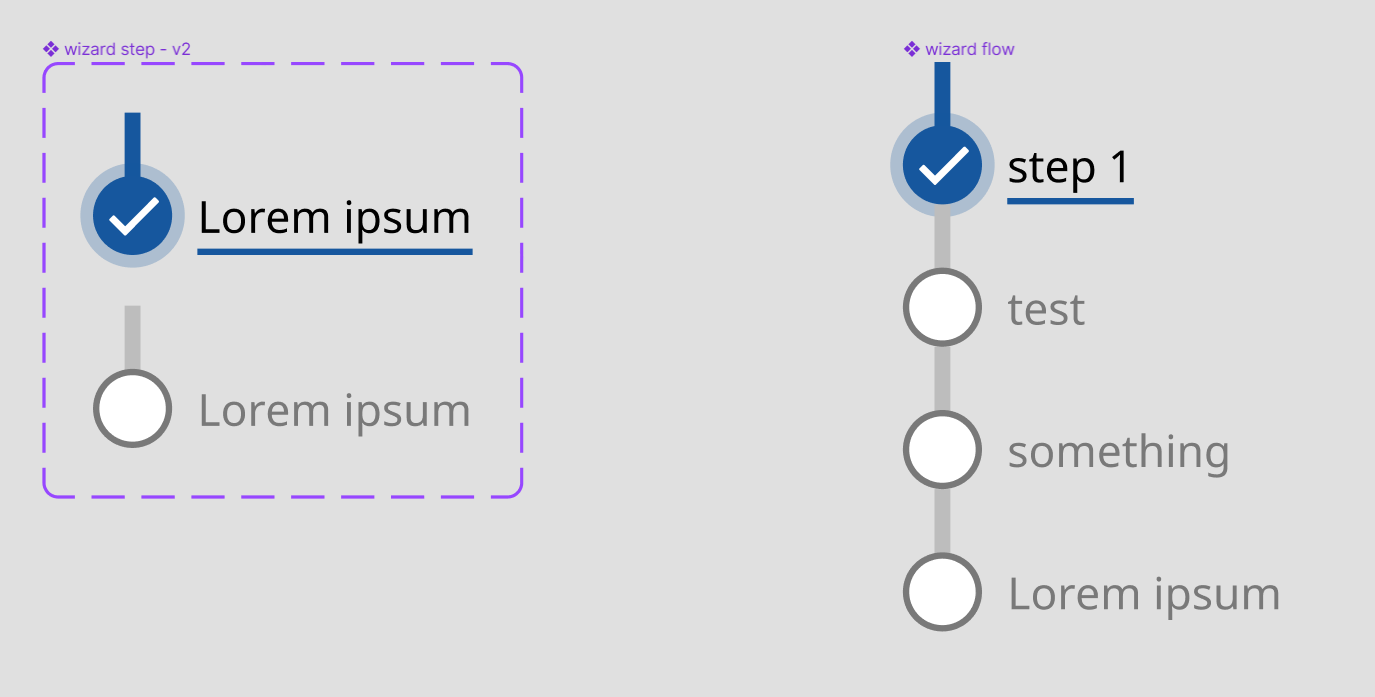
- Now I use the ‘Wizard flow’ on my 4 frames. I override the variant of the ‘Wizard step’ to indicate which step is done or not done. Again, so far, so good.
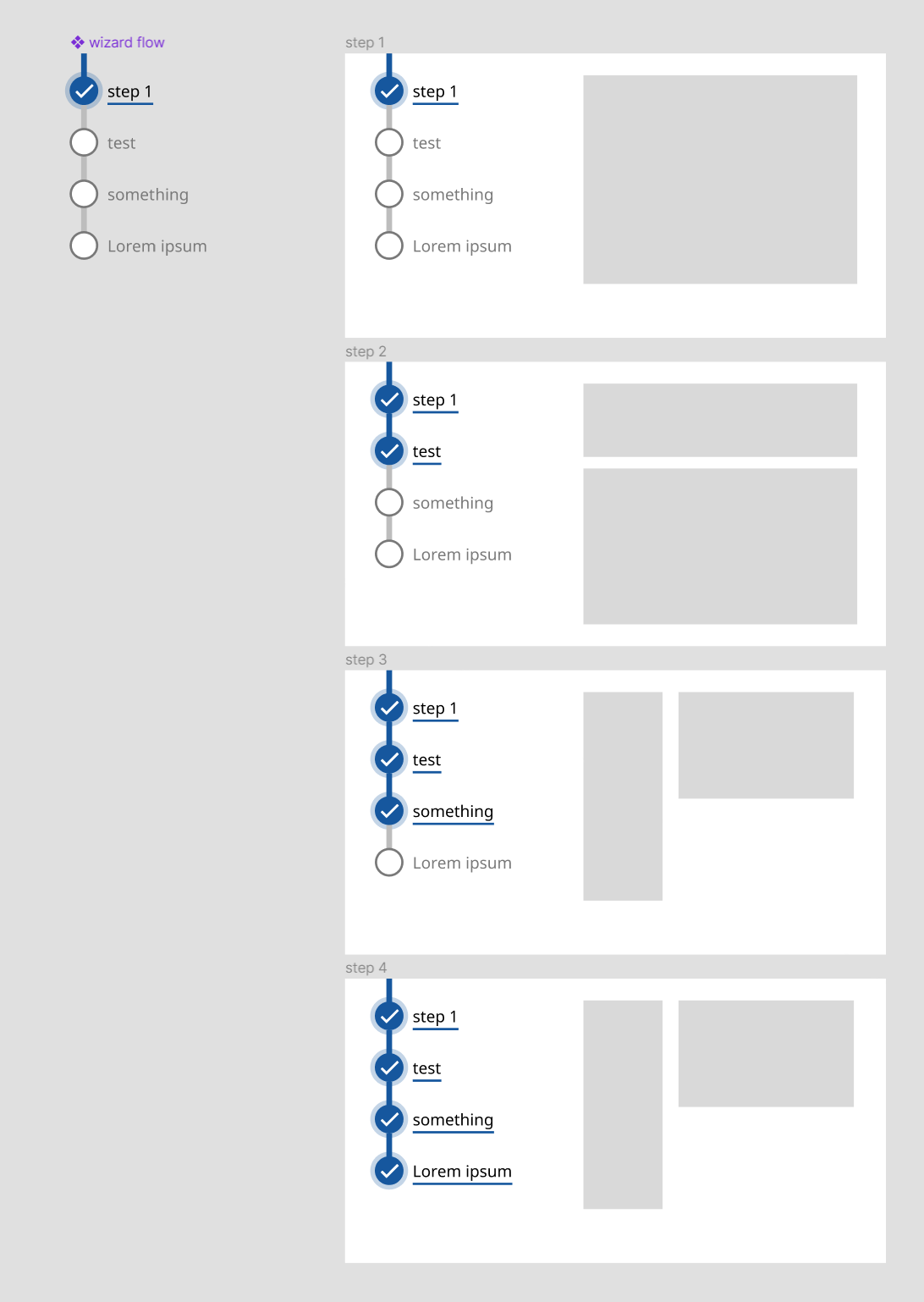
- But now, if I want to change the naming of my steps in my ‘Wizard flow’ component. What happens is that it only takes it over in the steps where I did not change the variant of the ‘Wizard step’. In the frames where the variant was changed, the old text is still visible.
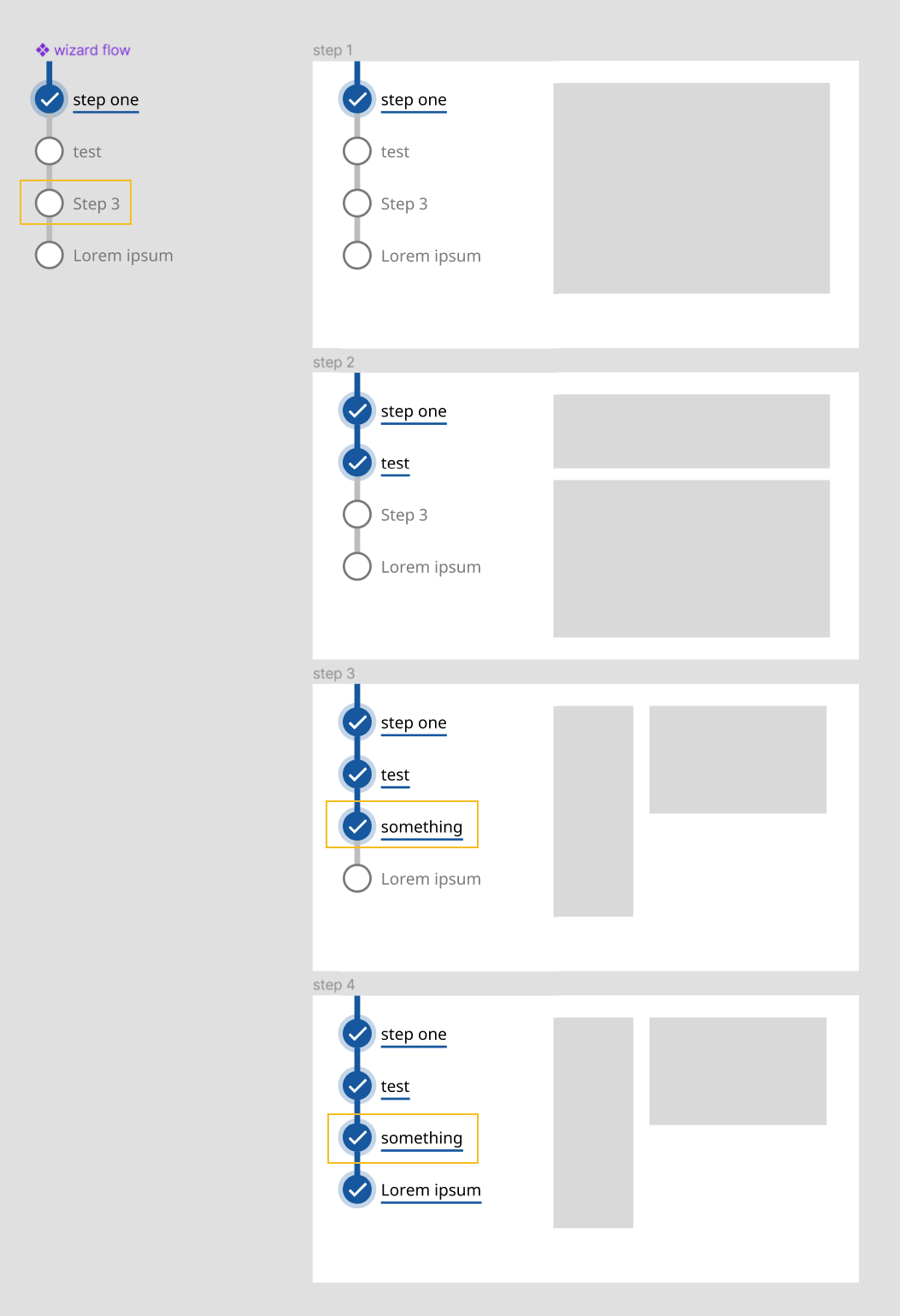
I had a complex setup for making wizard steps with many more variants and nested components. I started from scratch again to figure out my issue, but in this simple version it also happens, so I’m wondering what I’m forgetting or if it is a bug.
Hope you guys can help me out!