

Question

Change angle of gradient when bulk selecting text

  • April 10, 2026
  • 1 reply
  • 19 views

Jesse Rosenfield

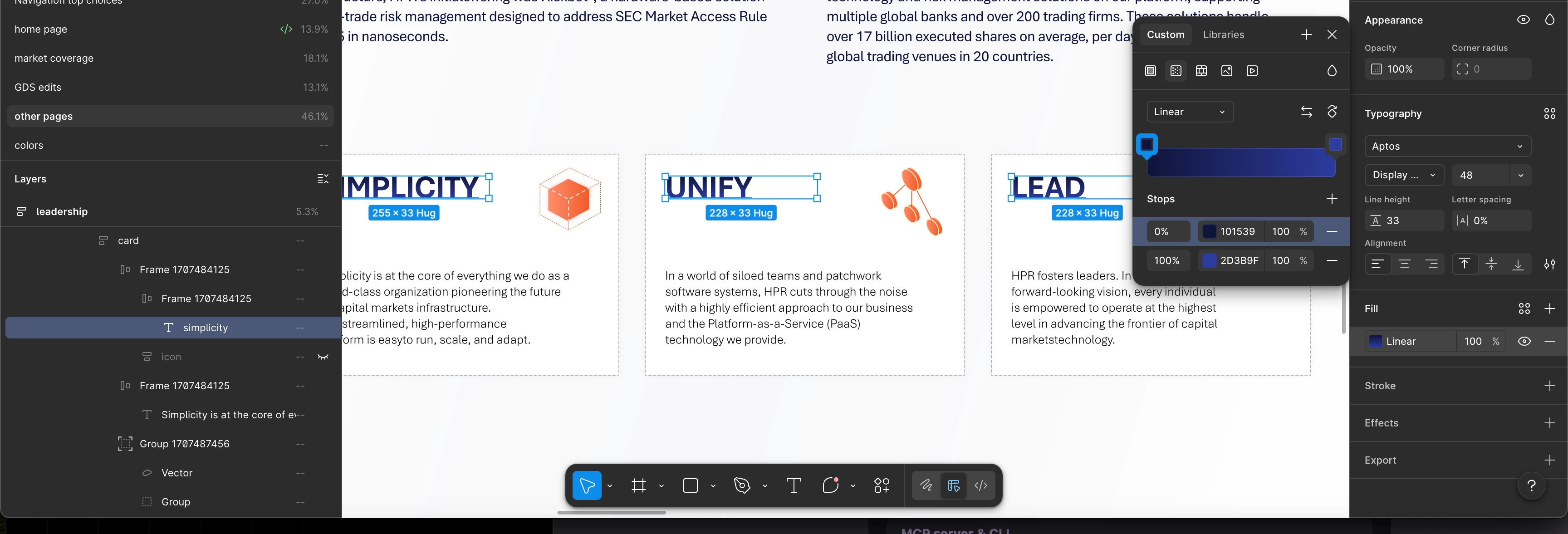
How in God’s name do you change the angle of a gradient when selecting multiple layers of text?

amazing that this $10b company hasn’t made this obvious/easy

The “rotate gradient” button does exactly nothing.


1 reply

adamsmasher
Figmate
  • Figmate
  • April 13, 2026

Thanks for your post, ​@Jesse Rosenfield.


I did a bit of testing with this and I can see why this would be frustrating for you. Are you looking to rotate by 90 degrees or something more nuanced? We don’t currently support selecting rotating multiple gradients at a time, but it will work to do them individually with the button at intervals of 90 degrees. If you are rotating to something other than 90/180/270, I would do this:

  1. Rotate the gradient of the first text layer by using the gradient handles (as shown in the help article on gradients).
  2. Duplicate the text layer.
  3. Replace your other text layers with duplicates.
  4. Edit the text of each duplicate.


 Having said all that, I’m raising this with our team internally so they can take a look. Please let me know if you have any other questions!