

Kate38
June 28, 2024
Solved

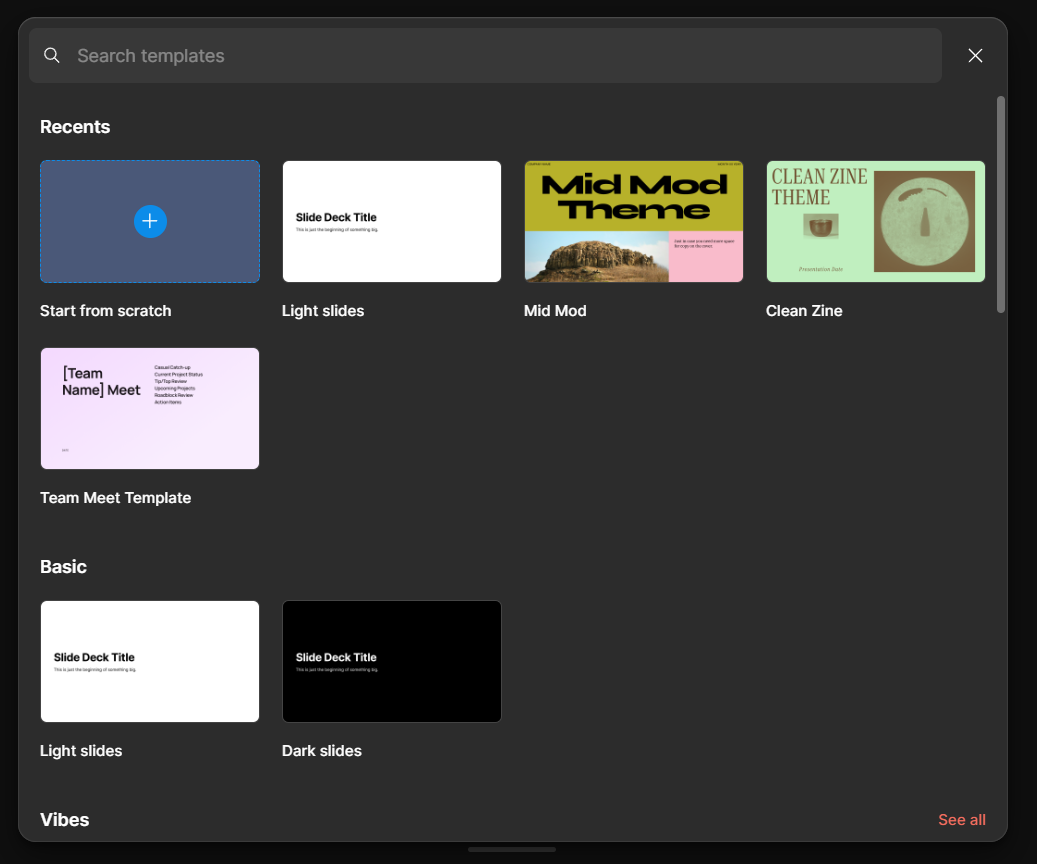
Can't start from scratch in Figma Slides

  • June 28, 2024
  • 12 replies
  • 937 views

When i click on “Start from scratch” Figma creates a new draft using “Light slides” template. I tried to use another account and it worked, but only once, so now I can’t use blank slides from two accounts.
How it can be fixed?

This topic has been closed for replies.
Best answer by djv

Hey @Kate38, thanks for reaching out and sorry for the confusion!

When selecting “Start from scratch”, it’s currently expected to default to the Light slides template. There’s currently no way to start completely from scratch with an empty or blank slide.

12 replies

Luke_Snitter
New Participant
July 25, 2024

Have you figured out how to change the names of the colour styles? I have finally managed to find the “edit” button. It only seems like it is available not in design mode and hovering over the template colours. Although it doesn’t have an options to rename them.

Julia57
Active Member
July 31, 2024

same… i overrode the default colors (the names are not shown in this view), and now my color swatches have COMPELETELY wrong names. My black color is “white” and theres nothing i can do about it