
Question

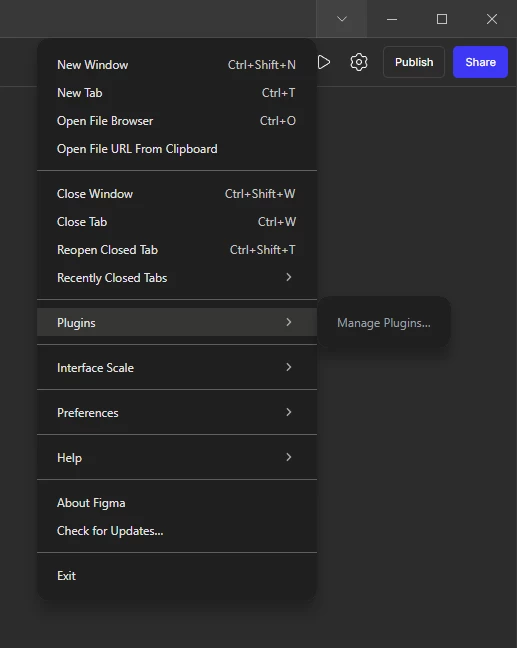
Can't select plugin options in Figma Make

  • December 2, 2025
  • 2 replies
  • 13 views

zyxg

I see the option "Manage PLugins...” but it's blacked out. I want to use a plugin from Figma Design



2 replies

djv
Figmate
  • Community Support
  • December 2, 2025

Hi ​@zyxg, thanks for reaching out! 

Right now, plugins are not available for Figma Make, which is why Manage Plugins is greyed out. Plugins can currently only be used Figma Design, Dev Mode, FigJam, Figma Slides, and Figma Buzz.

More info here: https://help.figma.com/hc/en-us/articles/360042532714-Use-plugins-in-files


WilliamsWelsh
  • New Participant
  • December 3, 2025

Hey @zyxg — good question. It’s not a bug; it’s a limitation: Figma does not currently support plugins in Figma Make, which is why the “Manage Plugins…” option appears greyed out. 

If you want to use plugins, you’ll need to open the design/project in one of the supported Figma environments (e.g. “Figma Design”, “Dev Mode”, “FigJam”, etc.). 

If you don’t control where the file opens or if it always defaults to “Make”, try re-opening it in a supported mode — or ask the file owner to share it as a Figma Design file instead.

Hope this helps!
