Can't remove accidental image from library color
Through some chain of events that I don’t remember exactly, I added an image to a color style definition in our shared library when I was experimenting with a design. But when I go to edit the style definition in the library, the image is not there (and I haven’t heard any other library users complain about it), so the problem must exist in my own file, but I can’t find how to undo it?
Below is the style as applied in my file. As you can see, it has a color and an image, and I cannot edit it from this file since it comes from the library. Every element that uses this color in my file now looks like this.
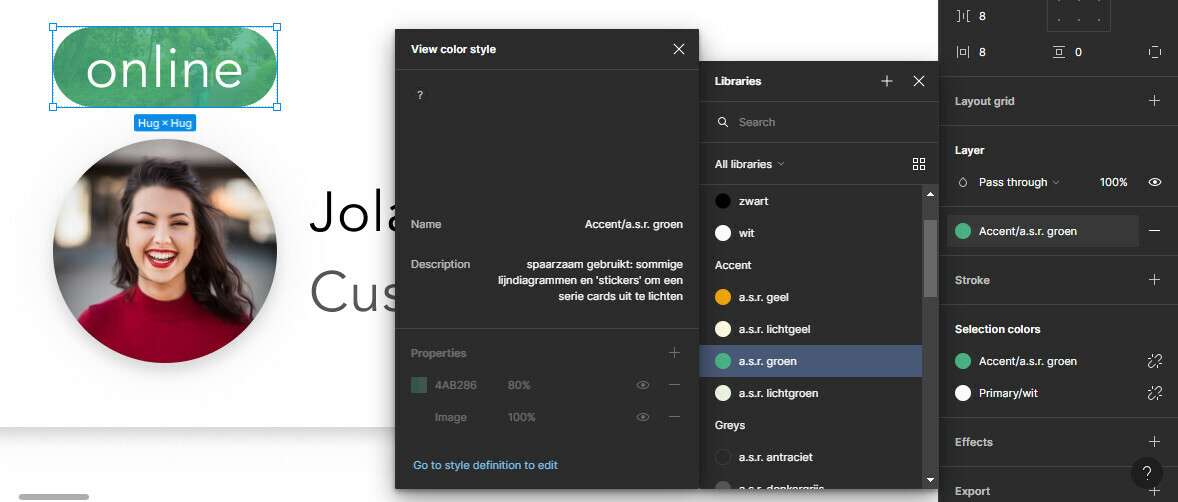
But when I click ‘edit in library’, everything there is fine? I’ve tried removing and re-adding the library to this file, but that didn’t solve it.