Natcha Janha Mo
New Member
August 25, 2026
Solved

Can't create new design file in Draft after I switch back to Freeplan

  • August 25, 2026
  • 2 replies
  • 94 views

Hello, I used to be on the Pro Figma plan and already had some files in my Team. One day, my account was switched back to the Free plan, and I noticed that I can no longer create new design files in my Drafts.

Is anyone else experiencing the same issue? I believe the Free plan still allows unlimited design files in Drafts, but I’m not sure what happened with my account. Has anyone experienced this before?


    Best answer by Gayani_S

    Hey ​@Natcha Janha Mo, thanks for reaching out! 

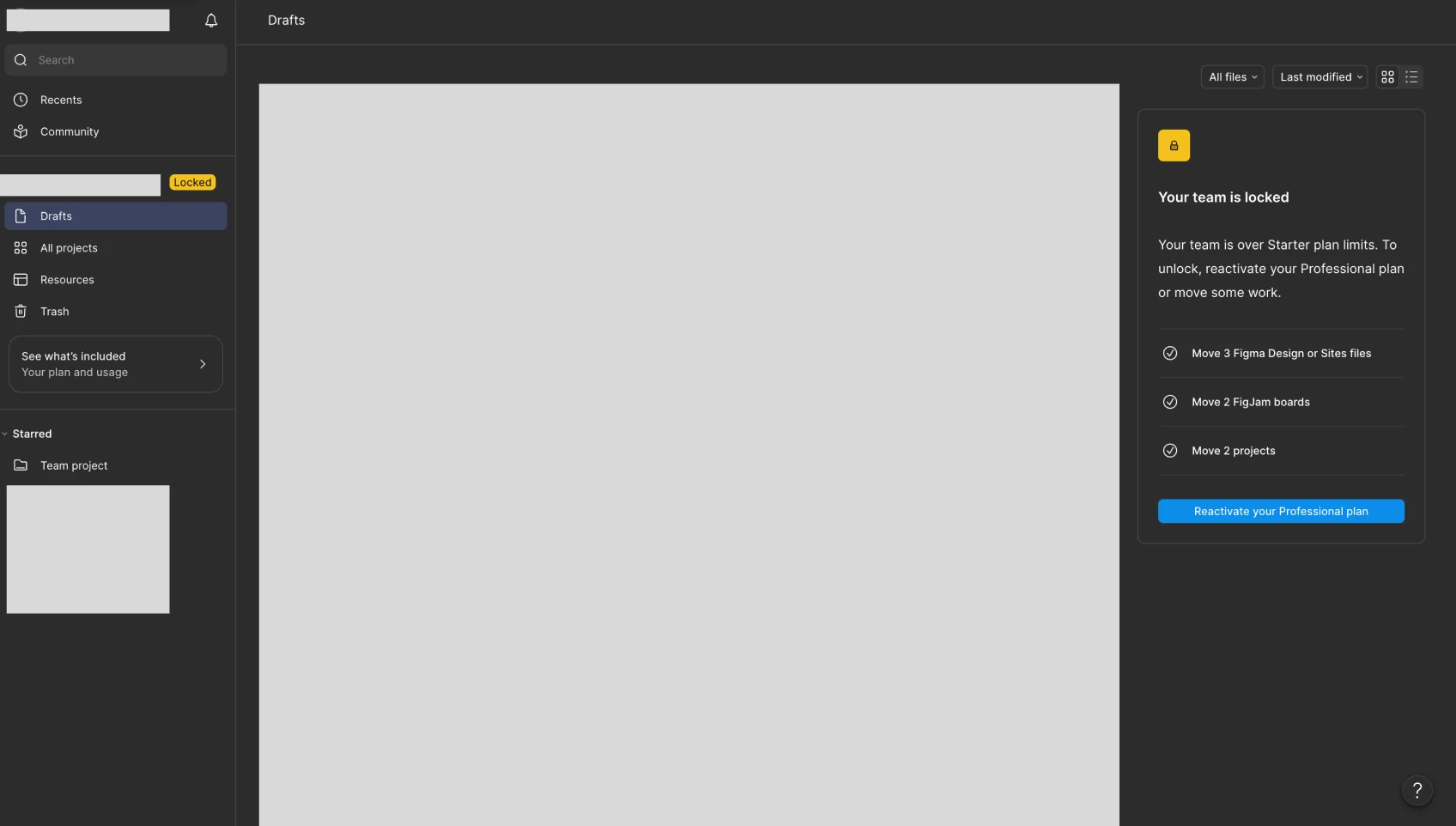
    When a team drops down to the Starter plan but still has more files in it than that plan allows, Figma locks new file creation in that specific team until you're back under the limits. Either by moving some work out, or reactivating your Professional plan. That's the "Your team is locked" message you're running into in Drafts.

    I can see that you're also part of a team called My project, and that one's still on a paid plan. So you should be able to create and edit Figma Design files there without hitting the same wall. Here's how to get to it:

    1. From the file browser, look at the top of your left sidebar, where your current team's name is shown.
    2. If you have access to more than one team, you'll see a small dropdown arrow next to that name. Click it to see every team you're part of.
    3. Select My project from the list. You'll land in that team's own Drafts, completely separate from the locked one.

    For more on how team switching works, and how Starter plan limits are structured, these might help: Guide to the file browser and Starter plan overview.

    If you're not sure why the other team dropped to the Starter plan, it's worth double-checking your billing and plan settings from that team's Admin tab or reaching out to us through the Support Hub so we take a closer look at your account specifically.


    Hope this helps! 

    2 replies

    Gayani_S
    Figmate
    Gayani_SAnswer
    Community Support
    August 25, 2026

    Hey ​@Natcha Janha Mo, thanks for reaching out! 

    When a team drops down to the Starter plan but still has more files in it than that plan allows, Figma locks new file creation in that specific team until you're back under the limits. Either by moving some work out, or reactivating your Professional plan. That's the "Your team is locked" message you're running into in Drafts.

    I can see that you're also part of a team called My project, and that one's still on a paid plan. So you should be able to create and edit Figma Design files there without hitting the same wall. Here's how to get to it:

    1. From the file browser, look at the top of your left sidebar, where your current team's name is shown.
    2. If you have access to more than one team, you'll see a small dropdown arrow next to that name. Click it to see every team you're part of.
    3. Select My project from the list. You'll land in that team's own Drafts, completely separate from the locked one.

    For more on how team switching works, and how Starter plan limits are structured, these might help: Guide to the file browser and Starter plan overview.

    If you're not sure why the other team dropped to the Starter plan, it's worth double-checking your billing and plan settings from that team's Admin tab or reaching out to us through the Support Hub so we take a closer look at your account specifically.


    Hope this helps! 

    New Participant
    August 25, 2026

    I’ve seen similar issues when switching between teams or plans in Figma. It’s worth checking which team is currently selected, especially if the files were originally created under a different workspace. The team-switching option in the file browser can make the missing Drafts appear again.