

Question

Can't apply font size & line height variables. It shows default value

  • August 8, 2025
  • 5 replies
  • 198 views

Umut_Aydin1

Hi all

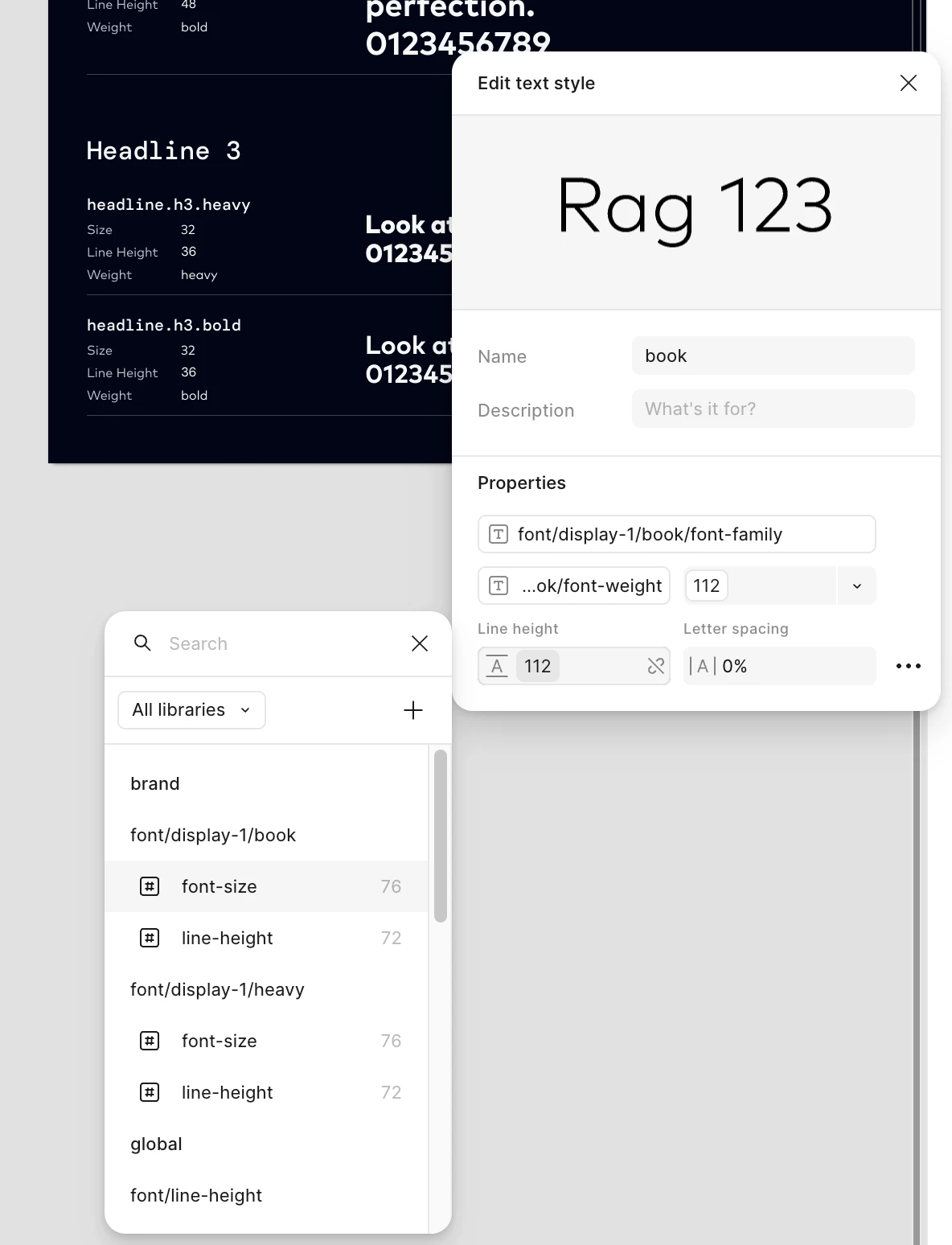
I have two modes set up in our variables — Mode A and Mode B. When I try to change the font style for Mode B in the edit panel it keeps applying the default values from Mode A.

Mode A has a font size of 112 and Mode B is set to 72. However when I try to adjust the values for Mode B it’s stuck at 112. If I break the variable it then shows 72. This issue only seems to affect font size and line height.

I’ve attached some screenshots for reference. Not sure if this is a bug or if anyone else is seeing the same behaviour.



5 replies

maggieg-duckie

Hi, I’m experiencing this exact same issue! I’ve set up both mobile and desktop font sizes as modes within my variable collection, and I’m unable to access them from the dropdown when setting up the type style.

Edit: the fix was setting the scope of my variables. This is a bit cumbersome to do manually 


Silvia M.
  • New Member
  • December 3, 2025

Hi! I have the same problem. I´ve set up mobile and desktop font sizes as modes and it doesn´t work when applying the device from the dropdown. However it works with just two sizes! I don´t find a solution, i think i´ve set up the scope correctly. Anyone with the same problem and a solution?


jonoyoung
  • New Participant
  • December 3, 2025

@Silvia M. double-check the Details (1) and Scope (2) settings.


Other things to try:

  1. Reload the file by right-clicking the file’s tab and choosing reload.
  2. Make sure the text is in a frame that has the mode applied to the frame.
     

Silvia M.
  • New Member
  • December 3, 2025

Thanks ​@jonoyoung but i´ve already tried all of that and nothing works. Something that i´ve found is that the appearance menu is taken the display mode from a text token collection of a previous file and not from my foundations file. How can i delete it and link it to the correct foundations file?


jonoyoung
  • New Participant
  • December 3, 2025
  1. Select the frame where the appearance mode is applied, click the - (minus) button
  2. Apply the correct appearance mode, ensuring you have the correct variable collection or file

     
  3.