Question

Can I use "Selected frame embed" to show all frames and focus on the specific frame's view

  • April 14, 2022
  • 2 replies
  • 806 views

Liang_Yicheng

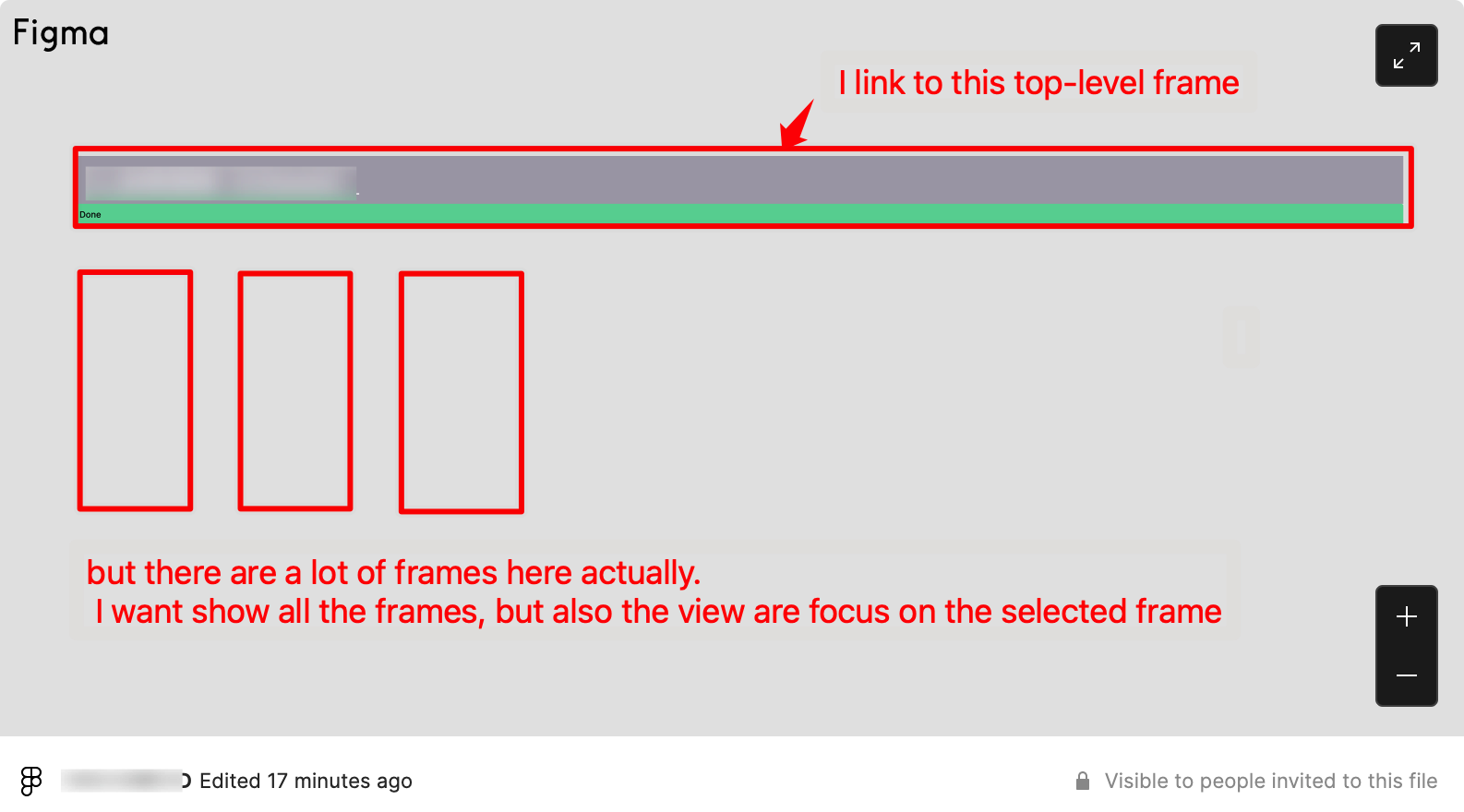
Can I use “Selected frame embed” to show all frames in the page and focus on the specific frame’s view, but not just show the selected specific frame only.
Now, I always copy the frame link that has a flow title and background. And when I use this link embed to confluence, it just show the frame I selected.
The UI frames on the background has didn’t show.

How do I solved it?

This topic has been closed for replies.

2 replies

djv
Figmate
  • Community Support
  • April 15, 2022

Hey @Liang_Yicheng,

When you embed a file, you have the option to link to a specific page or top-level frame within the file. More info here:

Figma Help Center

Please note that it’s not possible to add embeds within a native/desktop applications, you can only add embeds in browser-based applications. Are you trying to embed to Confluence via browser or app?


Liang_Yicheng
  • Author
  • New Member
  • May 9, 2022

Hi, dvaliao,
thanks for reply.
I know this option can link to top-level frame.
But my needs is that when I link the top-level frame, the embed panel not just show the selected frame, but can see all of those frames. But also the view are focus on the selected frame.