clive.kennard
New Participant
Nov 5, 2026 4:59 PM UTC
Solved

Button component using "while pressed" works as expected until interaction added

I may be going crazy…

I have made a very simple button component with two variants Default and Pressed, these are connected by a “While Pressed” noodle with a change to  “Pressed” interaction. When I use an instance of this button in a prototype it behaves as expected pressing the button changes its state to “pressed”, releasing the button changes its state back to “default”. Great! however when I add an interaction to the button in the prototype (on click set variable etc.)  when the button is clicked the variable is set but the button does not return to the default state - remaining in the pressed state.
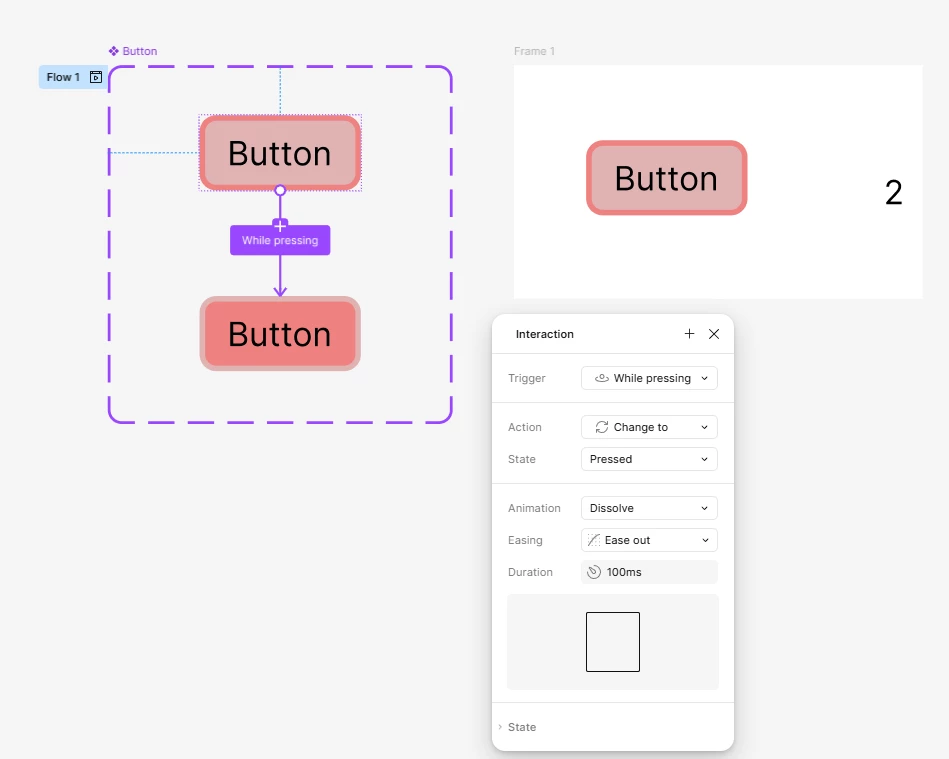
Adding the Interaction to the button instance
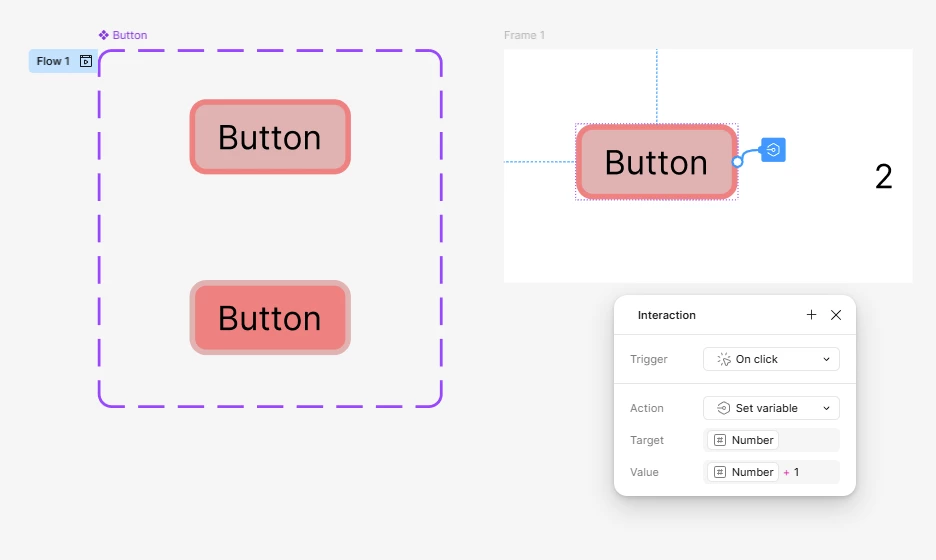
I am sure this was working before, hence doubting my sanity… What am I missing, is there an easy workaround/fix?


Thank you in advance!

Ondrej_Pavlicek
Figma Ambassador
Nov 5, 2026 5:33 PM UTC

Hi! 👋 

Thanks for sharing this!

I found a similar issue that was already reported and confirmed by the Figma team:

I also came up with a small workaround. It's not ideal, but it seems to do the trick.

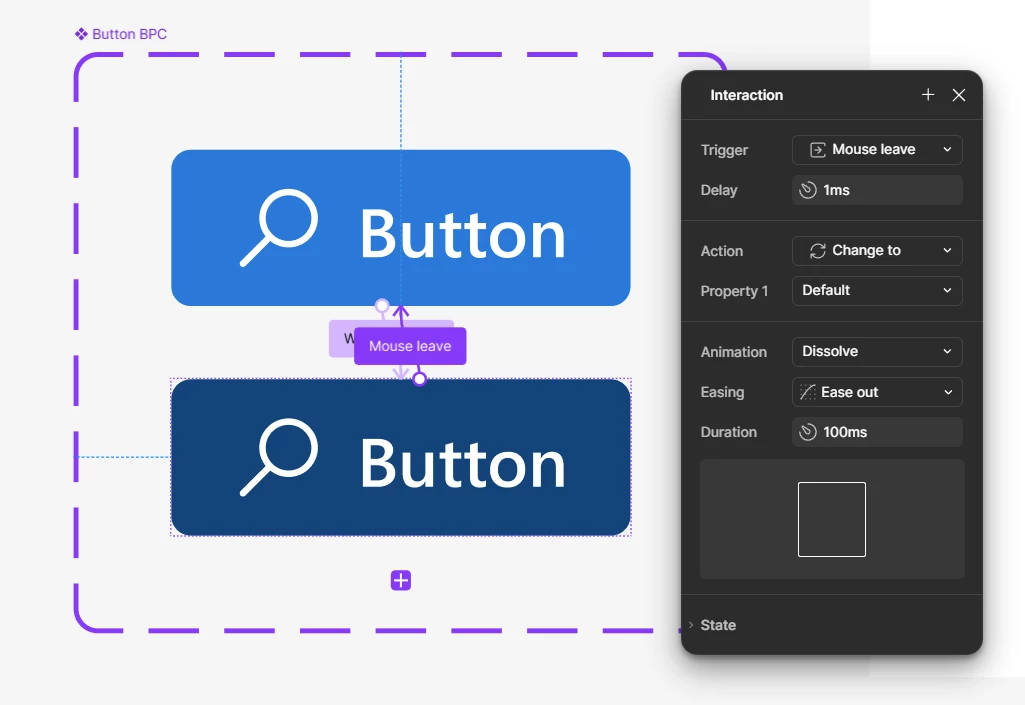
I simply added one extra interaction to the Pressed variant in the main component: Mouse Leave → Change to Default (with a 1ms delay).

Everything else stays the same.


Hope this helps!

Product designer @ NETWORG | Designing Model-driven Power Apps in Figma | Power Apps DesignKit (Model-driven) | Disclosure: I’m part of Figma’s Forum Ambassador program.

1 reply

Ondrej_Pavlicek
Figma Ambassador
Figma Ambassador
Nov 5, 2026 5:33 PM UTC

Hi! 👋 

Thanks for sharing this!

I found a similar issue that was already reported and confirmed by the Figma team:

I also came up with a small workaround. It's not ideal, but it seems to do the trick.

I simply added one extra interaction to the Pressed variant in the main component: Mouse Leave → Change to Default (with a 1ms delay).

Everything else stays the same.


Hope this helps!

Product designer @ NETWORG | Designing Model-driven Power Apps in Figma | Power Apps DesignKit (Model-driven) | Disclosure: I’m part of Figma’s Forum Ambassador program.