

Best way to control multiple component properties and elements
I want to be able to use a single variable to control multiple elements of a component instance as per the following scenario.
I have created a header component for a suite of apps that has the following elements -
- Primary colour (Lightest)
- Secondary colour (Darker)
- Tertiary colour (Darkest)
- App icon
- App name
Here are two app header examples -
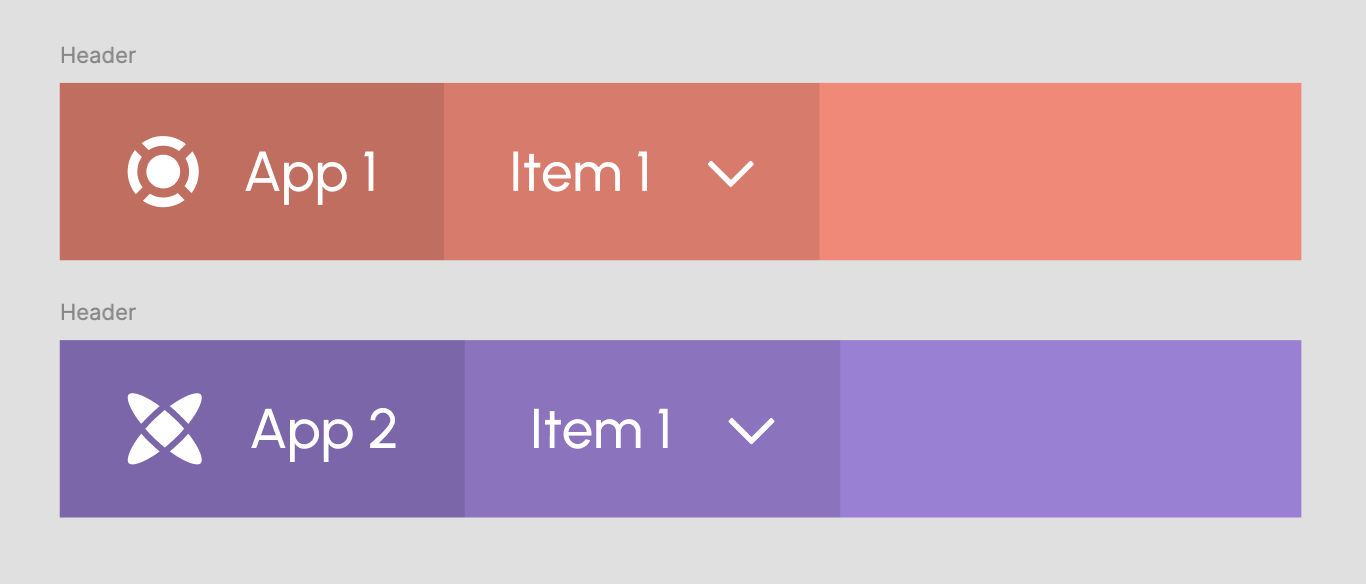
Each app in the suite has it’s own set of colours, icon and name. So what I want to be able to do is simply set a string variable when launching an app from a home screen that contains a list of the apps and have the header of the app change name, colour and icon in the header component.
Eg. Set variable ‘App’ to “App 1” so that the header updates it’s name, icon and colours.
Right now I am simply using many component instances and creating lots of pages. There’s a lot of redundancy that I’d like to remove from my file. I am an intermediate variable user but I’m not getting anywhere with my attempts to set up the elements and variables to make this happen.
I only have access to 4 modes in Variables and I have to manage up to a dozen apps so I can’t set the app names in a single string variable. I wondered if I could create a component with a text instance of each app name and then use a universal app name string to control the other other elements ie. colour and icon.
I already have the Primary, Secondary and Tertiary colours set up in a variable collection called ‘App Colours’ as follows -

Any suggestions would be greatly appreciated.