

Konrad
January 28, 2021
Question

Autolayout with complex background

  • January 28, 2021
  • 5 replies
  • 3193 views

Hi there! I am kind a newbie so please be gentle 🙂
I want to create an autolayout button with complex background, it is not a simple rectangle as you see below:
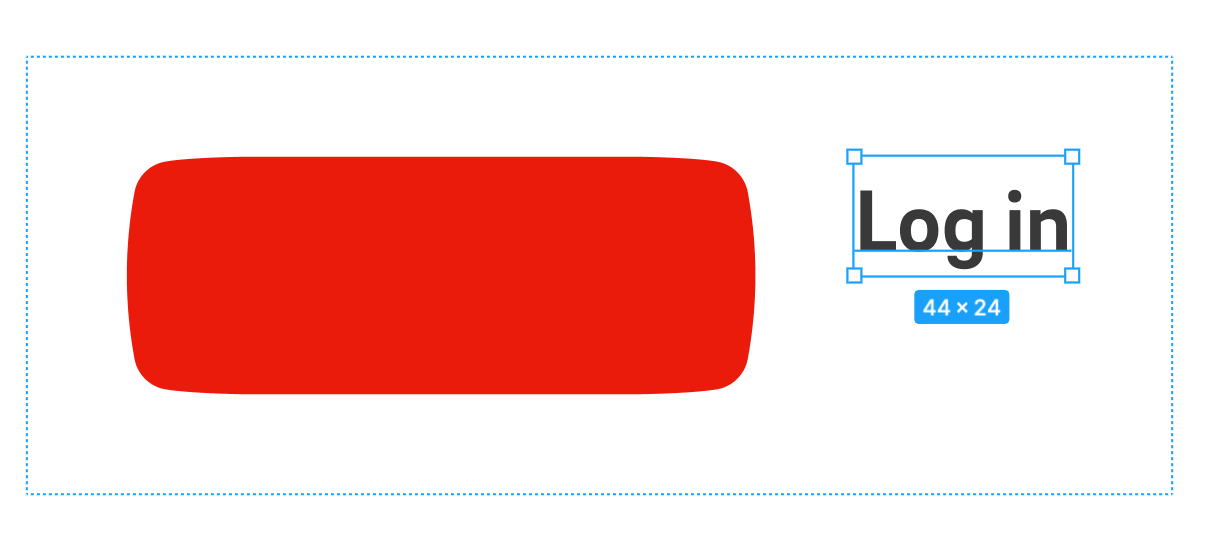

And i simply can’t do it with this shape, I can’t place it as a background under the label

Could you please help me?

This topic has been closed for replies.

5 replies

Gleb
Power Member
January 28, 2021

You can’t do that because that shape is a simple vector object. And it will look very bad if you stretch it. I recommend creating two separate sides to create the shape and placing the rectangular auto layout in the middle. I just added an example into this file I created and you can find other useful examples there too:

Figma
Konrad
KonradAuthor
January 28, 2021

Thanks mate, I will play with it!

Konrad
KonradAuthor
February 1, 2021

@Gleb one more tricky part, how to do it with outlined button state? Any ideas?

Gleb
Power Member
February 1, 2021

Easy: instead of coloring the central rectangle autolayout, put two horizontal lines in it. And turn sides into strokes, removing two vertical lines from them.

Alexander_Tazh
October 1, 2023

There should be something like a ‘9 patch’ checkmark for this by the fill value of the autolayouted element.