July 3, 2024
Solved

Autolayout for header and text spacing?

  • July 3, 2024
  • 3 replies
  • 158 views

Hi, I created some blog cards and wanted to use autolayout to make it so the text moves down accordingly when the title breaks into two lines or more. But there doesn’t seem to be a way to make that happen only through the text- I need to manually resize the frame around the title for the autolayout to detect it.
Is there a workaround for this?
This topic has been closed for replies.
Best answer by Vishal_Ramawat

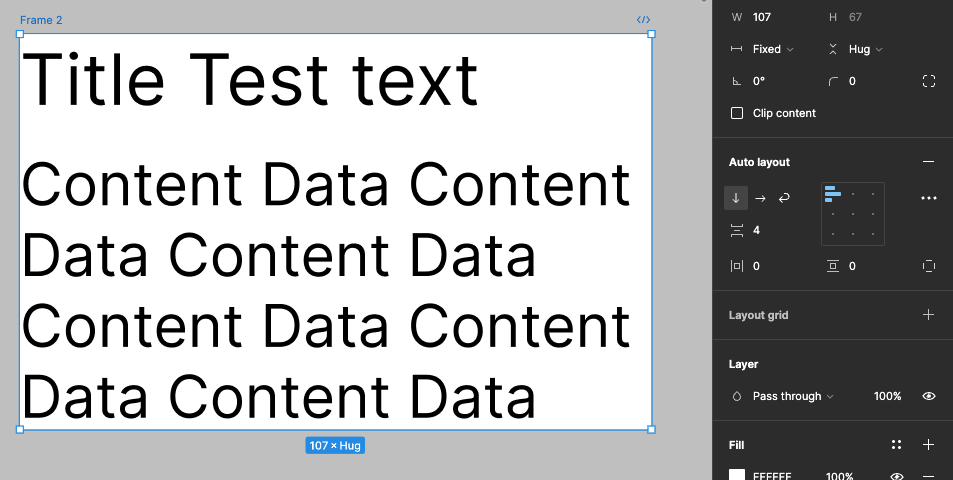
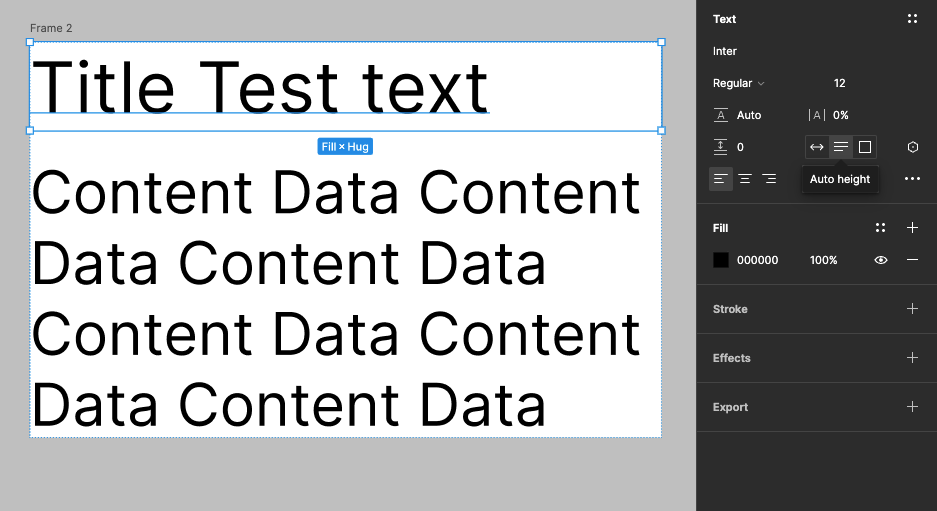
Can you share the screenshot of how you have grouped the items?
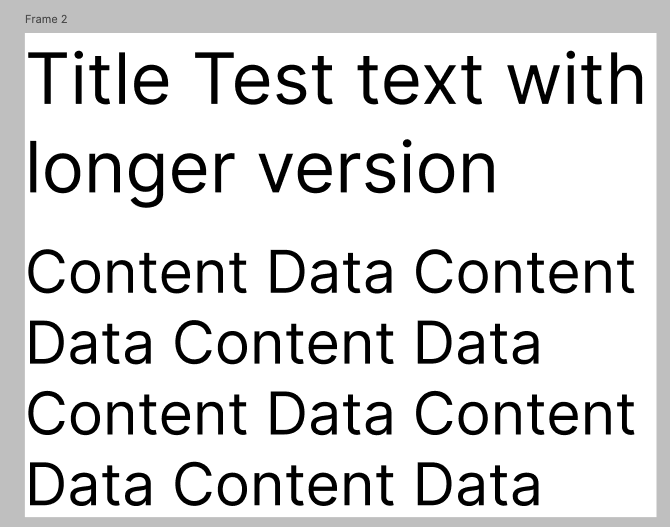
Yo can Fix the width of Autolayout frame and select the Autoheight option for text fields and it should work.

Result:

3 replies

Vishal_Ramawat
July 3, 2024

Can you share the screenshot of how you have grouped the items?
Yo can Fix the width of Autolayout frame and select the Autoheight option for text fields and it should work.

Result:

alba6Author
July 3, 2024

OHH SO IT WAS THAT SIMPLE!! Thank you!! I was wrecking my brain over this and didn’t know how to look it up on google haha thank you so much!

Vishal_Ramawat
July 3, 2024

Glad it was helpful, please do mark the answer as solution 🙂