Apr 2, 2024 3:31 AM UTC
Solved

Auto layout in nested component not hugging text

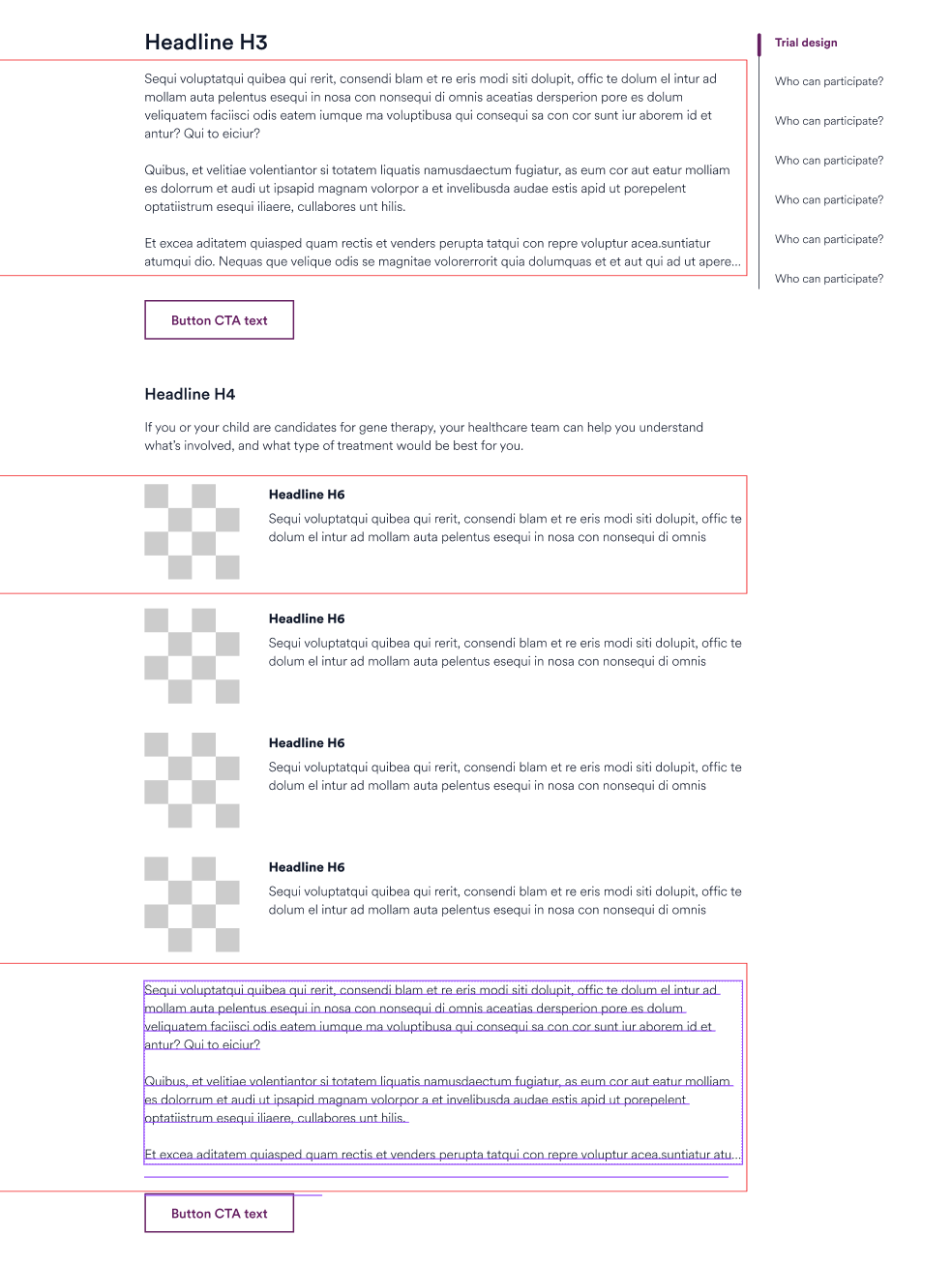
Hi all. I built two nested components where all the text and auto layouts are vertically set to Hug (and horizontally set to Fixed for the outer container and Fill for all layouts/text inside). It is mostly working. However, in some places, if I place text into an instance, and that text is longer than the character count of the component’s box, the instance’s box will not grow to “hug” all the content. Instead it cuts the content off. It especially seems to happen if there is a button or an image below the text box in question.

An image is attached. The red outlines show the places it is happening. On the bottom red box you can see an example of the text being longer than the box (box not hugging).

Any help is appreciated. Thanks!
This topic has been closed for replies.
djv
djvSolution
Community Support
Apr 3, 2024 10:11 PM UTC

Hey Shawn, thanks for reaching out!

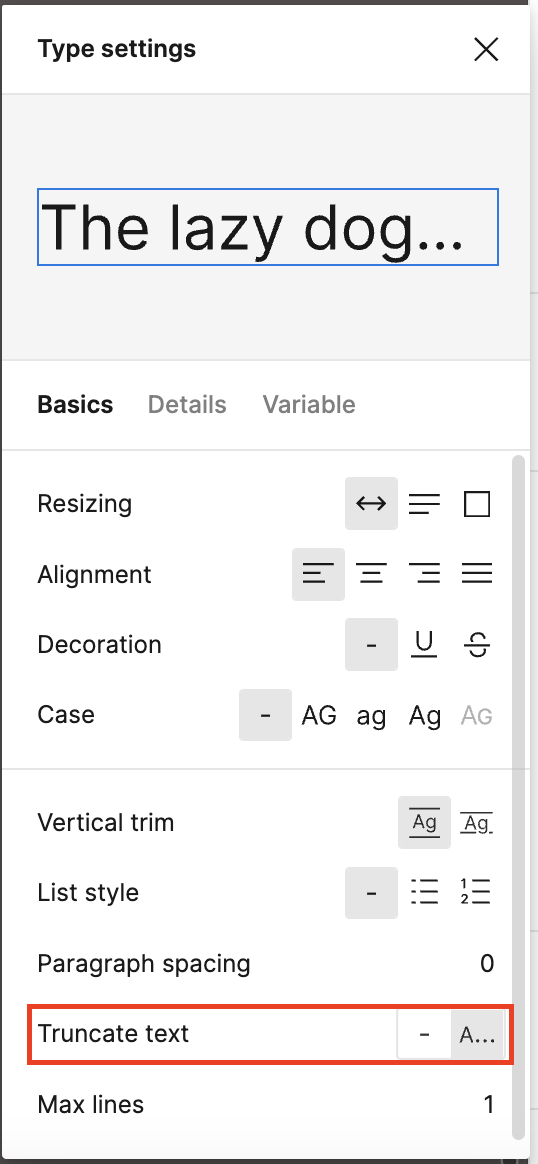
I tried to reproduce the issue and only managed to replicate, if I clicked Truncate text, which hides overflow content, under my Type settings.

Can you please double-check your Type settings to see if that may be causing the issue?

3 replies

djv
Figmate
djvSolution
Community Support
Apr 3, 2024 10:11 PM UTC

Hey Shawn, thanks for reaching out!

I tried to reproduce the issue and only managed to replicate, if I clicked Truncate text, which hides overflow content, under my Type settings.

Can you please double-check your Type settings to see if that may be causing the issue?

Apr 4, 2024 12:52 AM UTC

Yes, @dvaliao, that is it! Truncate text was on, so I turned it off and now everything is functioning as I had hoped. Thank you so much!

djv
Figmate
Community Support
Apr 4, 2024 1:56 AM UTC

You’re welcome! So glad to hear we figured it out! 🙂