Andy Scoggins
New Member
June 5, 2025

"Anyone with the link" is not showing even though public sharing is enabled

  • June 5, 2025
  • 2 replies
  • 489 views

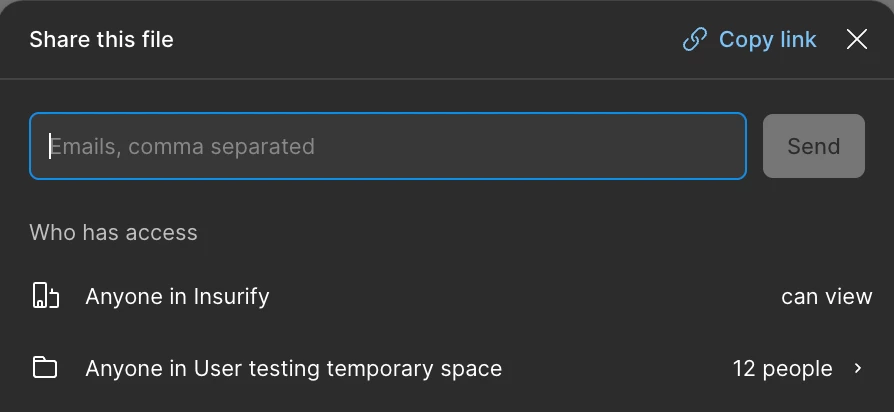
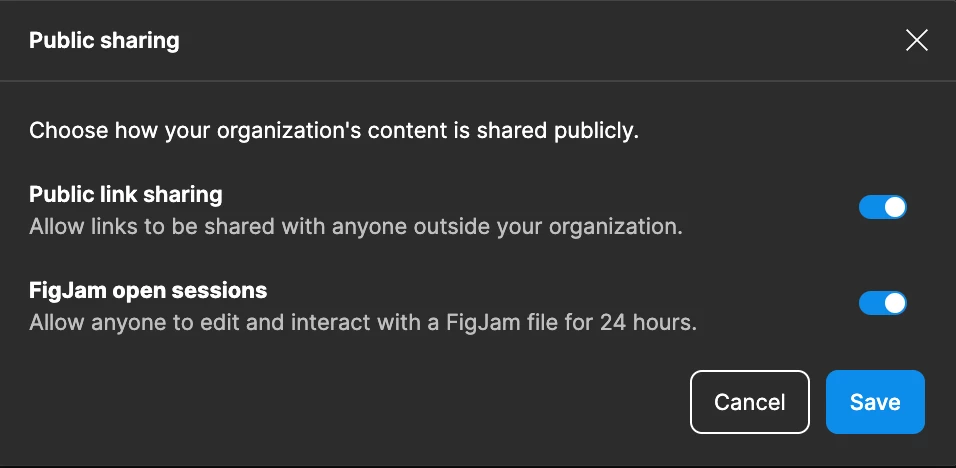
We are on the Organization plan. We have “Public link sharing” enabled. When we attempt to share publicly, there is no “Only those invited” or “Anyone” option. There is only “Anyone in the [organization]”. 


I contacted support but the AI bot just keeps telling me to enable “Public link sharing”. Any suggestions would be great.


This topic has been closed for replies.

2 replies

Figmate
June 6, 2025

Hi ​@Andy Scoggins ,


I understand you'd like to see "Anyone" instead of "Anyone in [Org]" in your file's sharing permissions within the share modal.


Thanks for letting us know the bot's previous response wasn't quite what you were looking for, I’ll pass your feedback to our team.
Could you please try adjusting the share settings by following these steps?

  1. Click the current sharing permissions(B) to open the Share settings modal.


  2. In the “Share settings” modal, choose "Anyone" from the dropdown next to "Who has access."(A)

    You can find more details in this guide: Share files and prototypes

If you've tried the steps above and are still having trouble, please reply to your existing ticket with the URL of the problematic file and a video or screenshot showing that you've tried these steps. This will help us take a closer look at your file permissions.


Thanks,

Andy Scoggins
New Member
June 9, 2025

Thank you for the response. As it turns out, the permissions for the Team were limited to the organization. Thus, any files in the team space were limited to the organization. Once I fixed the Team, the sharing to Anyone worked fine.