Hi everyone, I’m the admin for team Shenzhen OneConnectSmart Technology Co,.Ltd. Our annual renewal date is Nov 16. We are now inside the 30-day renewal window for seat adjustment.
Our goal: reduce 3 Dev seats for the next billing cycle.
I do NOT see the "Review seats" banner on Admin / Billing page, so I cannot adjust Dev seat count by myself in the dashboard.
I have submitted a support ticket to request reducing these 3 Dev seats before renewal.
Hi @Yun Fan Bai, Celyn here from the Figma Community team. Thanks for reaching out!
I understand you’d like to remove three Dev seats before your plan renews, but you’re not seeing the Review seats banner.
Thanks for submitting a support ticket so the team can review your account directly. I’ve located your ticket #2239042 and added an internal note to increase its visibility.
In the meantime, if the three Dev seats you’d like to remove are still assigned, you can first move those users to free View seats:
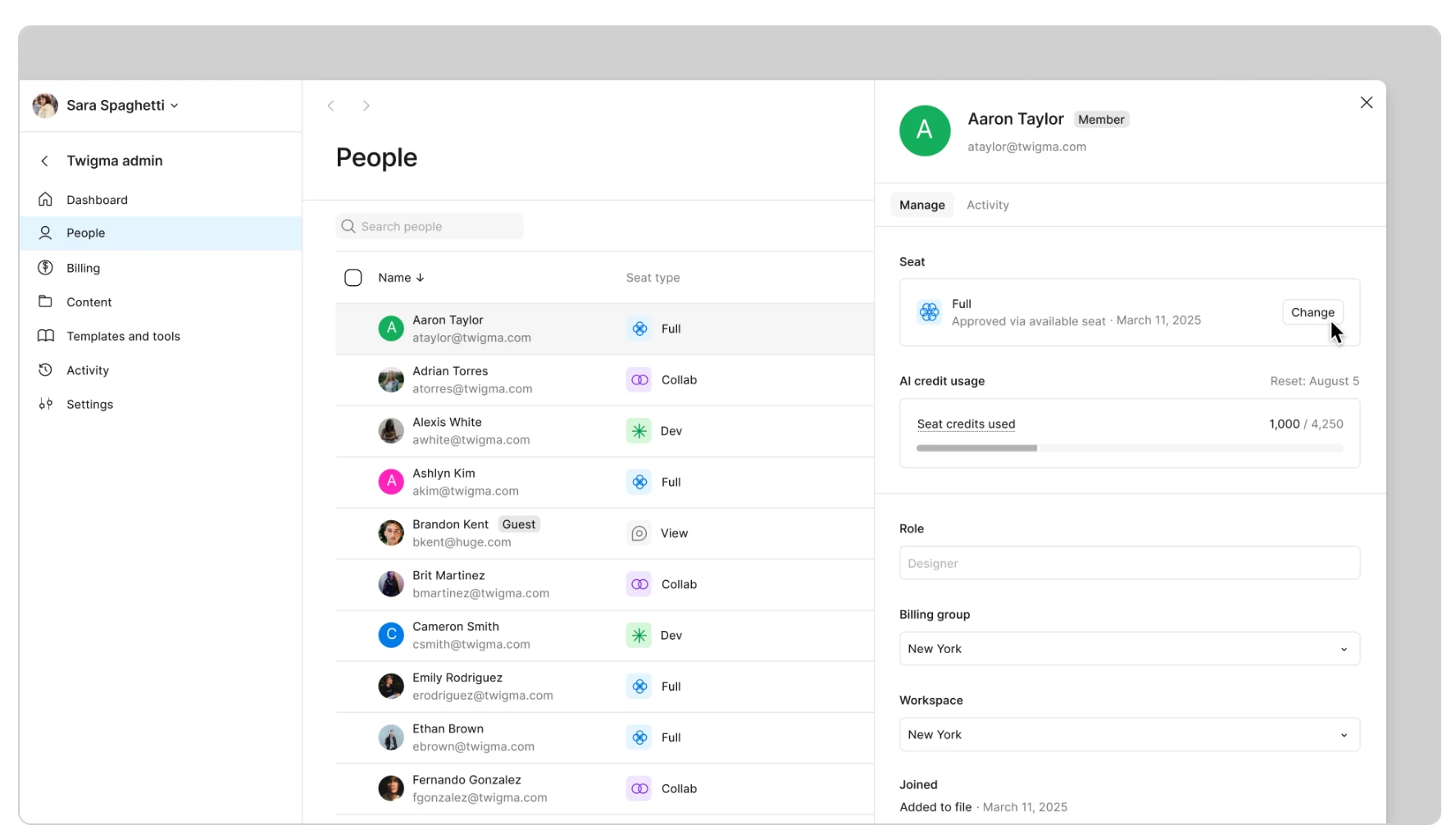
Go to Admin → People.
Click a person’s name to open their user management panel.
Under Seat, click Change.
Select the free View seat and confirm.
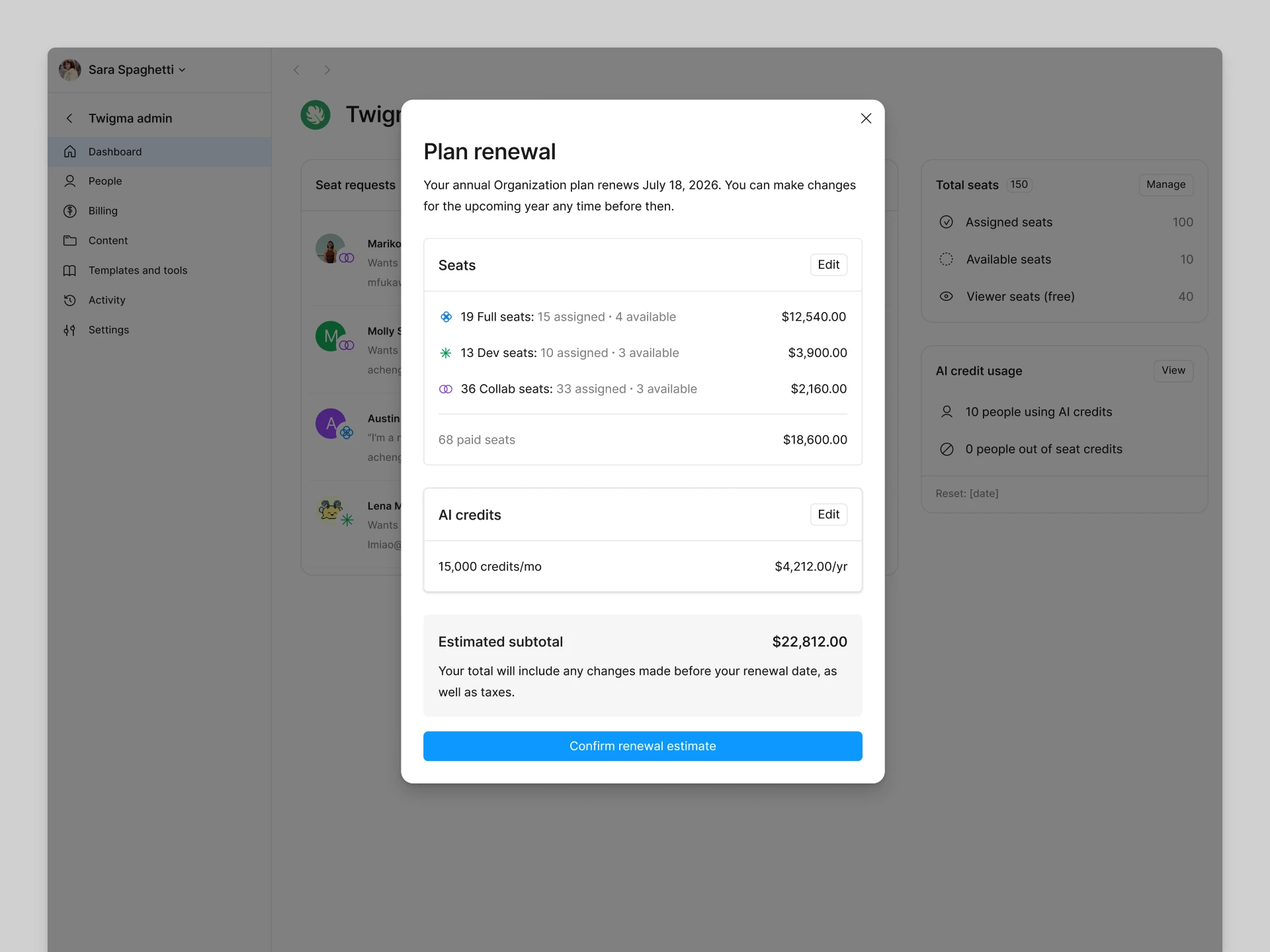
Once the seats are unassigned, try opening the Plan renewal dialog from Admin → Billing. Click Edit next to Seats to reduce the number of unassigned Dev seats included in your next term, then click Confirm renewal estimate to save your changes.
Hi @Yun Fan Bai, Celyn here from the Figma Community team. Thanks for reaching out!
I understand you’d like to remove three Dev seats before your plan renews, but you’re not seeing the Review seats banner.
Thanks for submitting a support ticket so the team can review your account directly. I’ve located your ticket #2239042 and added an internal note to increase its visibility.
In the meantime, if the three Dev seats you’d like to remove are still assigned, you can first move those users to free View seats:
Go to Admin → People.
Click a person’s name to open their user management panel.
Under Seat, click Change.
Select the free View seat and confirm.
Once the seats are unassigned, try opening the Plan renewal dialog from Admin → Billing. Click Edit next to Seats to reduce the number of unassigned Dev seats included in your next term, then click Confirm renewal estimate to save your changes.
Hi Celyn, Thanks for your guidance. I have downgraded the three users to View seats successfully. However, the seat count and amount in the next invoice preview still stay the same. I checked the Billing page repeatedly, and there is no "Edit" option next to Seats in the renewal estimate dialog for me to reduce the unassigned Dev seats.
It seems self-service seat adjustment is unavailable for our contracted organization team. Could you help push ticket #2239042 so the support team can manually reduce these 3 Dev seats before our renewal date Nov 16? Thank you.
You’re welcome, @Yun Fan Bai. I’m glad you were able to move the three users to View seats successfully.
Thanks for the update and for sharing the screenshot. It could be that your organization purchased Figma through an order form, in which case your renewal experience may differ.
I understand this is time-sensitive and that you’d like to get these seats adjusted before your upcoming renewal on Nov 16th. I’ve went ahead and flagged your ticket #2239042 internally, please be assured that someone from the team will assist you through your ticket as soon as they’re able.
Thank you for your patience while the team reviews this 🙏